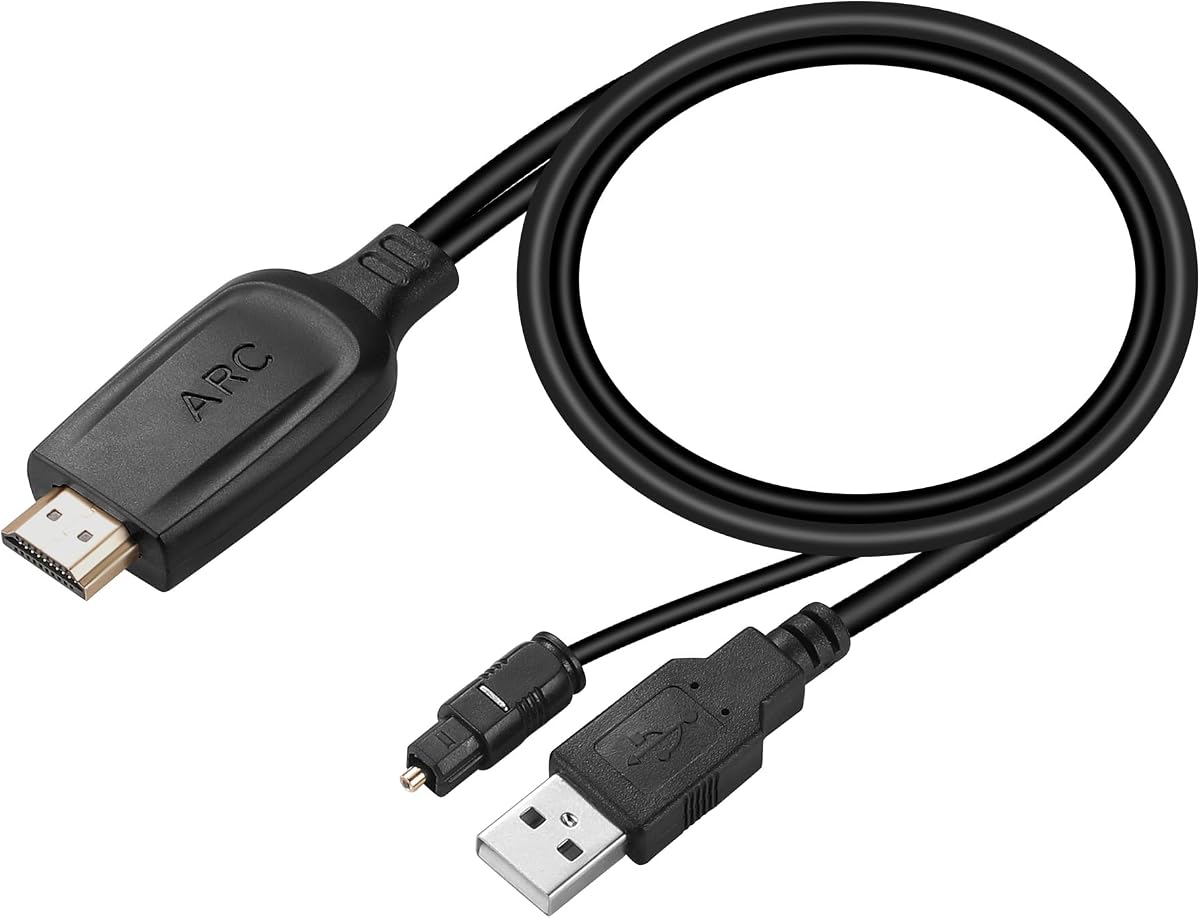
Unstincer 192KHz HDMI ARC to Optical Audio Converter for TV to Soundbar
4.2Editor score
Affordable price point
Supports 24-bit/192kHz audio
Simple plug-and-play setup
This guide compares the top HDMI Arc Adapter for Soundbar models to help you connect legacy audio gear to modern TVs using ARC or eARC ports.
Connecting your modern TV to a legacy soundbar often requires an HDMI Arc Adapter for Soundbar. These devices extract audio from your TV’s ARC or eARC port and convert it to optical or analog outputs. Choosing the right adapter ensures high-quality sound without replacing your entire audio setup.
We evaluated ten top-rated HDMI Arc Adapter for Soundbar options based on compatibility, audio fidelity, ease of setup, and build quality. Each product was assessed for its ability to handle different audio formats like PCM, Dolby, and DTS. Our list covers a range of prices and features to suit various home theater needs.
Each pick in this guide highlights key specifications, pros, cons, and ideal use cases. You will find detailed reviews of every model, including setup tips and troubleshooting advice. Please note that product availability and pricing can change, so verify details before purchasing.
4.2Editor score

4.9Editor score

4.1Editor score
The following table provides a side-by-side comparison of all ten HDMI Arc Adapter for Soundbar models. It highlights key specifications like supported audio formats, output types, and special features to help you decide quickly.


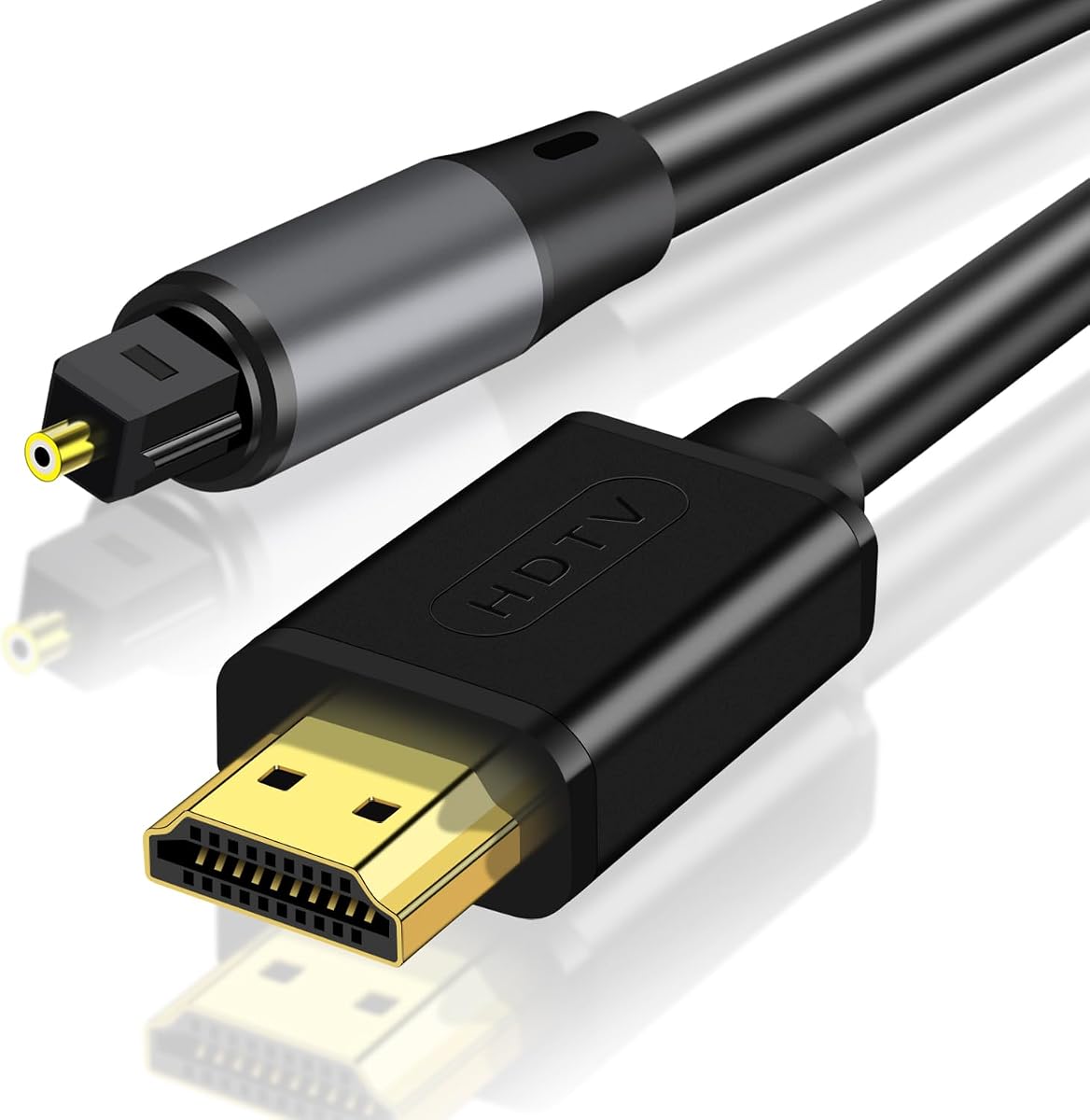
This HDMI ARC to Optical Audio Adapter stands out as the best overall choice for most users. With a 4.9 rating, it delivers clean audio and supports multiple formats. It is perfect for connecting older soundbars to newer TVs without complex setup.
We may earn a commission when you buy through this link, at no additional cost to you.
The adapter includes 24K gold-plated connectors that resist corrosion and ensure a stable connection. Its built-in chip decodes PCM, LPCM, and DTS 5.1 formats, so you get theater-quality sound. The 4.9FT optical cable provides flexibility for placing your soundbar away from the TV.
While it lacks eARC support and CEC volume control, these trade-offs are acceptable for its price point. Most TVs with ARC ports work seamlessly. You may need to adjust volume on the soundbar itself, but the audio quality makes up for it.
Buy this adapter if you want a reliable, easy-to-use solution that works across Samsung, LG, and Sony TVs. It is ideal for home theaters needing clear audio without breaking the bank.
Gold-plated connectors prevent oxidation, ensuring long-term audio clarity and reducing interference from external electronics.
The included 4.9FT optical cable lets you position your soundbar across the room, giving your setup a cleaner look.
We may earn a commission when you buy through this link, at no additional cost to you.
The Unstincer 192KHz HDMI ARC to Optical Audio Converter offers the best budget option without sacrificing audio quality. It supports up to 24-bit/192kHz sampling, ensuring pure sound for home theaters. Ideal for those on a tight budget needing reliable connectivity.
We may earn a commission when you buy through this link, at no additional cost to you.
Its LED indicator lights up when connected, confirming status at a glance. You can set the TV to output PCM, Dolby 5.1, or DTS 5.1, making it versatile. The converter is plug-and-play, requiring no drivers or software installations.
The optical cable is only 1.05 meters, which may limit placement. Also, it does not decode 5.1 channels internally, so your sound system must support them. Despite these limits, it performs well for stereo or basic surround setups.
Choose this if you need an affordable bridge between your TV and soundbar. It is a smart pick for upgrading old audio gear without spending much on a new receiver.
Supports 24-bit/192kHz sampling to preserve detail in high-quality audio tracks from streaming or local files.
The LED indicator confirms power and signal status immediately, helping you troubleshoot setup issues quickly.
We may earn a commission when you buy through this link, at no additional cost to you.
The VPFET HDMI eARC Audio Extractor is a premium choice offering dual Toslink and Coaxial outputs. It supports 192kHz sampling rates for lossless audio quality. With a dedicated eARC interface, it handles high-bandwidth digital audio better than standard ARC converters.
We may earn a commission when you buy through this link, at no additional cost to you.
This extractor comes with a 19+1 high-pin HDMI cable, ensuring stable signal transmission. You can connect to DACs, amplifiers, or speakers with both optical and coaxial inputs. Its compact design integrates easily into any home theater setup.
Though priced higher, its versatility and premium audio handling justify the cost. It does not support CEC volume control, so you adjust volume on your audio device. Some TVs may require manual eARC settings in their menu.
Pick this if you want the highest audio fidelity and dual-output flexibility. It is perfect for audiophiles needing cinema-grade surround sound from their TV’s eARC port.
Toslink and Coaxial outputs allow connection to a wider range of DACs, amps, and speakers for maximum compatibility.
Supports 24-bit/192kHz sampling to reproduce every audio detail without quality loss from compression or conversion.
We may earn a commission when you buy through this link, at no additional cost to you.
The eSynic Professional 192Khz eARC & ARC to Optical Audio Extractor is designed for simplicity. It pulls high-quality audio from your TV’s eARC/ARC port and outputs it via a clean optical signal. Perfect for users who want one purpose without clutter.
We may earn a commission when you buy through this link, at no additional cost to you.
It includes an optical cable, HDMI cable, and USB power cable, so you have everything needed. The status LED confirms power and signal, making setup straightforward. Just connect to the labeled ARC/eARC port and enjoy audio.
Since it lacks coaxial output, it suits setups relying solely on optical. You must adjust volume on the soundbar as CEC is not supported. This is standard for optical extractors but worth noting before purchase.
Buy this if you want a no-fuss, reliable extractor for old soundbars. It is a great choice for reducing cable clutter while maintaining high audio quality.
Focuses on one pure optical output to minimize cable clutter and confusion in your home theater setup.
Comes with HDMI, optical, and USB cables to ensure you can start using it right out of the box.
We may earn a commission when you buy through this link, at no additional cost to you.
The HDMI ARC Adapter 4K60Hz offers versatile analog outputs for users without optical ports. It converts ARC audio to L/R and 3.5mm ports, enabling headphone or speaker connections. The aluminum build ensures durability and good heat dissipation.
We may earn a commission when you buy through this link, at no additional cost to you.
It supports sampling rates up to 192KHz for high-resolution sound. Digital noise reduction technology enhances clarity and reduces interference. However, it does not decode 5.1 or 7.1 channels, so set your TV to PCM output.
While it lacks optical, the analog ports provide great flexibility for headphones or older amps. You may need to enable CEC in TV settings for audio to work. Overall, it is a robust converter for analog setups.
Choose this if your sound system uses 3.5mm or L/R inputs. It is a solid choice for those needing analog flexibility with reliable audio quality.
Converts ARC audio to L/R and 3.5mm ports for flexible connections to speakers, headphones, or amplifiers.
Built-in digital noise reduction ensures clear sound and minimizes interference from external electronics.
We may earn a commission when you buy through this link, at no additional cost to you.
The HDMI eARC to Optical Audio Converter is ideal for Samsung, LG, and Sony TVs. It converts ARC audio into optical output for soundbars and active speakers. With 24-bit/192kHz sampling, it ensures high-quality sound without loss.
We may earn a commission when you buy through this link, at no additional cost to you.
Setup requires enabling CEC on your TV and setting audio output to PCM or DTS 5.1. It powers via USB from your TV or adapter. The optical output works with most soundbars and amplifiers for seamless integration.
It does not support CEC volume control, so adjust volume on the soundbar. Some TVs may require manual audio output settings to activate ARC. Despite this, it offers reliable performance for modern TVs.
Buy this if you own a major brand TV with ARC and an optical soundbar. It is a dependable choice for bridging modern TVs and legacy audio gear.
Designed to work with most TV brands like Samsung, LG, and Sony that support ARC/eARC interfaces.
Supports 24-bit/192kHz sampling to ensure high-quality sound when connecting to soundbars or active speakers.
We may earn a commission when you buy through this link, at no additional cost to you.
This adapter solves compatibility issues between TVs and home audio systems with a 6.6FT optical cable. It converts HDMI ARC signals to optical for soundbars or active speakers. With 24-bit/192kHz audio, it supports high-resolution sound without quality loss.
We may earn a commission when you buy through this link, at no additional cost to you.
The setup is simple: enable CEC, set audio to PCM or DTS 5.1, and plug in USB power. The long cable lets you place your soundbar across the room. It works with most TVs that support ARC or eARC ports.
Do not expect volume control via TV remote, as optical connections lack CEC. It also does not support Dolby Atmos or multi-channel PCM. For stereo or basic 5.1 setups, it performs excellently without delay.
Choose this if you need extra cable length for flexible soundbar placement. It is a reliable pick for high-quality audio without complicated wiring or setup.
The included 6.6FT optical cable lets you place your soundbar across the room for a cleaner, less cluttered look.
Supports 24-bit/192kHz sampling to fully unleash the potential of high-end audio systems with pure sound.
We may earn a commission when you buy through this link, at no additional cost to you.
The LiNKFOR HDMI eARC ARC to Optical Audio Converter supports Dolby 5.1 and DTS 5.1 for immersive sound. With 192kHz sampling, it delivers pristine audio quality. Clear channel indicators help you verify the signal format quickly.
We may earn a commission when you buy through this link, at no additional cost to you.
You can enable CEC on ARC TVs for HDMI features. It works with smart TVs, soundbars, and wireless headphones. Advanced audio processing removes interference and delay, ensuring synchronized audio for sports or movies.
This adapter does not support CEC volume control due to fiber optic limitations. Also, it does not handle Dolby Atmos. For 5.1 channel setups, ensure your sound system supports DTS or Dolby Audio.
Pick this if you want theater-quality surround sound without complex receivers. It is great for family sports nights or game viewing with clear, synchronized audio.
Supports Dolby 5.1 and DTS 5.1 for clear channel separation and theater-quality surround sound from any content source.
Clear channel indicators help you confirm the audio format and ensure the converter is working as expected.
We may earn a commission when you buy through this link, at no additional cost to you.
This converter connects new smart TVs to legacy optical devices and even headphones via 3.5mm AUX. It supports PCM 2.0 and 5.1 channel surround sound up to 192KHz/24-bit. With bonus cables included, you save time and money.
We may earn a commission when you buy through this link, at no additional cost to you.
Set your TV to HDMI ARC and digital audio to PCM. The optical and 3.5mm outputs offer great versatility. It is ideal for older speaker systems or personal listening through headphones at night.
Volume control is not supported via TV remote. Ensure you select PCM when using the AUX jack. It does not decode 5.1 over optical; coaxial is needed for that feature.
Buy this if you have mixed legacy gear or headphones to connect. It is a practical solution for seamless ARC conversion with free accessories.
Converts ARC to optical or 3.5mm AUX, perfect for legacy devices or headphones without needing extra adapters.
Comes with a USB power and HDMI 2.0 cable, so you have all essentials included without extra purchases.
We may earn a commission when you buy through this link, at no additional cost to you.
This adapter converts HDMI ARC to optical with a 6.6FT cable for flexible soundbar placement. It supports 24-bit/192kHz audio for high-resolution sound. Setup requires setting TV audio to PCM or DTS 5.1 and USB power.
We may earn a commission when you buy through this link, at no additional cost to you.
It works with most TVs supporting ARC/eARC ports. The cable length allows you to move your soundbar away from the TV. Restart devices if no sound appears after settings adjustments.
Volume control via remote is not supported, and it does not handle Atmos or multi-channel PCM. For basic 5.1 or stereo, it performs well without delay. Ensure your sound system supports Dolby Audio or DTS.
Choose this if you need a long cable for clean setups. It is a solid pick for immersive audio with minimal wiring hassle.
The 6.6FT optical cable allows flexible placement for a cleaner, less cluttered setup in your living room.
Supports 24-bit/192kHz audio to solve common sound quality issues and deliver immersive cinematic sound.
We may earn a commission when you buy through this link, at no additional cost to you.
Selecting the right HDMI Arc Adapter for Soundbar depends on your TV’s ports, audio formats, and sound system outputs.
Check if your TV has ARC or eARC ports. eARC supports higher bandwidth and lossless audio, while ARC is older but compatible with most adapters.
If your TV has eARC, choose a converter that explicitly supports eARC for better audio fidelity.
Adapters may offer optical, coaxial, 3.5mm, or L/R outputs. Match the output to your soundbar or amplifier inputs.
For best audio quality, prefer optical or coaxial over analog ports.
Ensure the adapter supports formats like PCM, Dolby Digital, or DTS 5.1. Some do not decode surround sound internally.
Set your TV audio output to PCM if the adapter lacks decoding for multi-channel audio.
Some adapters include short optical cables, while others offer 6.6FT options. Consider your soundbar placement.
A longer cable reduces clutter and allows flexible positioning away from the TV.
Most optical adapters do not support CEC, meaning you cannot control volume via TV remote.
Be prepared to adjust volume on the soundbar or amplifier directly.
Adapters require USB power. Check if you need a USB port on the TV or an external power adapter.
A stable power source ensures consistent performance without audio dropouts.
Look for metal housings or gold-plated connectors. These improve durability and reduce interference.
Higher build quality often means better heat dissipation and longer lifespan.
Plug-and-play adapters simplify installation. Avoid models requiring complex software or drivers.
Check if the adapter works immediately after connecting cables and powering on.
Connect the HDMI end of the adapter to your TV’s ARC or eARC port, and plug the optical cable into your soundbar. Ensure the HDMI cable is marked for ARC compatibility.
Power the adapter via USB from your TV or a wall adapter. Enable ARC or CEC in your TV settings and set audio output to PCM or DTS 5.1.
Keep cables organized and avoid bending optical fibers. Update your TV firmware regularly to ensure ARC compatibility and best audio performance.
ARC adapters support standard audio return, while eARC adapters handle higher bandwidth and lossless audio. Most adapters are backward compatible, but check eARC support for newer TVs.
Some adapters include HDMI cables, but not all. Check the package contents and ensure you have an HDMI cable that supports ARC for proper signal transmission.
Ensure the HDMI is connected to the ARC/eARC port, the adapter is powered, and your TV audio output is set to ARC or PCM. Restart devices if needed.
No, optical connections do not support CEC volume control. You must adjust volume on your soundbar or amplifier using its own remote.
Most adapters do not support Dolby Atmos or 5.1/7.1 PCM formats. For Atmos, check if the product explicitly supports it before purchasing.
Yes, enabling CEC on your TV is often required to activate ARC features. Check your TV settings for HDMI-CEC or Anynet+ options.
The HDMI ARC to Optical Audio Adapter leads as our top pick for its gold-plated connectors and versatile format support. For budget buyers, the Unstincer model offers excellent value with high sampling rates.
When choosing, prioritize output types matching your sound system, audio format support, and cable length. Consider whether eARC support and build quality matter for your setup.
Prices and availability change regularly. Always verify current specs and reviews before purchasing to ensure the adapter meets your audio needs and TV model.