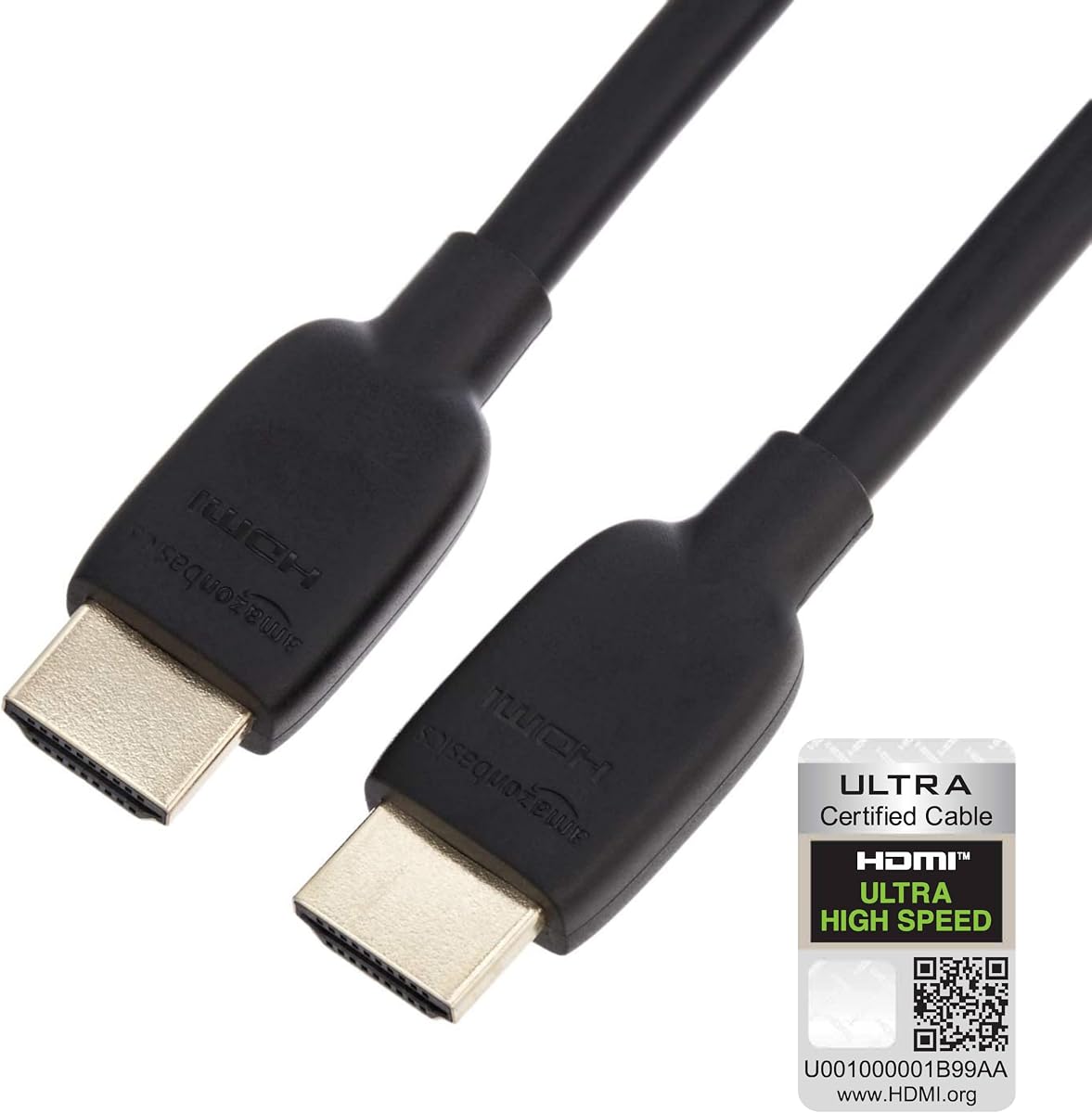
Amazon Basics HDMI 2.1 Cable
4.7Editor score
48Gbps ultra high speed
Gold plated connectors
Flexible PVC cable
Discover the top HDMI cable for dual monitors for 2026. We compare certified 8K HDMI 2.1 and reliable DP to HDMI options for seamless multi-screen connectivity.
Finding the right HDMI cable for dual monitors is essential for creating a productive workspace or an immersive entertainment setup. High-speed cables ensure stable connections between devices and displays without signal loss or flickering issues.
We evaluated ten top-rated cables based on speed, durability, and compatibility with modern graphics cards and consoles. Our analysis covers both native HDMI 2.1 options and DisplayPort adapters for versatile workstation configurations.
Each pick highlights specific strengths like bandwidth, build quality, and value for money. Prices fluctuate regularly so please check current listings before making your final purchase decision today.
4.7Editor score

4.8Editor score

4.6Editor score
This side-by-side comparison breaks down the key specifications and unique features of every top-rated HDMI cable for dual monitors available today.



This UGREEN HDMI 2.1 cable stands out as the top choice for dual monitor setups requiring maximum bandwidth and reliability. With a 4.8 rating it delivers on its promise of true 8K performance without signal loss.
We may earn a commission when you buy through this link, at no additional cost to you.
It features a robust aluminum alloy case and durable nylon braided jacket that resists daily wear and frequent bending tests. The 48Gbps bandwidth ensures smooth transmission for 8K video and high frame rate gaming.
While the price is higher than basic cables the included features like Dynamic HDR and eARC justify the cost for premium users. Some users might find the cable slightly stiff due to its heavy shielding.
Buyers seeking a future-proof connection for gaming consoles and 8K monitors should choose this model for its certified performance and comprehensive support for modern audio video standards.
The HDMI 2.1 certification guarantees that the cable meets strict industry standards for speed and quality ensuring no compromises on your display output.
Supporting resolutions up to 10K and refresh rates up to 240Hz means this cable will remain relevant even as new display technologies emerge.
We may earn a commission when you buy through this link, at no additional cost to you.
Amazon Basics offers a reliable entry-level solution for those needing certified HDMI 2.1 performance without spending much. This cable is perfect for short desk connections where length is not a primary concern.
We may earn a commission when you buy through this link, at no additional cost to you.
Despite its low price it supports 8K video at 60Hz and includes gold-plated connectors to resist corrosion. The flexible PVC cable makes it easy to route through tight spaces or under desks.
The main trade-off is the shorter 3-foot length which limits placement options. Additionally the PVC jacket is less durable than braided alternatives for heavy-duty long-term use.
Ideal for users needing a cost-effective certified cable for temporary setups or short-range connections between laptops and monitors this model delivers excellent value for money.
Get the performance of an HDMI 2.1 cable with full 48Gbps bandwidth at a price point that is accessible for almost every budget.
Designed for plug-and-play functionality this cable requires no drivers or configuration making it ready to use immediately upon unboxing.
We may earn a commission when you buy through this link, at no additional cost to you.
Belkin is a trusted name in connectivity and this Ultra HD HDMI 2.1 cable reflects that reputation with solid build quality and reliable performance. It is ideal for users who prioritize brand assurance.
We may earn a commission when you buy through this link, at no additional cost to you.
The cable features a durable 2-layer shielding that minimizes damage to delicate wiring and protects against electric shocks. It supports Dolby Vision and HDR 10 for enhanced color and brightness.
At a higher price point it offers fewer unique technical features compared to some competitors. However the peace of mind from a premium brand often justifies the cost for critical setups.
Buyers looking for a guaranteed high-quality connection for home theaters or professional workstations will appreciate the robust design and consistent performance of this Belkin model.
Belkin’s reputation for quality means you get a cable that has been rigorously tested for safety and longevity in demanding environments.
Full support for Dolby Vision ensures that streaming content displays with the intended brightness and contrast levels for a cinematic experience.
We may earn a commission when you buy through this link, at no additional cost to you.
Highwings delivers a solid option for dual monitor users needing two cables without buying separately. This 2-pack ensures you have a backup or can connect two monitors simultaneously with ease.
We may earn a commission when you buy through this link, at no additional cost to you.
The aluminum alloy shell and military-grade tensile nylon material make it durable for daily use. It supports 8K at 60Hz and variable refresh rates for smooth gaming experiences.
The anti-bending design at the tail helps prevent cable failure near the connector which is a common point of breakage. Some users may not need two cables at once.
This set is perfect for home offices needing multiple HDMI connections or gamers upgrading multiple displays. The value and durability make it a strong contender in its category.
Getting two cables in one package simplifies setup for multi-monitor configurations without needing to source additional cables later.
The combination of aluminum and nylon provides a robust cable that can withstand frequent plugging and bending without degrading.
We may earn a commission when you buy through this link, at no additional cost to you.
This UGREEN HDMI 2.1 cable offers unique Ethernet capability allowing devices to exchange files over the same cable which can reduce clutter. It is engineered for vibrant visuals with 4x clearer output.
We may earn a commission when you buy through this link, at no additional cost to you.
The premium nylon braided jacket and nickel-plated connectors ensure a long lifespan and reliable signal transmission. It supports Dynamic HDR and eARC for immersive audio and video quality.
While Ethernet enabled might not be needed by everyone it adds a layer of utility for networking without extra cables. The price reflects the premium build quality.
Ideal for power users and enthusiasts who want maximum performance and extra connectivity features this cable stands out as a versatile and reliable choice.
The built-in Ethernet channel allows for file transfer and internet sharing between compatible devices simplifying your setup.
Designed to enhance color accuracy and clarity this cable ensures your content looks exactly as intended by creators.
We may earn a commission when you buy through this link, at no additional cost to you.
Silkland features exclusive E-Braid technology with double-layer fishnet winding to provide unprecedented durability. This cable is built to last and maintains signal integrity even with frequent movement.
We may earn a commission when you buy through this link, at no additional cost to you.
It supports ultra-responsive 4K at 144Hz for PC gaming and includes immersive audio formats like DTS:X and Dolby Atmos. Dynamic HDR reveals nuanced brightness and darkness for cinematic quality.
The certification ensures only 1% of cables on the market meet this standard verified by QR code scan. Some may find the technical marketing less intuitive than simpler specs.
Gaming enthusiasts and home theater fans seeking a durable cable with advanced audio features will appreciate this model's performance and robust construction.
The E-Braid technology uses specialized winding techniques to prevent wear and ensure a longer cable lifespan.
Support for modern 3D audio formats means you get a rich sound experience that matches your high-resolution visuals.
We may earn a commission when you buy through this link, at no additional cost to you.
Acer brings its reputation for quality hardware to cables with this reliable HDMI 2.1 option. It features a high-purity copper core and braided jacket for consistent signal transmission.
We may earn a commission when you buy through this link, at no additional cost to you.
The cable supports 4K at 240Hz for high-end gaming monitors and includes VRR to reduce screen tearing. It works with PS5 Xbox and Mac mini for versatile use.
It is designed for simplicity with plug-and-play functionality requiring no extra setup. The design is standard without extra unique features beyond solid performance.
Users who prefer established brands for accessories will find this cable offers the reliability they need for daily office and entertainment use.
Acer's history with displays and monitors translates into a cable that works seamlessly with their screens and others.
Supporting refresh rates up to 240Hz ensures that competitive gamers get the smoothest possible experience.
We may earn a commission when you buy through this link, at no additional cost to you.
This PowerBear cable is ideal for setups requiring longer reach without sacrificing signal quality. The 10-foot length allows for flexible placement of monitors away from the desktop.
We may earn a commission when you buy through this link, at no additional cost to you.
It is CL3 rated for safe in-wall installation making it perfect for permanent office setups. The braided nylon and gold connectors ensure durability and corrosion resistance.
The main limitation is support up to 4K at 60Hz which is sufficient for most tasks but not future-proofed for 8K. It is a practical choice for current needs.
Users needing a long reliable cable for in-wall setups or large desks will find this model offers the necessary length and safety ratings.
The CL3 rating means this cable can be safely installed inside walls for a clean professional look without fire risks.
With a full 10 feet you can position your monitors exactly where needed without stretching shorter cables.
We may earn a commission when you buy through this link, at no additional cost to you.
This adapter cable solves the problem of connecting DisplayPort computers to HDMI monitors without needing an active converter. It ensures a stable connection for extended desktops.
We may earn a commission when you buy through this link, at no additional cost to you.
It transmits high-definition audio and video with uncompressed digital channels supporting up to 4K at 30Hz. The gold-plated cord provides reliable connectivity and corrosion resistance.
Note that 4K is limited to 30Hz which is fine for productivity but not video editing. It is uni-directional so cannot reverse the connection for HDMI to DP.
Office workers with older laptops needing extra monitors will find this cable an affordable and effective way to expand their workspace.
This cable acts as a direct bridge between DisplayPort outputs and HDMI inputs simplifying hardware compatibility.
While 4K 30Hz is limited it is perfectly adequate for text and spreadsheets which dominate office workflows.
We may earn a commission when you buy through this link, at no additional cost to you.
This 2-pack provides a complete solution for dual monitor setups using DisplayPort source devices. It includes two 6.6-foot cables to connect both monitors simultaneously from one workstation.
We may earn a commission when you buy through this link, at no additional cost to you.
Each cable supports up to 4K Ultra HD and Full HD 1080P ensuring sharp visuals for productivity tasks. The multi-layer shielding minimizes interference for consistent audio video quality.
It is designed for productivity with support for extend and mirror modes for presentations and multitasking. The price is cost-effective for buying two separate adapters.
Users needing a simple complete kit to set up a dual monitor workspace with DisplayPort laptops or desktops will appreciate this value and convenience.
Having two cables included means you can set up both monitors immediately without needing to buy a second adapter later.
Support for extend and mirror modes makes it easy to switch between viewing modes for different work tasks.
We may earn a commission when you buy through this link, at no additional cost to you.
Selecting the right cable requires understanding your monitor resolution refresh rates and device compatibility to ensure a stable connection.
Bandwidth determines how much data can be transferred per second which directly affects resolution and refresh rate support. For dual monitors requiring high performance look for 48Gbps cables to support 8K or 4K at high refresh rates.
Choose a cable with sufficient bandwidth to match your highest resolution monitor to avoid signal drops or black screens.
Certified cables such as HDMI 2.1 Ultra High Speed have been tested to meet specific performance criteria ensuring reliability. Non-certified cables may claim high speeds but often fail to deliver consistent quality.
Prioritize certified options to guarantee that your cable will handle your devices capabilities without issues.
Connectors are the first point of failure so materials like gold-plating prevent corrosion and improve signal integrity. Look for sturdy shells like aluminum to protect the internal wiring from physical stress.
Investing in high-quality connectors extends the lifespan of your cable and reduces connection problems.
Durability depends on the jacket material and strain relief design which protect against daily wear and bending. Braided nylon or strong PVC jackets help resist tangling and physical damage over time.
Select a cable with reinforced ends to prevent fraying and ensure it lasts through frequent use.
Modern HDMI cables support advanced audio formats like eARC and Dolby Atmos which are essential for immersive sound systems. Ensure your cable supports eARC if you plan to connect soundbars or AV receivers.
Verify audio capabilities match your entertainment setup to get the best possible sound experience.
Choosing the correct length is crucial for your workspace layout as longer cables can degrade signal without proper shielding. Measure the distance between your source and monitors before purchasing to avoid excess slack or stretching.
Select a length that reaches comfortably without leaving too much excess cable to keep your desk tidy.
Ensure the cable is compatible with your specific graphics card console or laptop to avoid handshake errors or lack of display. Most cables are backward compatible but confirm support for your latest devices.
Check device specifications to confirm the cable will work seamlessly with your existing hardware setup.
While budget options exist spending a bit more often guarantees better build quality and performance. Consider the total value including warranty and features rather than just the initial price tag.
Balance cost with performance needs to find a cable that offers longevity without overspending.
Connect one end of the cable to your source device such as a PC or console and the other to the monitor input ensuring the connection is snug. Power on the devices to establish the handshake signal.
To prevent damage avoid bending the cable sharply at the connectors and do not wrap it tightly around itself for storage. Use cable ties or clips to keep it organized without stress on the wires.
Periodically inspect the connectors for dust or corrosion and clean gently with a dry cloth if needed. Keeping the cable away from heat sources and sharp edges will extend its useful life significantly.
HDMI 2.1 is recommended if your monitors support 4K at high refresh rates or 8K resolution. For standard 4K at 60Hz setups HDMI 2.0 is often sufficient. Check your device requirements before purchasing.
Quality can degrade over long distances especially with lower-quality cables. For lengths over 6 feet use certified high-speed cables with robust shielding to maintain signal integrity and prevent flickering.
Yes if your PC has multiple HDMI outputs you can connect each monitor directly. If you only have one port you may need a splitter or a different adapter to enable dual displays.
8K cables support higher bandwidth allowing for greater resolution and refresh rates. They are backward compatible so they will work with 4K displays but you pay a premium for unused features.
Gold-plated connectors resist corrosion and oxidation better than standard metal ones. This ensures a stable connection over time and improves overall signal transmission quality significantly.
Only if the cable is CL3 rated for in-wall installation. Using non-rated cables inside walls is a fire hazard and may violate local building codes and safety regulations.
Extremely long unshielded cables might struggle to maintain high refresh rates at full resolution. Use high-quality short cables or active extenders for longer distances to preserve performance.
Use a cable that supports the highest resolution you need. Both monitors will adjust individually so a single high-performance cable works for mixed resolution setups effectively.
The UGREEN and Amazon Basics options lead our list for balancing certified performance with affordability for most users. Premium picks like Belkin offer peace of mind with brand reliability for critical setups.
Prioritize bandwidth and certification standards to ensure your dual monitor setup runs smoothly without glitches or signal drops. Consider your specific display needs and budget to choose the right balance.
Remember that prices fluctuate regularly so verify the current listings before making your final purchase decision today to get the best available deal for your workspace.