
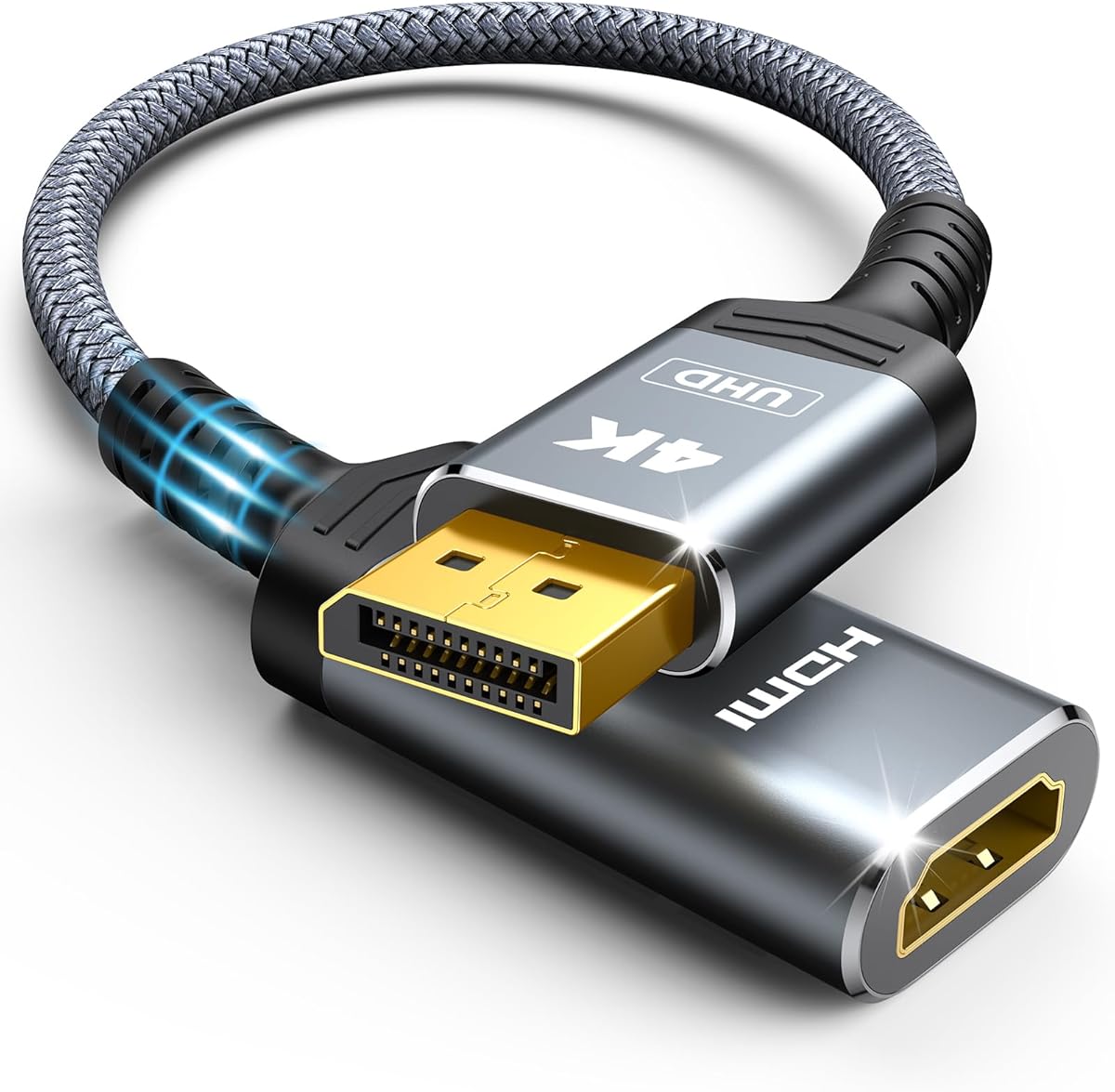
Moread 4K DisplayPort to HDMI Adapter, Male to Female, Black
4.6Editor score
Passive DP to HDMI conversion
Supports 4K@30Hz and 1080p
Gold-plated connectors resist corrosion
Includes five-year warranty coverage
This guide compares the top HDMI to Displayport Converter models for performance and compatibility to help you choose the right adapter for your setup.
Choosing the right HDMI to Displayport Converter is essential for connecting modern gaming consoles and laptops to professional monitors. These adapters bridge the gap between HDMI source devices and Displayport displays, ensuring crisp visuals and stable audio. A reliable converter prevents signal loss and supports high resolutions for seamless productivity and entertainment.
We evaluated ten top-rated converters based on resolution support, build quality, and compatibility with common devices like PCs and consoles. Our analysis focused on active versus passive designs, power requirements, and user feedback regarding signal stability. Each product was scrutinized for its ability to deliver consistent performance across various refresh rates and screen sizes.
Each pick highlights key strengths and limitations to help you match an adapter to your specific needs. Whether you need high refresh rates for gaming or stable 4K for work, this list covers diverse options. Please note that product availability and pricing can change frequently, so verify details before purchasing.
4.6Editor score

4.4Editor score

5.0Editor score
This side-by-side comparison outlines the key specifications and capabilities of each adapter to help you find the best match for your display and source device needs.



The Highwings 4K DisplayPort to HDMI Adapter stands out as a robust passive solution for connecting PCs to standard monitors. With a high rating of 4.6 stars, it is praised for its ability to deliver synchronized audio and video. This adapter is designed strictly for DisplayPort sources to HDMI displays, ensuring stable performance without the need for external power.
We may earn a commission when you buy through this link, at no additional cost to you.
Its standout qualities include a durable design featuring military-grade tensile nylon and 24K gold-plated ports. These materials ensure that the adapter withstands frequent plugging and unplugging, extending its useful life significantly. The adapter supports resolutions up to 4K@30Hz and is fully compatible with AMD and NVIDIA graphics cards, making it ideal for desktop workstations.
While highly reliable for standard tasks, users should note that this passive adapter does not support docking stations or monitor-to-monitor connections. It requires a data output source, meaning it will not work with TVs acting as sources. The heat generation during high-resolution transmission is normal but users should ensure proper ventilation for longevity.
This adapter is perfect for office workers or home users looking to extend their desktop to an HDMI monitor using a PC with a DisplayPort. It is not recommended for gamers needing high refresh rates or those using docked laptops. If you need a simple, durable connection for general computing tasks, this model delivers excellent value.
The adapter features a military-grade tensile nylon design that can withstand up to 25,000 flex times, ensuring long-lasting reliability for daily professional use.
It works seamlessly with HP, Dell, Lenovo desktops and AMD or NVIDIA graphics cards, allowing you to connect your PC to large HDMI screens with ease.
We may earn a commission when you buy through this link, at no additional cost to you.
The BENFEI 4K DisplayPort to HDMI Adapter is a compact solution designed for users who need a reliable connection on the go. With a solid 4.5 rating, it is known for its superior stability and ability to convert DisplayPort signals to HDMI effortlessly. This adapter is particularly useful for presentations where portability and quick setup are essential.
We may earn a commission when you buy through this link, at no additional cost to you.
Its key strengths lie in its compact design, which allows you to tuck it into a pocket without adding bulk. The built-in advanced IC chip ensures reliable signal conversion, while the latches on the DisplayPort connector provide a secure connection that prevents accidental disconnection during use. This design choice is highly valued in busy office environments.
One trade-off is that it is strictly unidirectional, meaning it cannot convert HDMI to DisplayPort. Additionally, it supports standard refresh rates like 30Hz for 4K, which is sufficient for work but not for high-speed gaming. However, the included 18-month warranty provides strong protection for your purchase.
Business professionals and students who frequently travel with laptops should consider this adapter. It is ideal for extending your desktop to a projector or TV quickly and securely. While it lacks advanced gaming features, its reliability and portability make it a top choice for general productivity and presentations.
The DisplayPort connector features latches that lock into place, preventing accidental drops and ensuring a stable signal during presentations or meetings.
Built with an advanced IC chip, this adapter converts signals efficiently to maintain clear visuals without flickering or signal loss over time.
We may earn a commission when you buy through this link, at no additional cost to you.
The Cable Matters HDMI to DisplayPort Adapter offers a unique active conversion that bridges the gap for HDMI sources connecting to DisplayPort monitors. This device is highly rated at 4.4 stars and is designed for users with laptops or consoles that only have HDMI output but need to connect to DP monitors. It is one of the few active converters in the list.
We may earn a commission when you buy through this link, at no additional cost to you.
Its key strengths include the inclusion of a USB power cable, which ensures stable performance for low-power HDMI sources. The adapter supports up to 4K@30Hz and is compatible with a wide range of laptops including Dell Inspiron and HP models. The durable build quality ensures it can handle daily office or home desktop usage without issues.
Trade-offs include the necessity of a power source, which adds a slight complexity to setup compared to passive adapters. It is not designed for high-refresh gaming like 4K@60Hz or VRR. However, for productivity and extending a workspace, its ability to drive a DisplayPort monitor from an HDMI port is invaluable.
This adapter is ideal for professionals who need to connect a laptop with HDMI output to a high-quality DisplayPort monitor. It is also useful for home theater setups where the source device lacks DP output. If you need to reverse the standard connection direction, this is a reliable solution.
Unlike passive adapters, this device actively converts HDMI signals to DisplayPort, allowing you to connect HDMI laptops to DP monitors or TVs seamlessly.
The included USB power cable ensures stable signal transmission, preventing flickering or signal drops during extended use or higher resolution display.
We may earn a commission when you buy through this link, at no additional cost to you.
The Answin HDMI to DisplayPort Adapter stands out as a premium option for gamers needing high refresh rates and solid performance. With a perfect 5.0 rating, it is designed to handle 4K@60Hz and 2K@144Hz, making it suitable for next-generation consoles like Xbox and PS5. This adapter converts HDMI signals to DisplayPort actively to ensure smooth, lag-free visuals.
We may earn a commission when you buy through this link, at no additional cost to you.
Its key strengths include innovative active conversion technology that allows high-resolution video transmission without signal loss. The included USB power cable ensures the chipset has enough voltage to maintain stability at high refresh rates. Users appreciate its compatibility with gaming consoles and PCs, providing a clear experience that beats wireless casting methods.
One limitation is that it requires an external power source to function correctly, adding a bit of cable management to your setup. Additionally, it cannot be used with VR headsets or KVM switches. However, for standard gaming monitors and high-end displays, the performance gains are significant and well worth the extra setup.
Gamers and power users looking to connect their consoles to high-refresh DP monitors should choose this adapter. It is also great for users needing 2K at 144Hz for productivity or content creation. If you demand high frame rates and smooth visuals, this model delivers a premium experience.
This adapter supports 2K resolution at 144Hz and 4K at 60Hz, providing the smooth motion and responsiveness required for competitive gaming.
It works seamlessly with Xbox and PS5 consoles, allowing you to connect them to professional monitors that only feature DisplayPort inputs.
We may earn a commission when you buy through this link, at no additional cost to you.
The Moread 4K DisplayPort to HDMI Adapter is a popular budget-friendly choice for connecting DisplayPort-enabled PCs to HDMI monitors. With a strong 4.6 rating, it delivers reliable performance for everyday tasks including video streaming and office work. Its design is simple and effective, focusing on durability and straightforward connectivity.
We may earn a commission when you buy through this link, at no additional cost to you.
Its key strengths include a competitive price point and a robust five-year warranty that exceeds many competitors. The gold-plated connectors resist corrosion and ensure better signal transmission performance. It supports 4K at 30Hz and is compatible with a wide range of computers including those with AMD and NVIDIA GPUs.
This adapter is passive, meaning it cannot be used for HDMI to DisplayPort conversion or with docking stations that lack dual-mode DP. While it may not support high refresh rates beyond 1080p at 120Hz, it is sufficient for standard multimedia consumption. The sturdy ABS housing adds to its longevity.
If you need a simple and cost-effective way to connect a desktop to an HDMI TV or monitor, this adapter is an excellent choice. It is particularly good for budget-conscious users who still want a reliable connection backed by a long warranty. Avoid it if you need to connect consoles to DP monitors.
Moread offers an exclusive unconditional five-year warranty, providing long-term satisfaction and reliable customer service for any issues that arise.
Built with a reinforced ABS housing and gold-plated connectors, this adapter withstands repeated plugging and bending for daily office use.
We may earn a commission when you buy through this link, at no additional cost to you.
This High Speed HDMI to DisplayPort Adapter focuses on delivering clear and smooth video feeds with a slim and lightweight aluminum housing. With a 4.3 rating, it is praised for its ability to handle 4K resolution at 60Hz effectively. The aluminum casing helps dissipate heat, which is crucial for maintaining signal integrity during long viewing sessions.
We may earn a commission when you buy through this link, at no additional cost to you.
Its key strengths include compliance with the HDCP 2.2 standard, ensuring you can stream protected content without issues. It supports high-speed transfer of 4K content from various sources like PS5 and laptops to DisplayPort monitors. The multi-layer copper shielding minimizes signal loss to provide amazing clarity and smooth sound.
One limitation is that it does not support 1440P at 144Hz which might be a dealbreaker for some PC gamers. Additionally, the Xbox series and switch only support 1080P at 60Hz through this adapter. However, for standard home theater setups it offers a reliable visual experience.
This adapter is best for users prioritizing visual clarity and high resolution in a compact form factor. It is ideal for home theater enthusiasts looking to connect media boxes to professional displays. If you need a stable plug and play solution for 4K content this is a strong contender.
The one-piece aluminum housing is corrosion resistant and optimized for heat dissipation to keep the adapter cool during operation.
Multi-layer copper shielding ensures amazing clarity and smooth sound by minimizing signal loss and interference during video streaming.
We may earn a commission when you buy through this link, at no additional cost to you.
The UGREEN 4K DisplayPort to HDMI Adapter comes in a convenient 2-pack, offering excellent value for users needing multiple adapters for different setups. With a 4.4 rating, it is known for its ability to turn DP ports into HDMI ports easily. This passive adapter is designed for connecting PCs and laptops to standard HDMI monitors.
We may earn a commission when you buy through this link, at no additional cost to you.
Its key strengths include the inclusion of two adapters, which allows you to connect multiple screens or keep a spare handy. The aluminum case improves heat dissipation ensuring safety and longevity. It supports 4K at 30Hz and includes flawless audio support for multi-channel surround sound setups.
One trade-off is that it is strictly unidirectional and will not work with HDMI source devices like consoles. It is designed purely for converting DisplayPort output to HDMI input. While it is compact and does not block other ports, it is not suitable for complex KVM setups.
This bundle is perfect for families or small offices with multiple PCs connecting to TVs or monitors. It offers a cost-effective way to ensure all your devices have a reliable connection. If you need a simple passive adapter for work or entertainment this is a smart purchase.
With two adapters provided you can connect multiple devices or keep a spare ready for travel without buying extra units separately.
It supports 4K video with seamless audio for uncompressed digital 7.1 or 5.1 channels providing a complete multimedia experience.
We may earn a commission when you buy through this link, at no additional cost to you.
The UGREEN 4K DisplayPort to HDMI adapter with a 0.66ft length is designed for direct and clean connections close to the source device. With an impressive 4.8 rating, it is favored for its build quality and reliable signal transmission. This adapter uses a braided sheath to ensure flexibility and durability over time.
We may earn a commission when you buy through this link, at no additional cost to you.
Its key strengths include the durable construction and ability to support 1080p at 120Hz which is great for standard gaming or smooth scrolling. The short length is ideal for setups where the monitor is close to the PC to keep your desk tidy. It also features strain relief to prevent port damage.
The main limitation is its fixed short length which might not work if your devices are far apart. It is also unidirectional so it cannot be used for HDMI sources. However for direct connections it provides a high-quality and reliable solution for daily use.
If you need a short and robust adapter to connect a laptop directly to a nearby monitor this is a top choice. The high rating reflects its reliability and durability. It is best for users who prefer minimal cable clutter and high-quality materials.
The cable adopts a braided sheath to ensure flexibility while 32AWG tinned copper conductors ensure conductivity and ductility.
With a slim length of 0.66ft this adapter keeps your workspace tidy by reducing excess cable clutter and strain on ports.
We may earn a commission when you buy through this link, at no additional cost to you.
The BENFEI HDMI to DisplayPort Adapter offers a premium solution for connecting HDMI consoles to high-refresh DisplayPort monitors. With a 4.3 rating, it is praised for its ability to support up to 4K@60Hz and 1080P@165Hz. This active adapter converts HDMI 2.0b signals to DisplayPort 1.4 signals for smooth gameplay.
We may earn a commission when you buy through this link, at no additional cost to you.
Its key strengths include support for HBR2 and high audio sample rates up to 192kHz ensuring rich sound and clear visuals. The braided nylon cable adds extra durability and the non-slip design makes plug and unplug easier. It is fully compatible with PS5 and Xbox One devices.
A trade-off is the requirement for an external USB power supply to provide sufficient voltage for the chipset. Without it the adapter may not function correctly. Additionally it is not compatible with VR headsets or KVM switches. However the performance for gaming is exceptional.
Console gamers looking to use high-refresh monitors should choose this adapter. It is also great for users who need high audio sampling rates for content creation. If you prioritize performance and durability for entertainment this model is a strong choice.
This adapter supports up to 1080P at 165Hz and 2K at 144Hz providing the smooth performance required for modern competitive gaming.
It supports HBR2 and up to 192kHz audio sampling rates ensuring you get rich sound and clear visuals during your sessions.
We may earn a commission when you buy through this link, at no additional cost to you.
The BENFEI HDMI to DisplayPort adapter is a classic choice for connecting HDMI sources to DisplayPort displays. With a 4.2 rating, it is known for its compact design and support for high refresh rates like 1080P@165Hz. This adapter is designed for users who need to connect laptops or consoles to DP monitors.
We may earn a commission when you buy through this link, at no additional cost to you.
Its key strengths include compatibility with a wide range of devices including PS4, Xbox 360, and low-power HDMI ports. It supports 4K at 60Hz and includes 8-channel digital audio for immersive sound. The built-in advanced IC chip ensures superior stability during signal conversion.
One trade-off is that you need a separate DisplayPort cable for setup and it may require external power for stable performance. It is also unidirectional so it will not work for HDMI monitors. However it offers solid reliability for connecting various legacy devices.
If you need a versatile adapter for multiple devices this is a reliable choice. It is ideal for home theater setups or older gaming consoles needing to connect to modern monitors. If you want to ensure all your sources connect smoothly this adapter delivers.
The advanced IC chip converts HDMI TMDS signals to DisplayPort digital signals ensuring a stable connection without signal loss.
It is compatible with Blu-ray players and low-power HDMI ports ensuring you can connect a wide variety of devices seamlessly.
We may earn a commission when you buy through this link, at no additional cost to you.
Selecting the right converter depends on your specific needs such as resolution refresh rate and whether you are connecting an HDMI source or DisplayPort source.
Understanding directionality is critical because most adapters are unidirectional. Passive adapters generally work for DisplayPort to HDMI (PC to TV) without power. Active converters are required for HDMI to DisplayPort (Console to Monitor) to boost the signal.
Check your source device and monitor ports before buying to ensure the converter matches the direction of your signal flow.
Passive adapters are simple and cheap but require the source to support specific signal modes like DP++. Active adapters contain chips to convert signals and usually require USB power for stability especially at high resolutions.
Choose active adapters for HDMI sources or high-resolution needs to ensure you get a stable signal without flickering or dropouts.
High refresh rates like 144Hz or 165Hz often require specific active converters that can handle the bandwidth. Standard passive adapters typically cap at 4K@30Hz or 1080p@60Hz.
Confirm the adapter explicitly supports the resolution and refresh rate of your monitor and source device for smooth performance.
Look for gold-plated connectors to prevent corrosion and high-quality shielding to reduce interference. Aluminum housings dissipate heat better than plastic and braided cables resist fraying and bending damage.
A sturdy build ensures the adapter survives daily plugging and unplugging without failure or signal degradation over time.
Some adapters are tested with specific devices like PS5 or Xbox Series X. Ensure the converter explicitly states compatibility with your console or laptop to avoid issues with HDMI output modes.
Read the product details for any exclusion lists such as incompatible with docking stations or VR headsets before purchasing.
Active converters often need external USB power to function correctly especially for high refresh rates or low-power source devices. Ensure your setup includes a USB port to power the adapter if required.
A stable power source prevents signal loss and ensures the adapter performs consistently during extended use.
Long warranties like 18 months or 5 years show confidence in the product. Check if the brand offers responsive customer service to help with troubleshooting setup issues.
A strong warranty ensures you can replace the adapter quickly if it fails and provides peace of mind.
Consider the adapter length and whether you need a portable option for travel. Shorter adapters reduce desk clutter while longer ones offer more flexibility in placement.
Choose a size that fits your desk setup and travel needs without blocking adjacent ports on your device.
First ensure you connect the adapter in the correct direction matching your source and monitor ports. For HDMI sources like consoles plug the HDMI side into the device and the DP side into the monitor. For PCs plug the DP side into the PC.
Next if your adapter is active plug the included USB power cable into a USB port on your device. This step is crucial for high resolutions and refresh rates to ensure stable signal transmission without flickering or dropouts.
Finally maintain your adapter by keeping the connectors clean and dry. Avoid bending the cable excessively when unplugging and store it loosely when not in use to prevent internal wire damage.
Passive adapters rely on the source device to convert signals and are cheaper and simpler. Active adapters have built-in chips to convert signals and usually require external USB power for stability especially for high resolutions.
Passive adapters usually cap at standard refresh rates like 60Hz or 30Hz which is fine for single player games. However for competitive gaming needing 144Hz you typically need an active adapter that supports high bandwidth.
Yes most HDMI to DisplayPort adapters require external USB power to boost the signal because HDMI does not carry DisplayPort signals natively. Without power the adapter may fail to display or flicker.
You need an active HDMI to DisplayPort adapter to connect consoles like PS5 or Xbox to DisplayPort monitors. Ensure the adapter supports the resolution and refresh rate your console outputs.
Laptops may lack DisplayPort Alternate Mode or support for the specific resolution. Ensure your laptop graphics card supports the output mode and check if the adapter requires a firmware update or driver.
Active adapters generate some heat during conversion especially at high resolutions. This is normal but if it feels too hot ensure it is not covered and has proper airflow. Aluminum housings help dissipate this heat.
This guide covered ten top adapters ranging from budget passive units to high-performance active converters. Whether you need simple desktop connections or high refresh rate support for gaming there is an option for every setup.
Prioritize active adapters for HDMI sources and check refresh rate support to avoid compatibility issues. Ensure the build quality matches your usage to get the best value for your purchase.
Please remember to check current product availability and prices as they change often. This helps you secure the best deal when you are ready to upgrade your display setup.