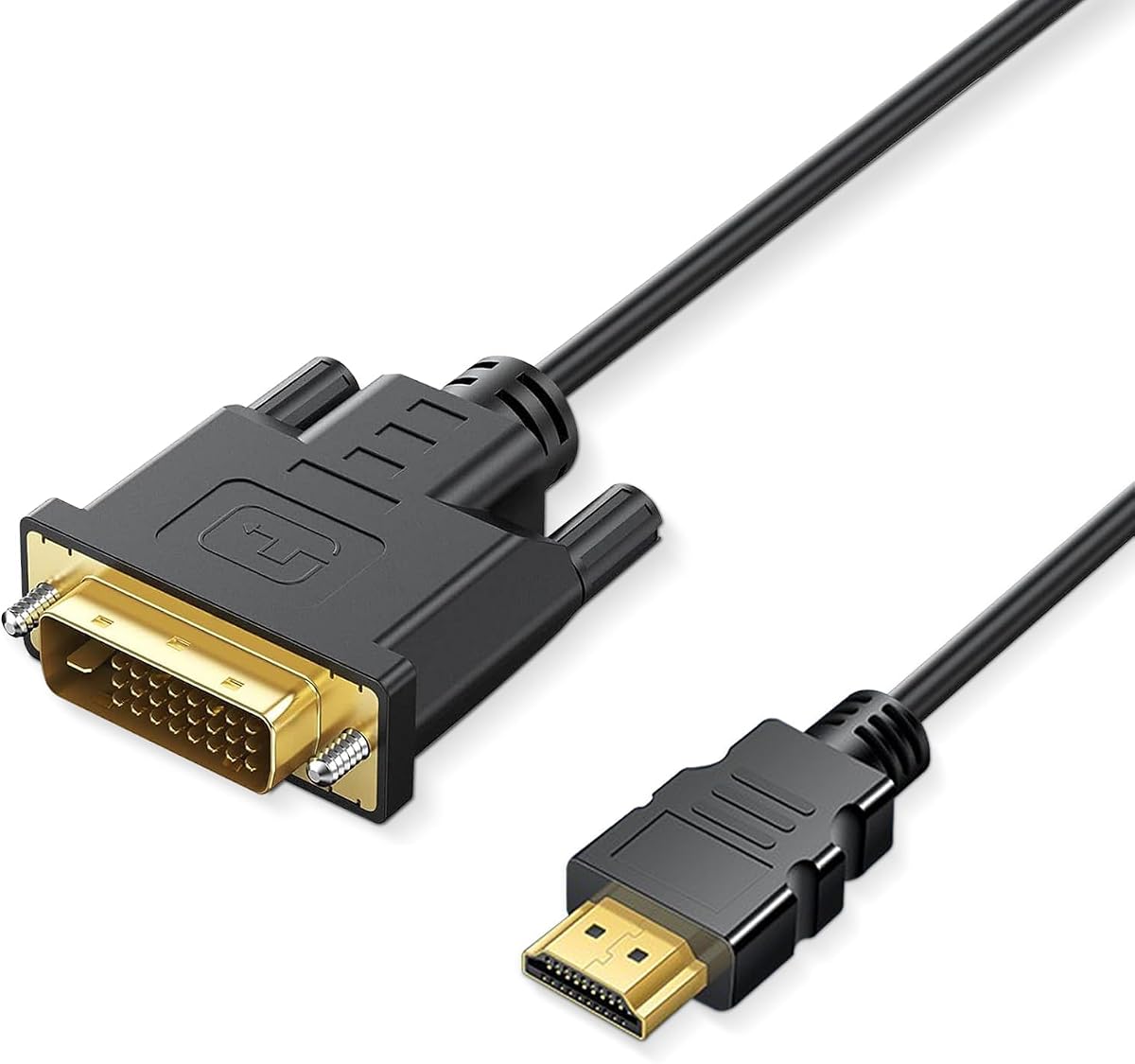
HDMI to DVI Adapter Cable
4.9Editor score
Bi-directional transmission support
Up to 1080p resolution
Gold-plated connectors
This guide compares the top HDMI to DVI adapters cables for 2026, evaluating build quality, signal stability, and compatibility to help you choose the right
Finding the right HDMI to DVI adapters cables is essential for connecting modern devices to older displays without losing video quality. These cables enable seamless transmission between HDMI sources and DVI monitors, ensuring crisp visuals for work or entertainment.
We analyzed ten top-rated cables based on connectivity features, durability, and user feedback to create this comprehensive list. Each product offers unique strengths, from bi-directional support to gold-plated connectors, helping you match the cable to your specific setup needs.
Each pick highlights key specifications and real-world performance to guide your decision-making process effectively. Remember that prices and availability change frequently, so check current listings before purchasing to ensure you get the best deal available today.
4.9Editor score

4.7Editor score
4.7Editor score
The following table provides a side-by-side view of the top ten HDMI to DVI adapters cables, highlighting their core specifications and key selling points to simplify your comparison process.


The Capshi HDMI to DVI-D 24+1 Adapter Cable stands out as a reliable choice for connecting HDMI sources to DVI monitors. It earns a strong rating from users who value its robust build quality and consistent performance across various setups.
We may earn a commission when you buy through this link, at no additional cost to you.
Its construction features 24K gold-plated connectors and reinforced nylon braiding that ensure long-lasting durability. The double shielding protects against electromagnetic interference, maintaining stable signal transmission even in environments with multiple electronic devices.
One trade-off is the lack of audio support since DVI interfaces do not carry sound. Users must connect audio separately, which adds complexity but remains manageable for most desktop and entertainment systems.
This cable is ideal for anyone needing a dependable connection between modern HDMI devices and older DVI displays. Its straightforward plug-and-play setup and lifetime support make it a top recommendation for general use.
Gold-plated connectors and reinforced braiding prevent corrosion and physical damage, ensuring the cable lasts through frequent plugging and unplugging sessions.
Double shielding with aluminum foil and braided copper reduces interference, which helps maintain clear video output without signal dropouts or noise.
We may earn a commission when you buy through this link, at no additional cost to you.
Amazon Basics HDMI to DVI Adapter Cable provides a straightforward solution for connecting HDMI sources to DVI displays without breaking the budget. Users appreciate its simple design and consistent functionality for everyday computing and media tasks.
We may earn a commission when you buy through this link, at no additional cost to you.
The cable supports resolutions up to 1080P and features gold-plated connectors that resist corrosion. Its short 3ft length makes it suitable for setups where devices are close together, reducing cable clutter effectively.
The main limitation is the lack of advanced shielding found in premium cables, which might lead to minor signal issues in electrically noisy environments. However, most users find performance acceptable for typical home or office use.
This cable works best for users who need a quick and affordable connection between nearby devices. Its simplicity and reliability make it a solid choice for casual users and budget-conscious buyers.
The 3ft length keeps cables organized and minimizes visual clutter, making it ideal for workstations where space is limited.
Gold-plated connectors ensure good conductivity, offering dependable performance for standard HD video transmission without complications.
We may earn a commission when you buy through this link, at no additional cost to you.
BENFEI HDMI to DVI cable offers solid performance for gamers and multimedia enthusiasts who need to connect consoles to DVI monitors. It receives high ratings for its stable signal delivery and broad device compatibility.
We may earn a commission when you buy through this link, at no additional cost to you.
The double-shielding design protects against electromagnetic and radio frequency interference, ensuring consistent video output during intense gaming sessions. Gold-plated connectors and finger-tightened screws provide secure connections that resist loosening over time.
While it does not transmit audio, requiring a separate audio cable, the video quality remains sharp and stable. The limitation to 1080P means it won't support ultra-high-definition displays but is sufficient for standard monitors.
Gaming users and general multimedia setups benefit most from this cable's reliability. Its lifetime warranty and customer support add extra confidence for those seeking long-term value in a HDMI to DVI adapter.
Works seamlessly with major gaming consoles like Xbox and PlayStation, enabling high-quality video output for entertainment systems.
Finger-tightened screws ensure the DVI connection stays firmly in place, preventing accidental disconnections during use.
We may earn a commission when you buy through this link, at no additional cost to you.
This HDMI to DVI Adapter Cable provides flexibility for connecting devices in different configurations with its bi-directional design. Users appreciate its ability to adapt to various setups while maintaining reliable performance for everyday tasks.
We may earn a commission when you buy through this link, at no additional cost to you.
The 6ft length offers ample reach for connecting devices that are slightly farther apart. Its metal connector is corrosion-resistant and includes hand-tightened screws to ensure a stable DVI connection during extended use.
Careful attention to signal source selection is necessary, as incorrect setup can prevent proper display. Additionally, audio must be handled separately since DVI connections do not carry sound signals.
Ideal for users needing adaptable connectivity between HDMI and DVI equipment, this cable balances flexibility with durability. Its straightforward setup and sturdy construction make it a practical choice for office or home use.
The bi-directional feature allows connection in either direction, offering more flexibility for different device configurations and setups.
PVC jacket and metal connector protect against wear and corrosion, ensuring the cable remains functional over long periods of use.
We may earn a commission when you buy through this link, at no additional cost to you.
CableCreation HDMI to DVI Cable is designed for users who need a short, portable adapter for tight spaces. Its compact size and robust build make it ideal for travel or desk setups where minimal cable length is preferred.
We may earn a commission when you buy through this link, at no additional cost to you.
Supporting 1080P and 3D content, this adapter delivers high-quality visuals when connected to compatible displays. The double-shielded structure and gold-plated connectors ensure reliable signal transmission and long-term durability.
The main drawback is its 15cm length, which limits distance between devices. Additionally, like most DVI adapters, it does not carry audio, requiring an extra cable for sound output.
Perfect for travel and close-proximity connections, this adapter offers excellent performance in a small package. Its support for advanced video features like 3D adds value for multimedia users seeking compact solutions.
At just 15cm, this adapter is easy to carry and store, making it ideal for on-the-go presentations or travel setups.
3D support and 1080P resolution ensure crisp, immersive video output for compatible displays and content.
We may earn a commission when you buy through this link, at no additional cost to you.
HDMI to DVI Adapter Cable delivers reliable performance at an accessible price point, earning top marks from users seeking value. Its bi-directional design and 1080p support make it a practical choice for standard display connections.
We may earn a commission when you buy through this link, at no additional cost to you.
The gold-plated connectors ensure good conductivity and resist corrosion, while the plug-and-play design requires no driver installation. This simplicity makes it easy to integrate into existing setups without technical challenges.
While shielding is basic compared to premium options, most users report stable performance for everyday tasks. The main limitation remains the lack of audio support, which requires separate wiring for sound output.
For budget-conscious buyers who need a dependable connection for standard HD video, this cable is an excellent choice. Its simplicity, performance, and affordability make it a top pick for casual users.
Offers reliable video transmission at a lower price, making advanced connectivity accessible without high spending.
No drivers or software needed—simply connect the cable to both devices and start using it immediately.
We may earn a commission when you buy through this link, at no additional cost to you.
This HDMI to DVI cable offers balanced performance with a practical 5ft length and solid build quality. Users report stable video output and reliable connectivity for gaming and general computing tasks.
We may earn a commission when you buy through this link, at no additional cost to you.
Gold-plated connectors and doubled shielded PVC coating provide durability and signal protection. The 1080p support covers most standard monitors, while the 5ft length accommodates most typical home setups effectively.
While it lacks 4K support and audio transmission, these are common limitations for DVI adapters. The cable remains a dependable option for users who prioritize video stability over advanced resolution requirements.
Suitable for general users and gamers needing a moderate-length adapter, this cable delivers consistent performance. Its build quality and compatibility make it a safe choice for reliable DVI connections.
The 5ft length provides enough reach without excess clutter, making it practical for most workstations and entertainment setups.
Doubled shielding helps prevent interference, ensuring stable video performance even in environments with multiple electronic devices.
We may earn a commission when you buy through this link, at no additional cost to you.
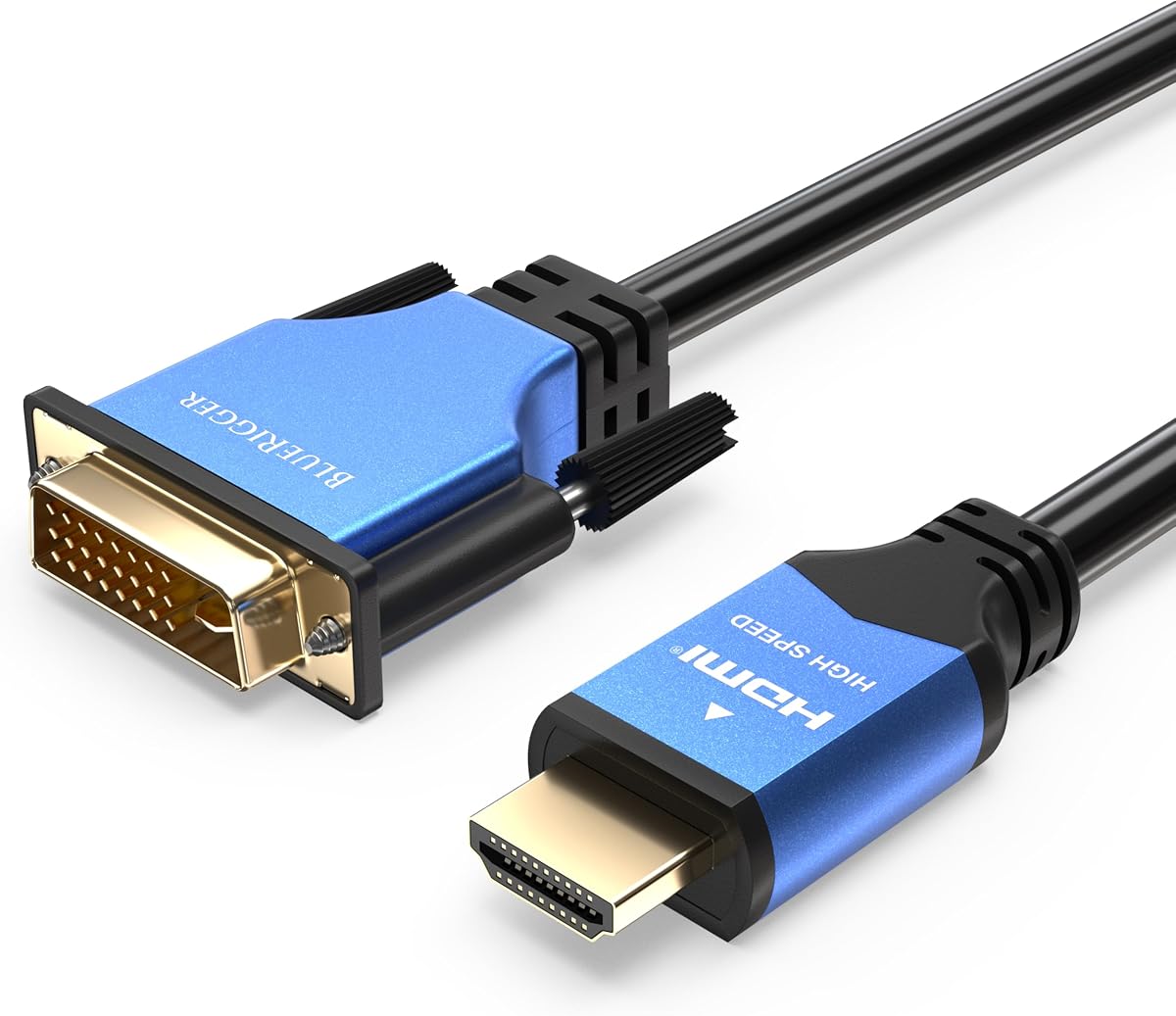
BlueRigger DVI to HDMI Adapter Cable combines premium build quality with comprehensive support, earning high praise for reliability. Its aluminum alloy shell and flexible jacket make it suitable for both home and professional use.
We may earn a commission when you buy through this link, at no additional cost to you.
Gold-plated connectors and non-slip screws ensure secure connections, while the lifetime warranty reflects confidence in its durability. Additionally, newer graphic cards can transmit sound through this adapter if drivers are properly configured.
Audio support depends on having the right hardware and drivers, which may require extra setup. Also, like most DVI adapters, it does not support 4K resolution, limiting ultra-high-definition setups.
For users seeking long-term value and strong manufacturer support, this cable is an excellent choice. Its robust construction and warranty make it a reliable investment for demanding environments.
The aluminum alloy shell provides exceptional protection against wear and impact, extending cable lifespan significantly.
Lifetime warranty and US-based support ensure reliable assistance if any issues arise during the product's lifetime.
We may earn a commission when you buy through this link, at no additional cost to you.
This 2-Pack adapter set offers exceptional value for users managing multiple HDMI and DVI connections. Its compact design makes it easy to keep one at home, office, or while traveling for presentations.
We may earn a commission when you buy through this link, at no additional cost to you.
Each adapter features gold-plated connectors that resist oxidation and ensure secure connections. The wear-resistant PVC molding enhances durability, allowing these adapters to withstand frequent use without degradation.
HDMI cables are sold separately, which adds to initial setup costs. Additionally, like most DVI adapters, audio transmission is not supported, requiring separate cables for sound.
Perfect for offices or homes with multiple setups, these adapters deliver reliable performance at a competitive price. Their durability and portability make them an ideal choice for users needing versatile connectivity solutions.
Two adapters allow simultaneous or backup connections across different setups, increasing overall system flexibility and convenience.
The small size and lightweight design make these adapters easy to carry, ideal for on-the-go presentations and mobile setups.
We may earn a commission when you buy through this link, at no additional cost to you.
DTECH DVI to HDMI Adapter is a compact solution that supports high-resolution displays up to 4K, making it ideal for modern viewing needs. Its small size and reliable performance earn it positive feedback from users.
We may earn a commission when you buy through this link, at no additional cost to you.
Gold-plated connectors ensure corrosion resistance and stable connections, while the grip treads and screws facilitate secure attachment. This adapter works with both DVI-D and DVI-I ports, increasing its compatibility across devices.
It does not support audio transmission, which requires separate cable wiring. Additionally, 4K is limited to 30Hz, which may affect high-refresh-rate setups but suits standard 4K viewing.
For users needing a compact adapter that supports higher resolutions, this option provides strong performance. Its compatibility and secure connection make it a practical choice for connecting to modern 4K displays.
Up to 4K@30Hz allows sharper image quality on compatible displays, enhancing visual clarity for standard viewing.
Supports both DVI-D and DVI-I female ports, making it versatile for a broader range of devices and setups.
We may earn a commission when you buy through this link, at no additional cost to you.
Selecting the right HDMI to DVI adapter involves considering factors like cable length, shielding, build quality, and device compatibility to ensure optimal performance for your setup.
Cable length determines how far your devices can be placed apart. Shorter cables like 3ft or 15cm reduce clutter, while longer 6ft cables provide more flexibility for room setups.
Choose a length that matches your physical space to avoid tangled cables or stretching that can damage connections.
Bi-directional adapters allow connection in either direction, meaning they work whether your source is HDMI and display is DVI or vice versa.
Ensure your selected adapter supports this feature if your setup might need to switch connection types.
Look for gold-plated connectors and reinforced braiding or shielding to prevent corrosion and signal loss over time.
Higher build quality ensures durability and longer cable life under frequent use.
Double shielding with aluminum foil and braided copper protects against electromagnetic and radio frequency interference.
Proper shielding maintains stable video transmission especially in electrically noisy environments.
Most adapters support up to 1080P, which suits standard HD monitors. Some newer adapters support 4K but often at limited refresh rates.
Choose an adapter matching your display's maximum resolution for optimal image quality.
DVI ports generally do not carry audio, so most HDMI to DVI adapters transmit video only requiring separate audio cables.
Verify audio needs and budget for additional cables if sound is required for your setup.
Manufacturers offering lifetime warranties or responsive customer support provide peace of mind for your purchase.
Check warranty terms before buying to ensure you have recourse in case of defects.
Balancing cost with required features helps avoid overspending or under-specifying your adapter.
Consider your usage frequency and setup complexity to choose value-appropriate options.
Connect the HDMI end to your source device such as a laptop or console and the DVI end to your monitor, ensuring secure fastening with screws for stability.
Select the correct signal source on your devices and adjust resolution settings to match your display capabilities for best visual output.
Regularly inspect connectors for dust or corrosion and store cables neatly to avoid bending or damaging internal wiring when not in use.
No, DVI interfaces do not natively support audio. You will need to connect audio separately using a dedicated cable or optical connection for sound output.
Yes, but only digital signals will transmit. DVI-I supports analog signals but most adapters only handle digital connections, so analog features won't work.
Most adapters support up to 1080P Full HD. Some models support 4K at 30Hz but typically do not support higher refresh rates for gaming.
No, these adapters are plug-and-play devices. Your operating system should automatically recognize them without requiring extra driver installation.
Select based on your device distance. 3ft is good for close setups and less clutter, while 6ft offers more flexibility for longer distances.
Most modern adapters are bi-directional, allowing connection from HDMI source to DVI display or vice versa, but verify before purchasing to ensure compatibility.
The top picks like the Capshi and BlueRigger adapters provide strong build quality and reliable performance for most users needing solid HDMI to DVI connections.
Prioritize features like bi-directional support, gold-plated connectors, and proper shielding to ensure durability and clear video output in your setup.
Prices and availability change frequently, so always verify current listings and reviews before purchasing to get the best value available today.