
eufy Security 4K Indoor Cam S350
4.4Editor score
Dual-lens 4K views
8x hybrid zoom
No subscription required
Compare the top 10 indoor wireless IP cameras for home security, featuring 4K resolution, night vision, and AI detection to protect your space.
Securing your home requires reliable technology that monitors your space continuously without wiring hassles. Indoor wireless IP cameras provide this flexibility with sharp video and smart alerts that keep you informed about activity around your property instantly.
We evaluated ten leading models based on video quality, smart detection features, storage options, and ease of setup. Our analysis highlights cameras that deliver clear footage day and night while offering robust privacy controls and intuitive mobile app interfaces for users.
Each pick includes detailed specs, pros, cons, and real-world usage insights to help you choose the right device. Note that availability and specific pricing may shift periodically, so verify current details before finalizing your purchase decision.
4.4Editor score
4.6Editor score

4.5Editor score
This comparison table outlines key specifications for each camera to help you quickly identify the best fit for your security needs and budget.


The Ring Indoor Cam is a top contender for homeowners seeking a reliable and easy-to-use security solution. It delivers crisp 1080p HD video with color night vision, ensuring you can see your space clearly even in low light conditions.
We may earn a commission when you buy through this link, at no additional cost to you.
Its standout features include Advanced Pre-Roll, which captures a few seconds before motion is detected, giving you full context of events. The manual privacy cover adds a layer of physical security, and integration with Alexa allows for seamless voice alerts.
While the video quality is excellent, full functionality relies on a Ring Protect subscription. This means local storage is not an option without paying a monthly fee, which may not suit everyone looking for a budget-friendly solution.
If you are already in the Ring ecosystem or prefer simple setup, this camera is a strong choice. Its compact form factor blends into any room while offering essential security features that provide peace of mind.
Pre-Roll captures moments before motion triggers, ensuring no critical context is missed during security events.
The manual privacy cover allows physical shuttering, ensuring total privacy when you are home and want to disconnect.
We may earn a commission when you buy through this link, at no additional cost to you.
Amcrest delivers a robust camera with impressive resolution at a competitive price point. The 4MP sensor captures finer details than standard 1080p models, making it easier to identify faces or objects in the frame.
We may earn a commission when you buy through this link, at no additional cost to you.
It supports H.265 video compression, which reduces bandwidth and storage usage while maintaining quality. The wide 90-degree field of view ensures you cover more ground, and the pan/tilt function allows remote adjustments of the angle.
However, it only supports 2.4GHz Wi-Fi, which may limit placement options if your home network is congested. The setup process involves navigating several technical settings that might overwhelm less tech-savvy users.
For those who prioritize resolution and local storage options, this camera is a solid investment. It provides professional-grade features suitable for monitoring home office spaces or detailed indoor environments.
H.265 technology reduces file sizes significantly, allowing longer recording times on local cards without sacrificing clarity.
Pan and tilt functions allow you to adjust the view remotely via the app to follow movement or focus on specific areas.
We may earn a commission when you buy through this link, at no additional cost to you.
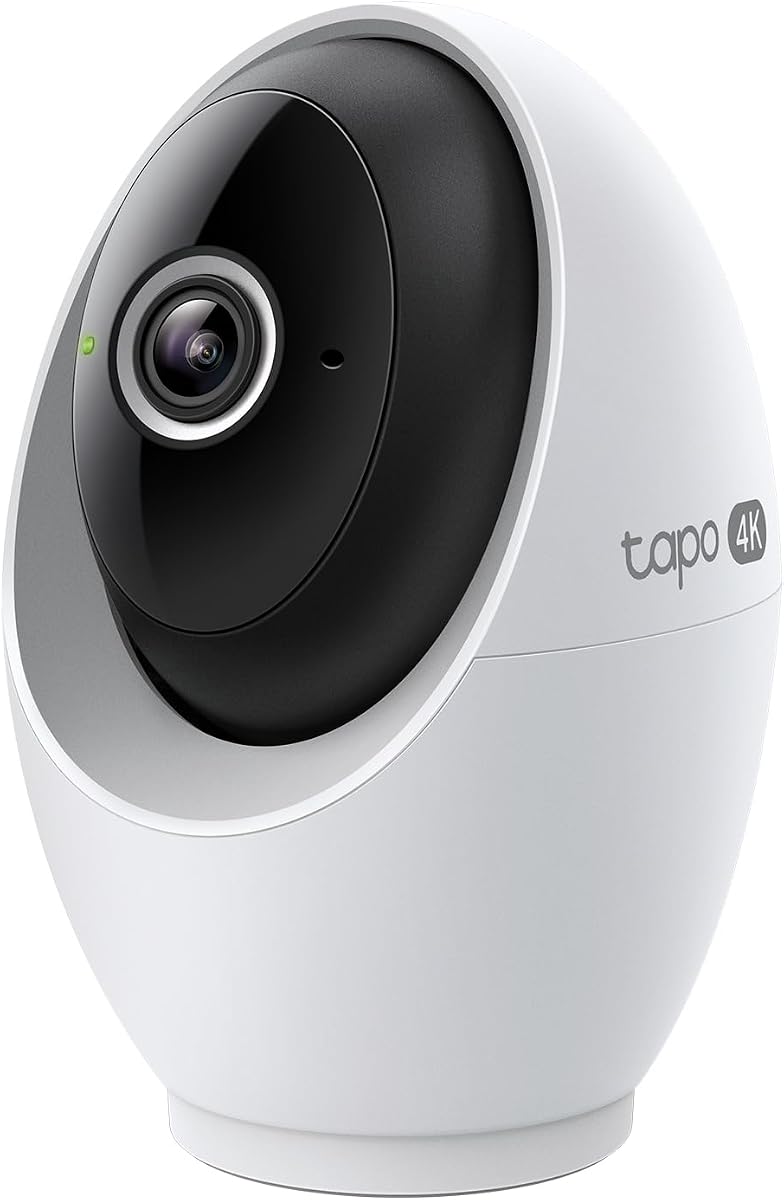
The Tapo C260 offers a rare combination of 4K resolution and AI features without mandatory subscription fees. Its high resolution ensures sharp images, and the on-device AI processes data locally for faster and more private alerts.
We may earn a commission when you buy through this link, at no additional cost to you.
Smart motion tracking automatically pans to follow subjects, making it ideal for monitoring pets or children who move around frequently. The ability to store footage on a microSD card up to 512GB adds significant flexibility for long-term storage.
The main trade-off is the wired power requirement, meaning you must install it near an outlet. While the camera itself is robust, relying on a single location can limit flexibility compared to battery options.
If you want premium image quality without recurring costs, this camera stands out. It is an excellent choice for homeowners who value privacy and detailed monitoring capabilities at a reasonable price.
AI processes detection locally on the camera, reducing latency and keeping sensitive data like facial recognition off the cloud.
The camera automatically detects motion and tilts to track movement across its range, ensuring you never miss a critical event.
We may earn a commission when you buy through this link, at no additional cost to you.
Amcrest has long been a trusted name in home security, and this model reinforces that reputation with consistent performance. It provides clear 1080p video with a wide viewing angle, ensuring your coverage area is monitored thoroughly.
We may earn a commission when you buy through this link, at no additional cost to you.
The camera supports local recording on a MicroSD card, giving you control over your footage without needing cloud subscriptions. It includes features like two-way audio to communicate through the device, making it versatile for more than just security.
The physical design requires a power cable, so placement is tied to available outlets. While this limits flexibility, it ensures a stable connection without battery drain concerns or periodic charging needs.
For users prioritizing reliability and straightforward security features, this camera delivers value. It is a practical solution for maintaining continuous surveillance in living rooms or hallways without technical complications.
Footage can be stored directly on a MicroSD card, eliminating monthly fees and ensuring access to your video history locally.
The built-in microphone and speaker allow real-time communication, useful for checking on pets or deterring intruders.
We may earn a commission when you buy through this link, at no additional cost to you.
The eufy Security E30 is a premium option offering stunning 4K video and exceptional night vision capabilities. Its integrated spotlight enables color night vision, providing clear details even when the environment is dark.
We may earn a commission when you buy through this link, at no additional cost to you.
eufy emphasizes privacy and local storage, meaning you can keep all footage without paying monthly fees. The camera supports HomeKit for secure integration with Apple devices, appealing to users within that ecosystem.
The price is higher than average, but you get advanced features like auto tracking and sound detection that distinguish between humans, pets, and sounds. This reduces false alerts and focuses on what actually matters.
If you want top-tier resolution and smart detection without recurring costs, this model is worth the investment. It suits tech-savvy users looking for a polished experience and strong privacy protections.
The integrated spotlight enables color recording in low light, distinguishing features better than standard infrared options.
Works with HomeKit, Alexa, and Google Assistant, allowing seamless control through voice commands and smart home routines.
We may earn a commission when you buy through this link, at no additional cost to you.
This Tapo C100 4-pack offers one of the most affordable ways to cover an entire home with multiple cameras. Each unit provides clear 1080p HD video and two-way audio for communication.
We may earn a commission when you buy through this link, at no additional cost to you.
The simplicity of fixed cameras means fewer moving parts and lower failure rates. You can monitor multiple zones simultaneously through the app, which supports up to nine live feeds for a comprehensive view.
Lack of pan or tilt means you must position cameras carefully to avoid blind spots. While adequate for basic monitoring, it lacks the advanced tracking features found in pricier models.
For budget-conscious shoppers needing broad coverage, this set is hard to beat. It is ideal for renters or homeowners wanting entry points and common areas covered without significant expense.
Monitor up to nine feeds at once, allowing centralized control over all installed units from a single interface.
Push alerts are triggered by motion, ensuring you are informed of activity immediately via your smartphone app.
We may earn a commission when you buy through this link, at no additional cost to you.
The eufy S350 introduces a dual-lens system that provides a full room view alongside a detailed close-up. This setup ensures you never miss context while still zooming in to see fine details clearly.
We may earn a commission when you buy through this link, at no additional cost to you.
With 8x hybrid zoom and smart sound detection, it excels at identifying critical moments like crying babies or pets. The 360-degree auto tracking ensures active monitoring without manual input.
While it lacks HomeKit support, it offers robust local storage and no subscription fees for core features. The physical privacy mode offers complete peace of mind when you need to disconnect completely.
For families needing precise monitoring of children or pets, this dual-lens approach is unique. It balances comprehensive coverage with detailed inspection, making it a strong high-end indoor camera.
The two cameras work together to show the whole room and close-up details on one screen simultaneously.
Physical shuttering ensures the lens is completely covered, providing absolute privacy when the camera is inactive.
We may earn a commission when you buy through this link, at no additional cost to you.
Designed for versatility, the Tapo C120 offers 2K resolution and a weatherproof build that works indoors or out. The magnetic base simplifies installation, allowing you to attach it to metal surfaces or use the included bracket.
We may earn a commission when you buy through this link, at no additional cost to you.
Its starlight sensor delivers color night vision in low light, enhancing detail even in dark environments. The compact size ensures it blends in without being obtrusive in living spaces.
Because it is wired, you must plan your location near an outlet or use an extension cable. This reduces flexibility compared to battery models but ensures constant power without maintenance interruptions.
If you need a single camera that can handle different environments, this is a smart choice. It provides sharp detail and robust construction, ideal for covering entryways and living areas alike.
The magnetic base or included bracket allows flexible placement, ensuring you can position the camera wherever visibility is best.
IP66 rating ensures resistance to rain and dust, making it suitable for covered patios or outdoor areas.
We may earn a commission when you buy through this link, at no additional cost to you.
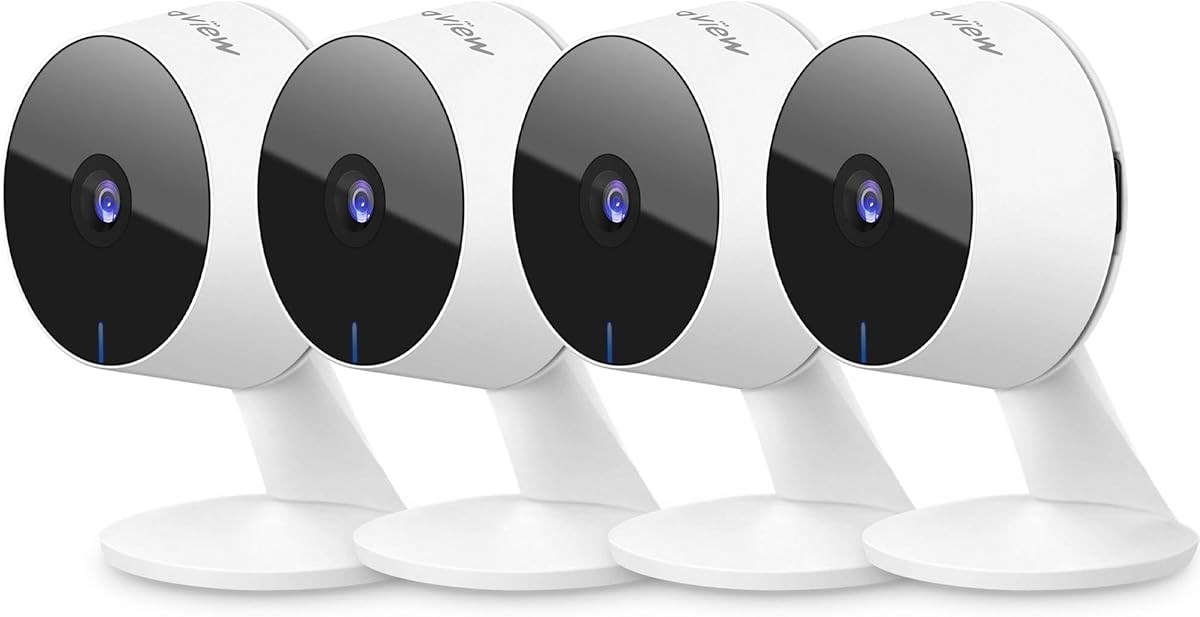
LaView offers a complete four-camera system designed for whole-home monitoring. Each camera provides 1080p HD video and two-way audio, ensuring clear communication and detailed visuals across multiple rooms.
We may earn a commission when you buy through this link, at no additional cost to you.
The system supports web access, allowing you to view feeds on desktop browsers alongside mobile devices. It also includes a 30-day cloud storage trial, providing temporary security without upfront costs.
While the hardware is solid, the cloud storage trial limits long-term backup unless you subscribe or use MicroSD cards. The app interface is functional but lacks advanced customization options.
For those seeking a complete hardware solution out of the box, this pack is practical. It provides broad coverage and essential features suitable for standard household security needs.
Access live streams via desktop browsers, offering flexibility for monitoring from office or desktop computers.
A 30-day trial allows testing cloud storage features before committing to a subscription or switching to local methods.
We may earn a commission when you buy through this link, at no additional cost to you.
The Youkey S320 is designed for renters who want security without drilling or permanent wiring. It is wire-free and uses a strong magnet for mounting, keeping walls intact and allowing easy relocation.
We may earn a commission when you buy through this link, at no additional cost to you.
Built-in storage means no monthly fees, and the battery can last months on a single charge thanks to smart wake-up technology. This makes it highly convenient for users who prioritize privacy and ease of use.
Battery models naturally need periodic recharging, which means some maintenance is required. While the process is straightforward, it adds a routine element to ownership that wired cameras avoid.
If you need a portable and flexible camera for temporary or rental setups, this model is excellent. It offers strong privacy features and convenience without compromising on core video quality.
The strong magnetic base allows tool-free installation on metal surfaces, making it easy to move or reposition.
PIR sensors only wake the camera when movement is detected, significantly extending battery life during inactivity.
We may earn a commission when you buy through this link, at no additional cost to you.
Selecting the right indoor wireless IP camera depends on specific needs like video quality, storage options, and smart home compatibility.
Higher resolution like 4K ensures sharper images, helping you identify faces or details accurately. Standard 1080p is often sufficient for general monitoring if you do not need forensic-level detail.
Prioritize 4K for detailed inspection of objects, while 1080p suffices for general room oversight.
Decide between local storage on a MicroSD card or cloud services. Local storage avoids recurring fees, while cloud storage offers accessibility from anywhere without physical media risks.
Choose local storage for budget savings and privacy, or cloud for convenience and redundancy.
AI detection distinguishes between humans, pets, and motion, reducing false alerts. Auto-tracking and two-way audio add interactive elements that enhance security utility.
Look for AI detection and audio features to minimize nuisance notifications and communicate directly.
Battery cameras offer flexibility but need recharging. Wired models provide continuous power but limit placement near outlets.
Select wired for continuous use, or battery if mobility and installation freedom are priorities.
Infrared and color night vision options affect visibility in dark areas. Color night vision requires some light but provides more realistic images.
Check night vision type to ensure clarity in dark rooms where security matters most.
Physical shutters or digital privacy modes ensure you can disable recording when home. Encryption and local processing prevent unauthorized access to footage.
Prioritize cameras with physical privacy features for peace of mind inside your home.
Compatibility with Alexa, Google Assistant, or HomeKit affects how you integrate and view footage. Ensure the camera supports your existing smart home setup for unified control.
Verify smart assistant support to streamline alerts and viewing routines.
Wide angles and pan/tilt functions expand coverage area. Higher degrees reduce blind spots in larger rooms.
Opt for wide views or adjustable angles to maximize coverage in your space.
Start by downloading the manufacturer app and creating an account to register the camera. Ensure your Wi-Fi signal is strong where you plan to place the device.
Adjust the camera angle to cover the desired area and set up motion zones to focus on relevant spaces. Regularly check the app for notifications and adjust sensitivity as needed.
Keep firmware updated for security patches and new features. Clean lenses gently with a soft cloth to maintain clarity and avoid obstructing the view.
Not necessarily. Many cameras like Tapo and eufy offer local storage options without fees. Subscriptions are typically for cloud storage or advanced AI features.
4K is ideal for detailed viewing, while 1080p works for general use. Choose based on how much detail you need to identify objects.
Most require Wi-Fi for remote access and alerts. Some allow local recording but need Wi-Fi for live streaming and notifications.
Reduce alert frequency, adjust motion sensitivity, and use smart wake-up modes. Keeping the device out of direct sunlight also helps preserve battery.
Use strong unique passwords and enable two-factor authentication. Local processing and encryption features add layers of security against breaches.
Yes, many indoor cameras include two-way audio and cry detection. Look for features like night vision and auto-tracking for better monitoring.
Our top picks offer a range of features from 4K clarity to battery-powered flexibility, ensuring there is a model for every need and budget.
Prioritize storage options and resolution based on how much detail you require and whether you prefer paying for cloud or keeping data local.
Always check current availability and specific settings before purchasing to ensure the camera meets your expectations for performance and privacy.