
CENMATE 4 Bay Aluminum
4.3Editor score
5Gbps USB 3.0 connection
Supports up to 80TB total
Aluminum alloy heat dissipation
A JBOD enclosure allows you to connect multiple hard drives directly to your computer without complex RAID configurations. This setup provides flexible storage expansion ideal for backups, media servers, and professional workflows requiring independent drive access.
We evaluated ten top-rated enclosures based on interface speed, drive compatibility, cooling efficiency, and build quality. Our analysis focuses on models that offer reliable performance for both desktop and rackmount environments across various operating systems.
Each pick highlights specific strengths like hot-swapping, tool-free installation, or unique hybrid drive support. Prices fluctuate regularly so please verify current listings before purchase to ensure you get the best value for your specific storage requirements today.
4.3Editor score

4.2Editor score
4.1Editor score
As an Amazon Associate we earn from qualifying purchases.
The following table provides a side-by-side comparison of all ten selected models highlighting their key specifications and unique features to help you make an informed decision quickly.




The TERRAMASTER D4-320 stands out as a top choice for users needing fast direct attached storage without RAID complexity. It holds a 4.2-star rating and offers exceptional speed through its USB 3.2 Gen2 interface.
We may earn a commission when you buy through this link, at no additional cost to you.
Its standout qualities include a tool-free design that simplifies drive installation significantly. The push-lock mechanism ensures drives stay secure while hot-swapping allows changes without powering down the unit.
While it lacks RAID features this is acceptable for users prioritizing raw access speed over redundancy. The intelligent fan keeps temperatures low though noise levels rise slightly under sustained heavy usage.
This enclosure is ideal for photographers or editors needing quick access to large media libraries. We recommend it for anyone seeking a reliable high-speed DAS solution for macOS Windows or Linux.
With USB 3.2 Gen2 the D4-320 achieves read/write speeds up to 10Gbps ensuring fast file transfers for demanding workflows.
An intelligent temperature-controlled fan and sound-absorbing panels ensure efficient heat dissipation while maintaining a quiet user environment.
We may earn a commission when you buy through this link, at no additional cost to you.
The CENMATE Aluminum 4 Bay enclosure offers excellent value for home users needing reliable external storage. It holds a strong 4.3-star rating and supports both SATA HDDs and SSDs in various sizes.
We may earn a commission when you buy through this link, at no additional cost to you.
Its key strengths include a durable aluminum alloy housing that maximizes heat dissipation. The tool-free tray design makes installing drives easy without needing any additional screwdrivers.
The main trade-off is the fan noise which can reach around 50 decibels. This is acceptable for office use but might be bothersome in quiet home environments during active transfers.
We recommend this unit for budget-conscious buyers needing up to 80TB of storage. Its broad OS compatibility and stable power delivery make it a solid choice for daily backups.
Designed for individuals and businesses this enclosure supports up to 80TB total capacity making it ideal for personal or enterprise storage needs.
The included DC 12V power adapter ensures stable power supply for high-speed transmission preventing data corruption during critical transfers.
We may earn a commission when you buy through this link, at no additional cost to you.
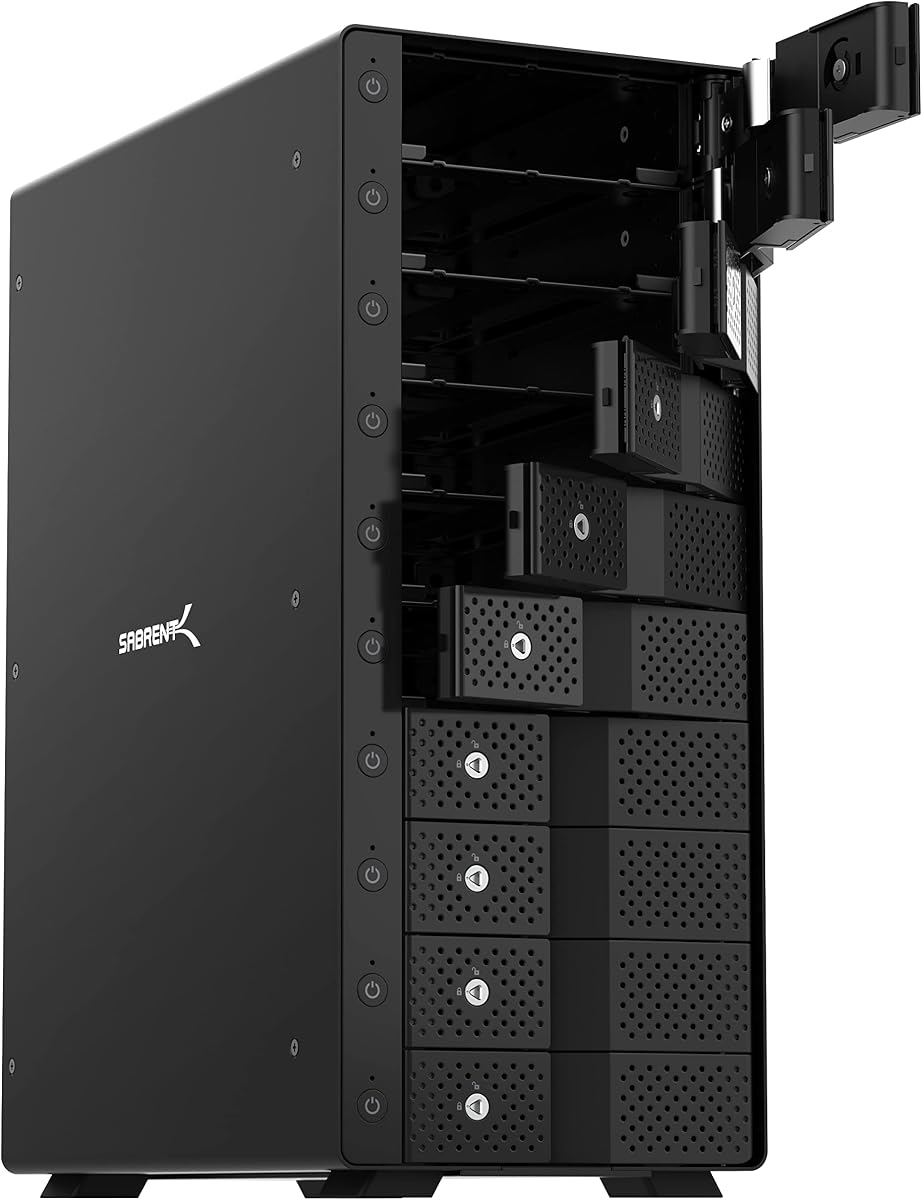
The SABRENT 10-Bay DS-UCTB is a powerhouse for professionals managing extensive media libraries. It carries a 4.1-star rating and supports up to ten 3.5-inch hard drives for massive storage.
We may earn a commission when you buy through this link, at no additional cost to you.
Its standout features include individual ON/OFF switches for every drive allowing granular power control. The tray-less hot-swap design lets you add drives easily without building complex arrays.
While expensive this unit justifies the cost with its robust aluminum build and dual cooling fans. Full 10Gbps speeds require a compatible USB 3.2 Gen 2 host port for best results.
We recommend this enclosure for IT workflows or media servers needing independent access to many drives. It is perfect for users expanding capacity without sacrificing speed or security.
Supporting up to 200TB total this unit allows you to add drives as you grow mixing capacities freely for flexible data management.
Two 120mm fans and a rigid aluminum enclosure move air across all drives to keep temperatures low under sustained heavy loads.
We may earn a commission when you buy through this link, at no additional cost to you.
The IO CREST 8-Bay enclosure is designed for users needing significant capacity in a compact footprint. It holds a 4.0-star rating and supports all major brands of 2.5 and 3.5-inch SATA drives.
We may earn a commission when you buy through this link, at no additional cost to you.
Its key strength lies in the smart fan function which uses a thermal sensor to adjust speed automatically. Independent switches for each drive allow precise control over which units are powered on.
While it uses USB 3.0 speeds which are slower than Gen 2 the capacity support is impressive. Each drive can hold up to 24TB making total storage potential quite high for backups.
We recommend this model for those needing eight independent drives without RAID overhead. It is a solid choice for archival storage where speed is less critical than capacity.
Built-in thermal sensors support both auto and manual fan modes ensuring efficient heat dissipation during extended usage periods.
Each drive has an independent switch allowing you to power off specific bays to save energy and reduce noise when not in use.
We may earn a commission when you buy through this link, at no additional cost to you.
The QNAP TR-004 offers unique flexibility by supporting hardware RAID modes alongside standard JBOD. It holds a 4.2-star rating and connects via USB Type-C for fast performance across Windows macOS and Linux.
We may earn a commission when you buy through this link, at no additional cost to you.
Its standout quality is the hardware RAID support which provides data redundancy without a dedicated NAS system. This makes it a powerful tool for small businesses needing backup protection.
The unit does have some compatibility restrictions with older QNAP NAS models. Users should verify their specific NAS version before purchasing to ensure full storage pool integration.
We recommend this enclosure for QNAP owners needing to expand capacity easily. It is also great for users wanting RAID security in a compact external storage solution.
Supports RAID 0 1 5 and JBOD modes allowing users to configure data redundancy and performance levels easily via hardware switches.
Ideal for expanding QNAP NAS capacity this unit can serve as external storage for backups or additional volumes on the connected NAS.
We may earn a commission when you buy through this link, at no additional cost to you.
The QNAP TL-R1200C-RP is designed for enterprise environments needing high capacity storage in a server rack. It holds a 4.1-star rating and offers twelve 3.5-inch drive bays for massive expansion.
We may earn a commission when you buy through this link, at no additional cost to you.
Its key strength is the redundant power supply unit which ensures continuous operation during power fluctuations. This makes it highly reliable for critical storage applications in data centers.
While the high power consumption is expected for rackmount units it ensures stability for twelve drives simultaneously. The 10Gbps USB-C interface provides fast data access for server workflows.
We recommend this enclosure for IT professionals managing large storage arrays. It is perfect for companies needing robust expandable storage that integrates well with QNAP systems.
The 250W redundant PSU ensures stable power delivery even if one unit fails preventing unexpected downtime for your storage array.
Designed as a rackmount JBOD enclosure it allows seamless storage expansion for computers servers and QNAP NAS systems.
We may earn a commission when you buy through this link, at no additional cost to you.
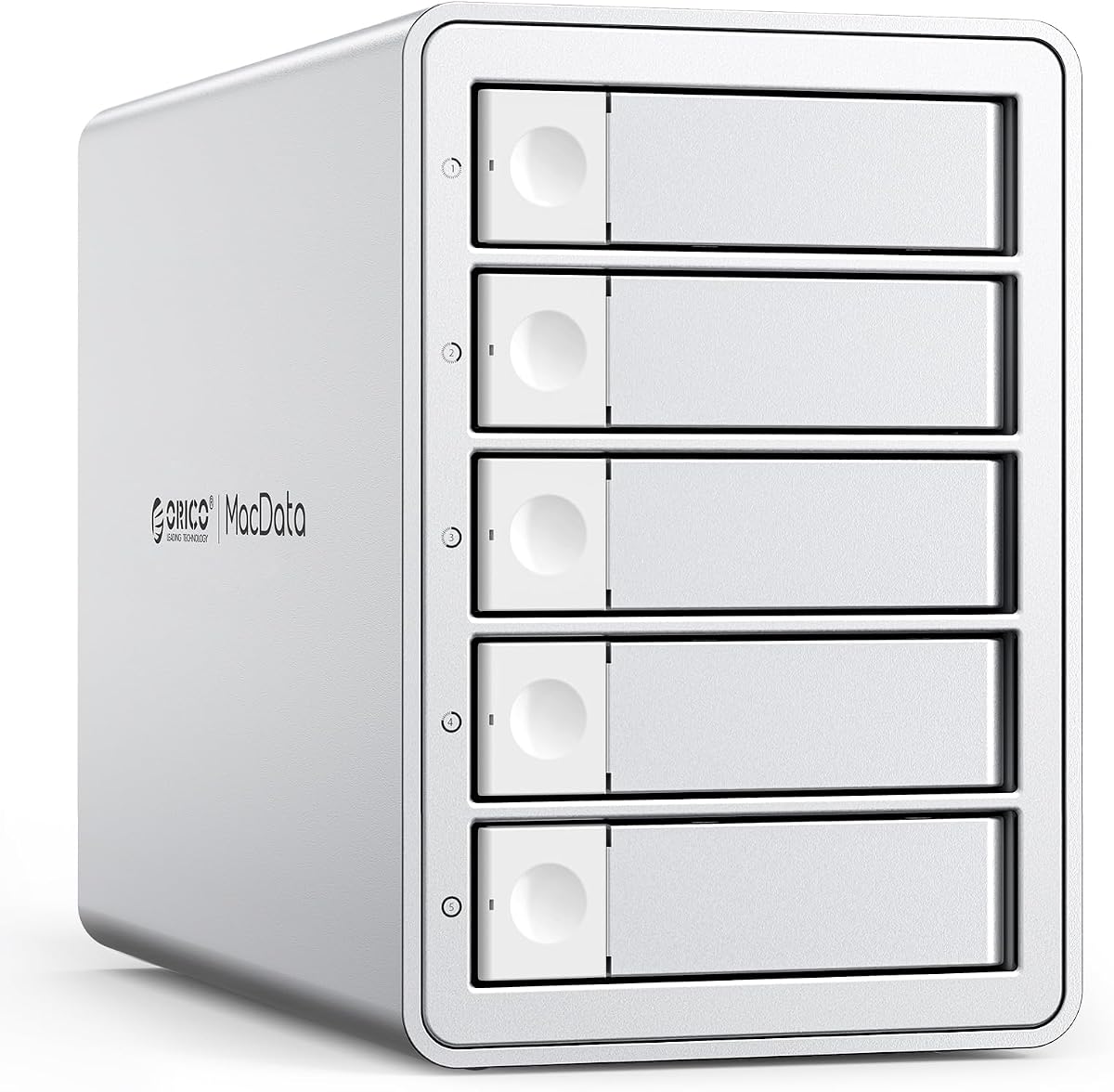
The ORICO 5 Bay RAID enclosure offers impressive flexibility with multiple hardware RAID modes. It holds a high 4.7-star rating and supports up to 110TB total capacity for massive storage needs.
We may earn a commission when you buy through this link, at no additional cost to you.
Its standout features include a built-in 150W power supply that eliminates the need for external adapters. The rugged aluminum alloy shell paired with a silent fan ensures long-term stability.
While it uses USB 3.0 instead of USB-C the transfer speeds remain efficient for large file backups. The silent fan is a significant plus for office environments requiring quiet operation.
We recommend this unit for studios needing reliable storage with redundancy options. It is ideal for users prioritizing capacity and build quality over the latest interface standards.
Equipped with hardware RAID controller supports RAID 0 1 3 5 10 JBOD Clone and Clear modes for diverse workflow needs.
A powerful 150W built-in power supply ensures peak voltage stability even when running multiple high-consumption mechanical drives.
We may earn a commission when you buy through this link, at no additional cost to you.
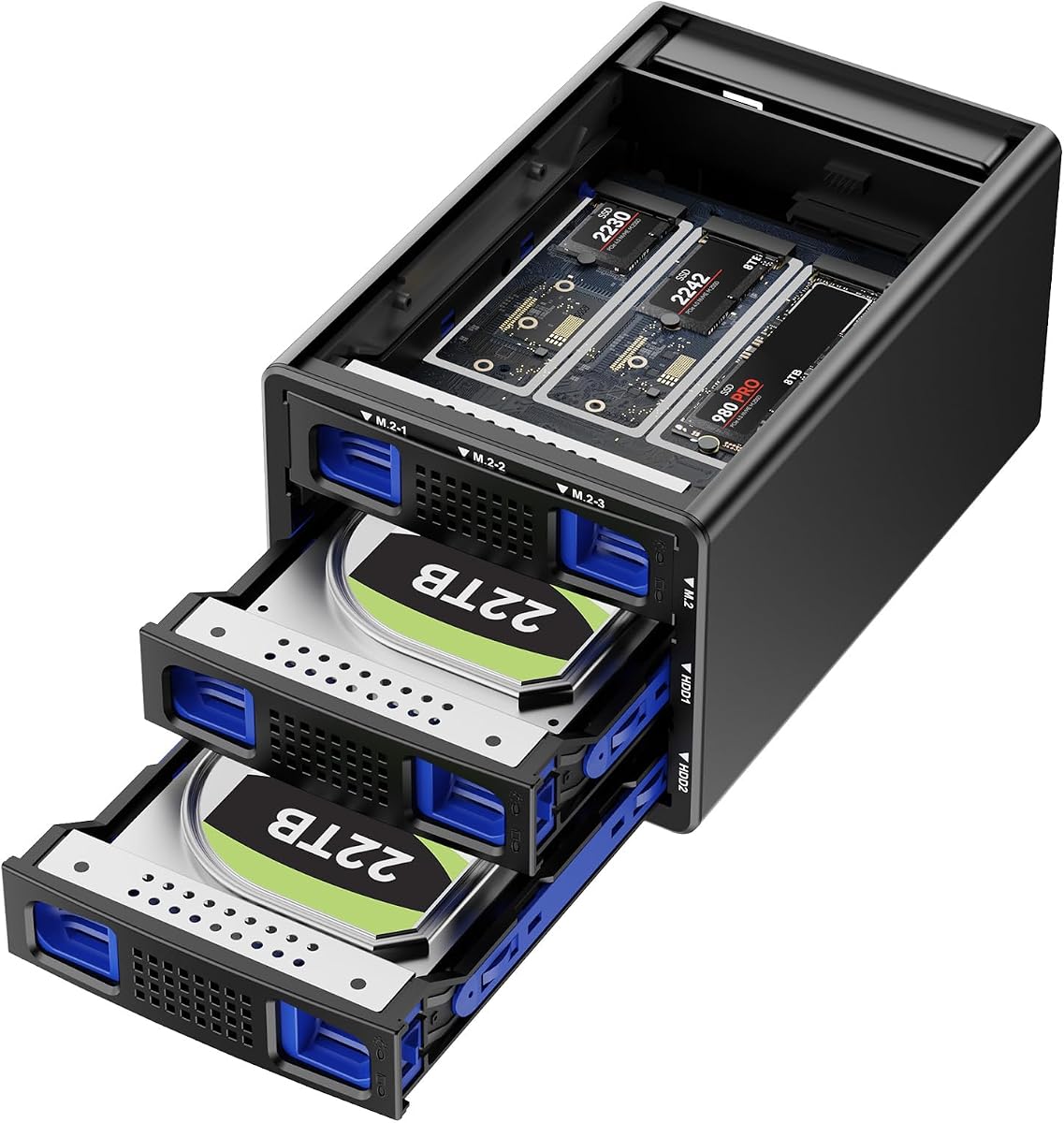
The CENMATE Hybrid NVMe enclosure is unique for supporting both SATA and NVMe drives simultaneously. It holds a 4.6-star rating and offers 68TB total capacity with its hybrid drive configuration.
We may earn a commission when you buy through this link, at no additional cost to you.
Its standout feature is combining massive HDD capacity with high-speed SSD performance in one unit. This allows users to cache data on SSDs while archiving on HDDs seamlessly.
The active cooling fan ensures all drives stay cool but it runs continuously which may generate noise. RAID configuration requires resetting via a specific button sequence so caution is advised.
We recommend this enclosure for users wanting to optimize storage tiering. It is perfect for content creators needing both speed and capacity in a single external solution.
Holds 2 SATA drives and 3 M.2 NVMe SSDs combining massive capacity with high-speed performance simultaneously for flexible workflows.
Uses USB 3.2 Gen 2 protocols delivering full load read rates of 200-300MB/s for fast file transfers without bottlenecks.
We may earn a commission when you buy through this link, at no additional cost to you.
The ORICO 4 Bay RAID offers extensive configuration options with eight different RAID modes. It holds a 4.3-star rating and supports up to 88TB of storage for large-scale projects.
We may earn a commission when you buy through this link, at no additional cost to you.
Its key strengths include a built-in power supply and robust aluminum alloy enclosure for durability. The safety lock prevents accidental drive ejection adding a layer of physical security.
While limited to USB 3.0 speeds the unit provides sufficient throughput for most backup tasks. The silent cooling fan ensures stable operation without disturbing quiet work environments.
We recommend this model for users needing RAID options without external controllers. It is ideal for small businesses requiring secure high-capacity external storage.
Supports 8 modes including RAID 0 1 3 5 10 JBOD CLONE and CLEAR to meet personalized needs for data backup and security.
Independent safety locks prevent unexpected drive ejection ensuring data security during transportation or active use.
We may earn a commission when you buy through this link, at no additional cost to you.
The OWC Mercury Elite Pro Quad delivers high-speed storage via its USB-C interface supporting up to 10Gb/s bandwidth. It holds a 3.7-star rating and works with any USB-C or Thunderbolt 3 Mac or Windows PC.
We may earn a commission when you buy through this link, at no additional cost to you.
Its standout feature is the universal drive bays supporting both 2.5 and 3.5-inch drives. This flexibility makes it suitable for various drive types without needing adapters.
While the rating is lower the unit still offers impressive speeds of up to 947MB/s. However note that SOFTRAID software is not included requiring users to configure RAID elsewhere.
We recommend this enclosure for Mac users needing fast reliable storage. It is perfect for creative professionals working with high-resolution video files needing quick access.
The powerful USB-C interface delivers 10Gb/s bandwidth ensuring next-level performance for demanding workflows.
Four universal bays accommodate both 2.5 and 3.5-inch drives allowing flexible storage expansion for any project.
We may earn a commission when you buy through this link, at no additional cost to you.
Selecting the right JBOD enclosure depends on your storage capacity needs interface preferences and budget. Consider these key factors before making a purchase.
Determine how many drives you need now versus later. Some models support up to 10 or 12 bays which offer massive scalability but others may be limited to 4 or 5. Ensure the enclosure supports the physical drive size you plan to use such as 2.5 or 3.5 inches.
Choose a model with enough bays to meet your current needs while allowing room for future expansion if necessary.
Modern enclosures offer USB 3.0 USB 3.2 Gen 2 or USB-C connections. For fast data transfers look for interfaces supporting at least 5Gbps preferably 10Gbps. Check your computer ports to ensure compatibility before buying.
Select an enclosure with a connection speed that matches your host computer capabilities for optimal performance.
Multiple drives generate significant heat so adequate cooling is essential. Look for aluminum housings with built-in fans or heat sinks. Quiet fans are preferred for office environments while industrial units might prioritize airflow over noise.
Prioritize enclosures with efficient cooling systems to prevent drive throttling and extend hardware lifespan.
Hot-swapping allows you to change drives without shutting down the system. This feature is critical for servers or busy workstations. Tool-free tray designs simplify installation and reduce the risk of damaging drives during mounting.
Look for enclosures with tool-free hot-swap trays for easy maintenance and minimal downtime during drive replacements.
Larger enclosures often need external power adapters while some come with built-in supplies. Internal power reduces cable clutter but external units may be easier to replace. Check wattage requirements especially for high-drive count models.
Choose an enclosure with a power solution that fits your workspace and ensures stable voltage for all connected drives.
Ensure the enclosure works with your operating system like Windows macOS or Linux. Most plug-and-play models support all major platforms but verify any driver requirements. Cross-platform compatibility is useful for shared workspaces.
Verify OS support before purchasing to ensure seamless integration with your existing computer system.
Check the warranty period provided by the manufacturer. Reputable brands often offer one to three years of coverage. Look for responsive customer support options in case you encounter hardware issues or need technical assistance.
Prioritize brands offering solid warranties and reliable customer support for peace of mind.
Budget enclosures provide basic functionality while premium units offer advanced features. Balance your needs with the price point to find the best value. Consider long-term costs such as power consumption and potential drive failure risks.
Invest in a model that offers the best balance of features and price for your specific use case.
Before connecting drives ensure they are properly seated in the trays or slots. Most enclosures will not function correctly if a drive is loose or misaligned. Follow the manufacturer's instructions carefully when installing drives for the first time.
Keep the enclosure in a well-ventilated area away from direct sunlight. Dust accumulation can block fans and cause overheating so clean the exterior regularly with a soft cloth. Avoid placing it near heat sources or in enclosed cabinets.
Safely eject drives or the enclosure before unplugging it to prevent data corruption. Regular backups are still recommended even when using JBOD configurations since individual drives can fail without redundancy. Monitor drive health using software tools for early warnings.
A JBOD enclosure connects multiple hard drives to a computer as independent volumes. It is used for expanding storage capacity quickly without complex RAID configurations. Ideal for backups media servers and users needing separate access to each drive.
Most JBOD enclosures do not support RAID by default but some models include hybrid RAID options. Check the product specifications to see if hardware RAID modes are available. Pure JBOD treats each drive as separate storage.
Yes most JBOD enclosures support both HDDs and SSDs as long as they match the physical size requirements. Ensure the enclosure supports 2.5 or 3.5-inch drives depending on your hardware. Some models support both sizes simultaneously.
Drives in a JBOD enclosure are detected individually by your operating system. Simply plug the enclosure in and your computer will recognize each drive as a separate volume. No configuration software is usually required for basic use.
JBOD enclosures are cheaper and simpler but lack built-in networking features like NAS devices. NAS systems allow remote access and better multi-user management. JBOD is better for direct local access and budget-conscious buyers.
In JBOD configuration if one drive fails the others remain unaffected since they are independent. Data on the failed drive is lost unless you have a separate backup. Regular backups are crucial since JBOD offers no redundancy.
The number depends on the enclosure model ranging from 2 to 12 bays. Check the product specifications for maximum drive count and capacity limits. Ensure your computer has enough ports if multiple enclosures are used.
Most JBOD enclosures work plug-and-play without requiring extra drivers on modern systems. Compatibility is broad across Windows macOS and Linux operating systems. Check documentation if you use older or specialized operating systems.
We reviewed ten excellent JBOD enclosures offering diverse options for every storage need. From the high-speed TERRAMASTER D4-320 to the versatile CENMATE Hybrid NVMe there is a model suited for various use cases.
Prioritize interface speed cooling efficiency and build quality when making your choice. Ensure the enclosure supports your current drive capacity and allows room for future expansion if needed.
Prices fluctuate so please check current listings before purchasing to secure the best value. Selecting the right enclosure ensures reliable efficient storage management for years to come.