
Hearvo USB 3.0 HDMI KVM Switch for 2 Computers 1 Monitor, 4K@60Hz, S7232H
4.0Editor score
Compact single monitor design
Supports 4K resolution
Plug and play setup
This guide compares the top ten KVM Switches for multi monitor setups helping you find the best device for seamless control across your computers and peripheral
Choosing the right KVM switch can transform how you work by allowing seamless control of multiple computers with a single set of peripherals. Whether you are a developer, gamer, or home office worker, finding a reliable switch ensures efficiency and reduces cable clutter on your desk.
We have carefully evaluated ten top KVM switches based on their build quality, video resolution support, USB connectivity options, and ease of use. This list covers a range of configurations from simple single monitor setups to complex multi-monitor environments for professionals and enthusiasts.
Each pick highlights specific strengths like high refresh rates, extensive USB support, or remote access capabilities. Please note that product availability and specifications may change over time so always verify the latest details before making your final purchase decision.
4.0Editor score

3.9Editor score

4.5Editor score
The following comparison table provides a side-by-side overview of the top ten KVM switches available today highlighting their key specifications and compatibility features to help you make an informed decision.





The UGREEN 8K HDMI Displayport KVM Switch stands out as a powerful solution for users needing to manage two computers with three monitors. With its ability to support ultra high resolutions like 8K at 60Hz, it caters to professionals who need detailed visual fidelity across multiple screens.
We may earn a commission when you buy through this link, at no additional cost to you.
This device offers extensive connectivity including two DisplayPort 1.4 ports and one HDMI 2.1 port allowing you to connect high refresh rate monitors. The inclusion of four USB 3.0 ports ensures you can share essential peripherals like keyboards, mice, and printers without disconnecting cables manually.
While it requires a power adapter and a specific configuration of graphics ports on your computers, the stability and resolution support justify the setup effort. Users should ensure their PCs support triple monitor output to maximize the utility of this switch.
If you are looking for a high performance KVM switch that handles demanding video outputs and offers a clean desktop experience with a remote controller this is an excellent choice for advanced setups.
The switch supports 8K at 60Hz and 4K at 240Hz making it ideal for gaming and creative work that demands high frame rates.
A desktop controller is included allowing you to switch between computers from a distance keeping your workspace organized and clutter free.
We may earn a commission when you buy through this link, at no additional cost to you.
The Hearvo USB 3.0 HDMI KVM Switch is a budget friendly option designed for users who need to switch between two computers using a single monitor. It delivers impressive 4K resolution support which ensures clear visuals for everyday tasks and multimedia consumption.
We may earn a commission when you buy through this link, at no additional cost to you.
This switch includes four USB 3.0 ports allowing you to connect and share various peripherals such as keyboards mice and external drives. The adaptive EDID feature helps maintain stable image transmission by automatically optimizing display settings when switching between systems.
One consideration is that it is limited to a single monitor setup which may not suit those needing multi screen productivity. However the included wired remote switch offers convenience by allowing you to control the KVM from a comfortable distance.
For individuals seeking an affordable and reliable way to manage dual computers with a single display this switch provides excellent value and performance without requiring complex installation or drivers.
Supporting 4K at 60Hz this switch ensures that your monitor displays sharp and detailed images whether you are working or watching videos.
The wired remote switch allows you to place the unit in a hidden location while keeping control easily accessible on your desk.
We may earn a commission when you buy through this link, at no additional cost to you.
This Displayport KVM Switch is designed specifically for users who need to manage two computers across two monitors simultaneously. It supports a high refresh rate of 144Hz at 4K resolution which makes it a great choice for gamers or graphic designers who need smooth visuals.
We may earn a commission when you buy through this link, at no additional cost to you.
The unit includes four USB 3.0 ports ensuring you can share data devices and peripherals efficiently between your systems. It also supports both extended and copy modes giving you flexibility in how you utilize your dual screen setup across different computers.
While it requires an external power adapter to function correctly the stability provided by this design ensures reliable performance during switching. The inclusion of a desktop controller allows for easy access to switching functions without reaching behind the unit.
If you require a dual monitor KVM switch that handles high refresh rates well this model offers the necessary features and connectivity to support a productive and immersive computing environment.
The 4K@144Hz capability ensures smooth motion rendering which is vital for gaming and video editing workflows.
Users can choose between extended and copy modes allowing versatile screen arrangements for different work tasks.
We may earn a commission when you buy through this link, at no additional cost to you.
The Unitek KVM Switch is a versatile device that allows you to connect two computers to dual monitors using either HDMI or DisplayPort inputs. This hybrid connectivity makes it a strong choice for setups where different computers may have different video output types.
We may earn a commission when you buy through this link, at no additional cost to you.
It supports resolutions up to 4K at 60Hz ensuring that your visual experience remains sharp and clear during work or entertainment. The device includes a 5V2A power adapter to ensure stable performance when using multiple USB devices simultaneously.
One limitation to note is that it is designed for desktop hosts only and does not support laptops which might restrict its use for portable users. However for stationary workstations it provides a reliable way to share peripherals and displays efficiently.
This switch is ideal for home offices or professional environments where a mix of video inputs is needed and consistent dual monitor performance is required without constant cable swapping.
The ability to accept both HDMI and DisplayPort signals allows for greater flexibility when connecting different types of computers.
The included power adapter ensures that connected USB devices receive consistent power preventing disconnections during heavy use.
We may earn a commission when you buy through this link, at no additional cost to you.
This HDMI KVM Switch is designed to handle a triple monitor configuration allowing you to share three screens and four USB devices between two computers. It supports 4K resolution at 60Hz which provides clear visuals for multi screen productivity tasks.
We may earn a commission when you buy through this link, at no additional cost to you.
The switch includes four USB 3.0 ports ensuring high speed data transfer for peripherals like external drives and printers. An external power adapter is included to support high power USB devices such as hard drives which ensures stability during operation.
While it offers impressive capabilities for multi screen setups it requires that your computers support triple monitor output which may not be available on all systems. The panel button and external wire controller provide flexible switching options to suit your desk layout.
If you need to manage three monitors across two computers this switch offers a robust solution for maintaining productivity and organization without the hassle of manual cable management.
Designed for setups that require three screens this KVM allows seamless switching between computers maintaining your multi monitor layout.
USB 3.0 ports ensure that data transfer speeds are fast enough for large file transfers between connected devices.
We may earn a commission when you buy through this link, at no additional cost to you.
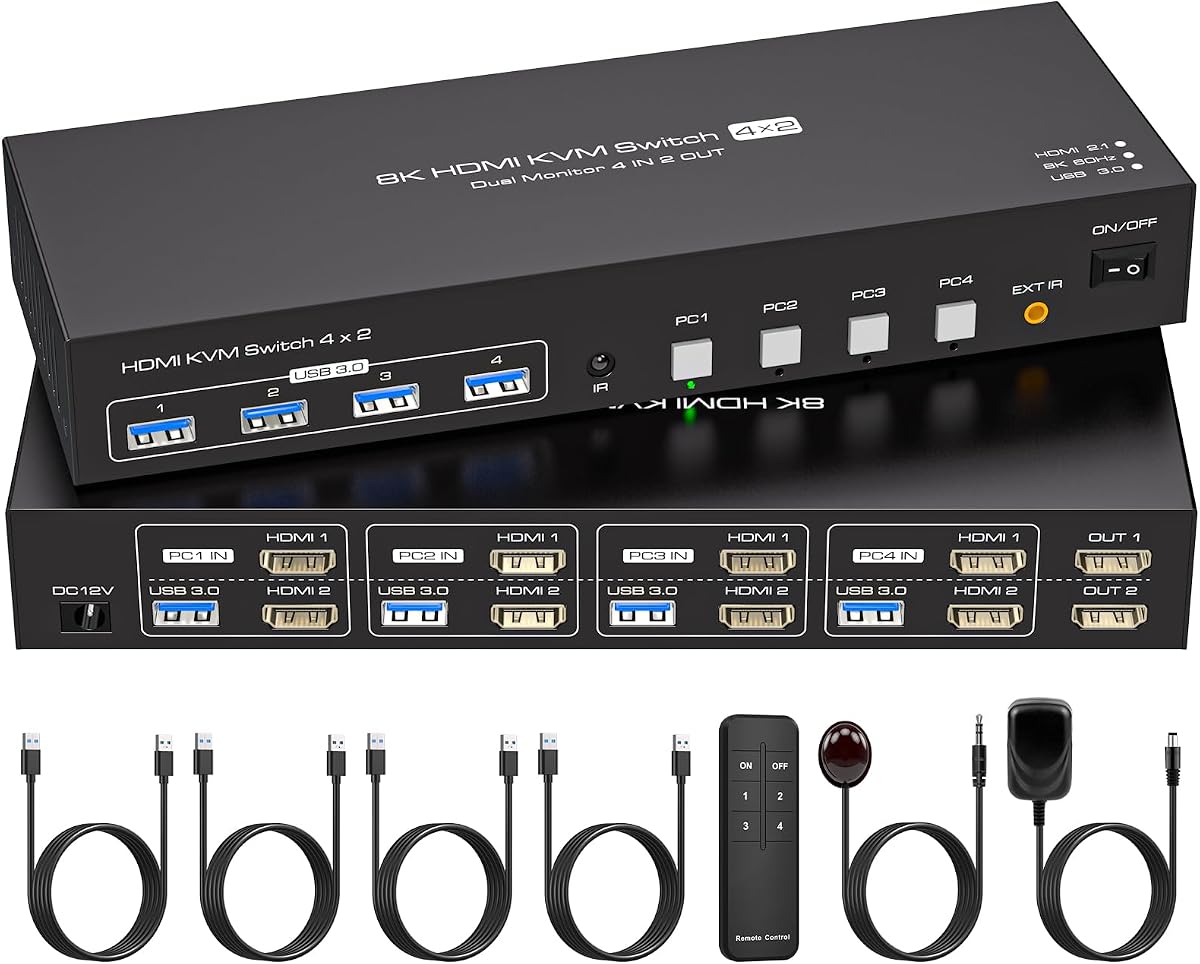
This 4 Port Dual Monitor HDMI KVM Switch is a powerful option for managing four computers across two monitors making it ideal for complex multi PC workstations. It supports high resolution outputs up to 8K at 60Hz ensuring detailed visuals on your displays.
We may earn a commission when you buy through this link, at no additional cost to you.
The built-in EDID emulation ensures that your system quickly recognizes monitors when switching computers preventing window rearrangement and saving time. It also includes four USB 3.0 ports allowing you to share peripherals efficiently across all connected systems.
To use this device effectively each computer must have two HDMI ports which might require specific hardware configurations. An external power supply is required to maintain stable operation especially when multiple USB devices are connected.
For environments where multiple systems need to be accessed from a single set of monitors this switch provides a comprehensive solution with advanced features like EDID emulation and high resolution support.
EDID emulation saves monitor parameters ensuring a seamless switching experience without needing to reset display settings manually.
With support for four computers this KVM allows IT professionals or power users to manage multiple systems efficiently.
We may earn a commission when you buy through this link, at no additional cost to you.
The GL.iNet GL-RM10 Comet Pro offers a modern approach to KVM switching by enabling remote access over Wi-Fi. This device allows you to control another computer from a distance with high quality 4K video passthrough making it unique among traditional switches.
We may earn a commission when you buy through this link, at no additional cost to you.
It features a built-in touchscreen interface which makes setup and management intuitive without needing additional software. The support for two-way audio enhances the experience allowing for clear voice communication during remote sessions or support tasks.
While it is a premium option with a higher price tag the flexibility it provides for remote disaster recovery and IT support is invaluable. Users should ensure they have a stable Wi-Fi network to utilize its full capabilities effectively.
For professionals who need to access computers remotely without physical hardware this KVM offers a reliable and feature rich solution that goes beyond standard local switching capabilities.
This device allows you to control computers remotely over Wi-Fi enabling easy access from anywhere in your home or office.
The built-in touchscreen simplifies setup and management reducing the need for technical expertise or external software.
We may earn a commission when you buy through this link, at no additional cost to you.
This UGREEN HDMI KVM Switch is designed to manage two computers across two monitors with a straightforward setup. It supports 4K resolution at 60Hz providing clear visuals for daily tasks and media consumption without needing complex configuration.
We may earn a commission when you buy through this link, at no additional cost to you.
The device includes four USB 3.0 ports allowing you to share keyboards, mice, and other peripherals efficiently between your systems. A desktop controller is included to help you switch between computers easily keeping your workspace tidy and organized.
Users should note that this switch does not support EDID emulation which means display settings might reset during switching. Also an external power adapter is required to ensure stable operation for connected USB devices.
For those needing a simple dual monitor KVM switch with high resolution support this model provides reliable performance and convenient control features for home or office use.
Installation is simple requiring no software or drivers so you can start using the switch immediately after connecting cables.
The included desktop controller lets you switch sources without reaching for the main unit improving desk organization.
We may earn a commission when you buy through this link, at no additional cost to you.
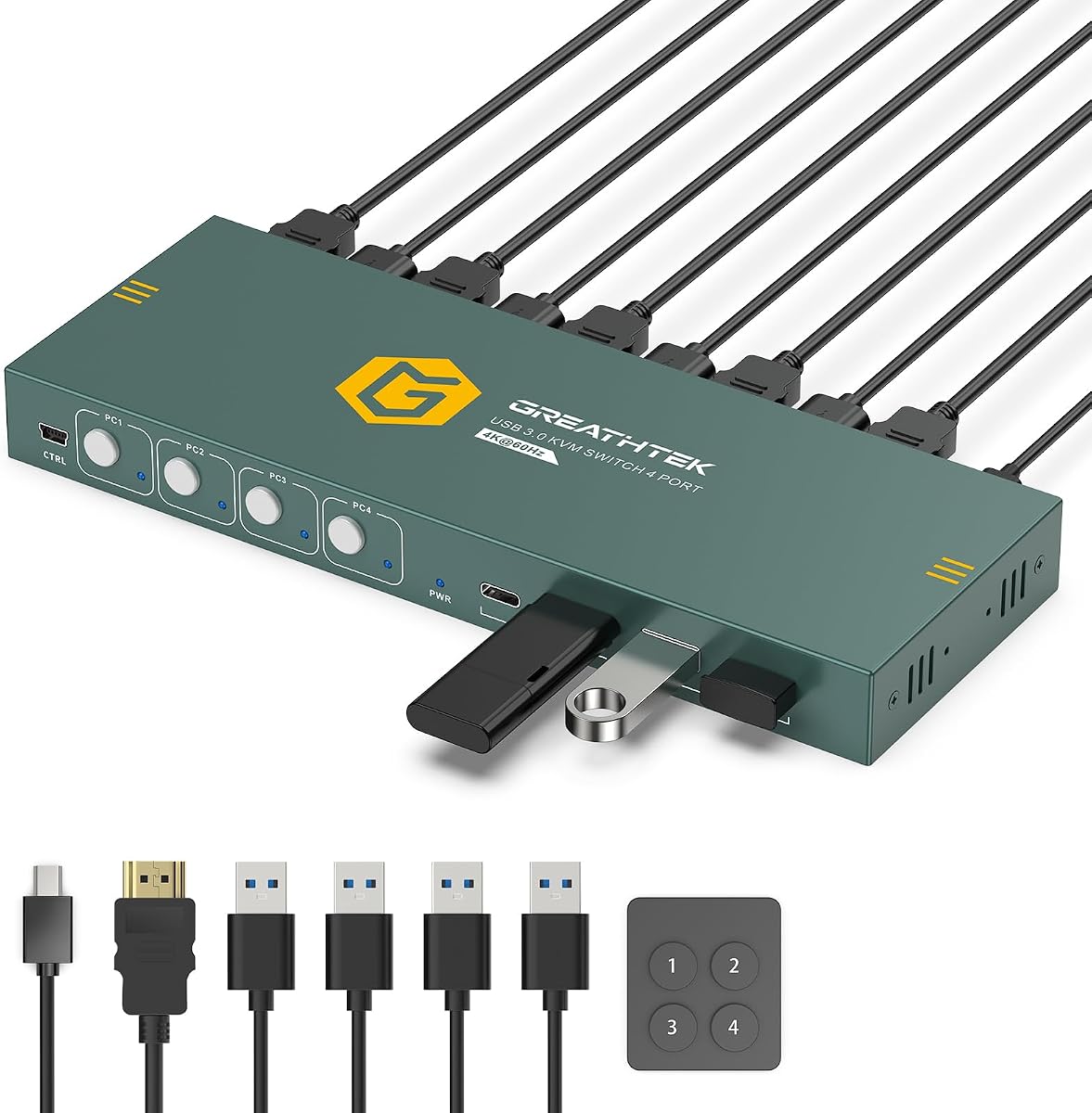
This HDMI KVM Switch is ideal for users who need to manage four computers using a single monitor and keyboard. It supports 4K resolution at 60Hz ensuring that your display output remains sharp and detailed regardless of which computer is active.
We may earn a commission when you buy through this link, at no additional cost to you.
The switch includes four USB 3.0 ports allowing you to share essential peripherals across all connected systems. A wired remote control is included providing convenient access to switching functions without having to touch the unit directly.
While it supports four computers it is limited to a single monitor output which may not suit those with multi screen needs. However for IT testing or managing multiple systems it offers a compact and efficient solution.
If you need to switch between four PCs easily on one screen this KVM switch provides a reliable and high resolution experience with simple setup requirements.
Managing four computers on one screen reduces clutter and simplifies workflows for IT professionals or testers.
USB 3.0 ports ensure fast data transfer allowing you to share files and devices between systems efficiently.
We may earn a commission when you buy through this link, at no additional cost to you.
This compact HDMI KVM Switch allows you to share a single monitor and keyboard mouse between two computers easily. It supports 4K resolution at 60Hz ensuring clear visual output for work or entertainment without requiring additional power sources.
We may earn a commission when you buy through this link, at no additional cost to you.
The switch includes a wired extend controller which allows you to place the main unit hidden away while keeping the switch button accessible on your desk. This helps in maintaining a clean and organized workspace effectively.
Note that this model uses USB 2.0 ports which may limit data transfer speeds compared to USB 3.0 options. It also does not recommend use with Mac devices so Windows or Linux users are best suited for this switch.
For those seeking a simple affordable and portable solution for switching between two computers this KVM switch delivers reliable performance with minimal setup requirements.
The unit is powered through USB so you do not need a wall outlet or additional cables to operate it.
A wired controller ensures you can switch sources conveniently from your desk without reaching behind the computer.
We may earn a commission when you buy through this link, at no additional cost to you.
Selecting the right KVM switch depends on your specific setup needs including the number of computers and monitors you want to manage as well as the desired video resolution.
Determine how many computers and monitors you need to connect. A KVM switch with more input ports allows you to manage a larger number of systems simultaneously.
Ensure the switch has enough video and USB ports to match your devices.
Look for a switch that supports the resolution and refresh rate of your monitors. High resolution support like 4K or 8K ensures clear and detailed visuals.
Check compatibility with features like HDR or high refresh rates for gaming or professional work.
Consider the number and speed of USB ports available. USB 3.0 ports provide faster data transfer speeds which is beneficial for external drives and peripherals.
Ensure there are enough ports for all shared devices like printers and webcams.
KVM switches offer various switching methods including physical buttons, remote controllers, or hotkeys. Choose one that fits your workflow preferences.
Desktop controllers are helpful if you want to keep the switch hidden from your desk view.
Some KVM switches require an external power adapter while others draw power from USB. External power ensures stability for high power devices like hard drives.
Check if the switch comes with the necessary power adapter included in the package.
Verify that the KVM switch is compatible with your operating systems such as Windows, macOS, or Linux. Some models have specific limitations with laptops or Macs.
Ensure the video inputs match your computers outputs whether HDMI or DisplayPort.
Look for models with durable materials such as aluminum housings to ensure longevity. A solid build helps prevent damage from accidental drops or bumps.
Check reviews for feedback on the physical durability of the device over time.
Compare prices against the features offered to determine the best value. Higher priced models often provide better resolution support and reliability.
Avoid the cheapest options if you need professional grade features or long term use.
First connect all your computers to the KVM switch using the appropriate video and USB cables ensuring that each port is securely attached.
Then connect your shared monitors and USB peripherals to the output ports on the KVM switch and power it on if an adapter is required.
Use the provided remote or buttons to switch between computers and verify that the display and peripherals are recognized by the active system.
Some KVM switches are designed specifically for desktop hosts and may not support laptops due to power or connection differences. Always check the product specifications to ensure laptop compatibility before purchasing.
Most modern KVM switches are plug and play devices that do not require driver installation. However some advanced models might need specific software for hotkey features so check the manual.
HDMI KVM switches use HDMI connections while DisplayPort KVMs use DisplayPort connections. Choose based on the video ports available on your computers and monitors for best compatibility.
Flickering can occur due to cable quality or insufficient power supply. Ensure you use high quality cables and connect the external power adapter if required for stable operation.
Yes you can connect a webcam to a KVM switch using the USB ports provided. This allows you to share the webcam across multiple computers easily.
Yes KVM switches are hot swappable allowing you to change control between computers without needing to restart or log out of your systems.
We have reviewed ten excellent KVM switches ranging from budget friendly options to high performance models supporting multiple monitors and ultra high resolutions.
Prioritize features like resolution support and USB connectivity based on your specific needs to ensure the switch enhances your workflow rather than limiting it.
Please check current availability and pricing before purchase as these factors can change over time to ensure you get the best deal.