
Ordilend Keyboard Cleaner Kit
4.6Editor score
All-in-one cleaning tools
Includes keycap puller
Compact portable design
This guide compares the top laptop fan cleaning kits including electric dusters and brush sets to help you choose the best tool for maintaining your device.
Keeping your laptop clean is essential for performance and longevity. A good cleaning kit removes dust from fans and vents to prevent overheating issues. Choosing the right tools ensures you protect sensitive electronics while maintaining airflow efficiency.
We evaluated ten top-rated products based on power, versatility, and ease of use. Our analysis covers electric air dusters, brush sets, and all-in-one kits. Each option offers unique benefits for different cleaning needs and budgets.
Each pick highlights key features and ideal use cases for your setup. Prices fluctuate so check current listings before purchasing. Our goal is to help you find the most effective solution for keeping your laptop running smoothly.
4.6Editor score
4.4Editor score

4.9Editor score
This table provides a side-by-side comparison of all ten products including their key specifications and ideal use cases to help you make an informed decision.




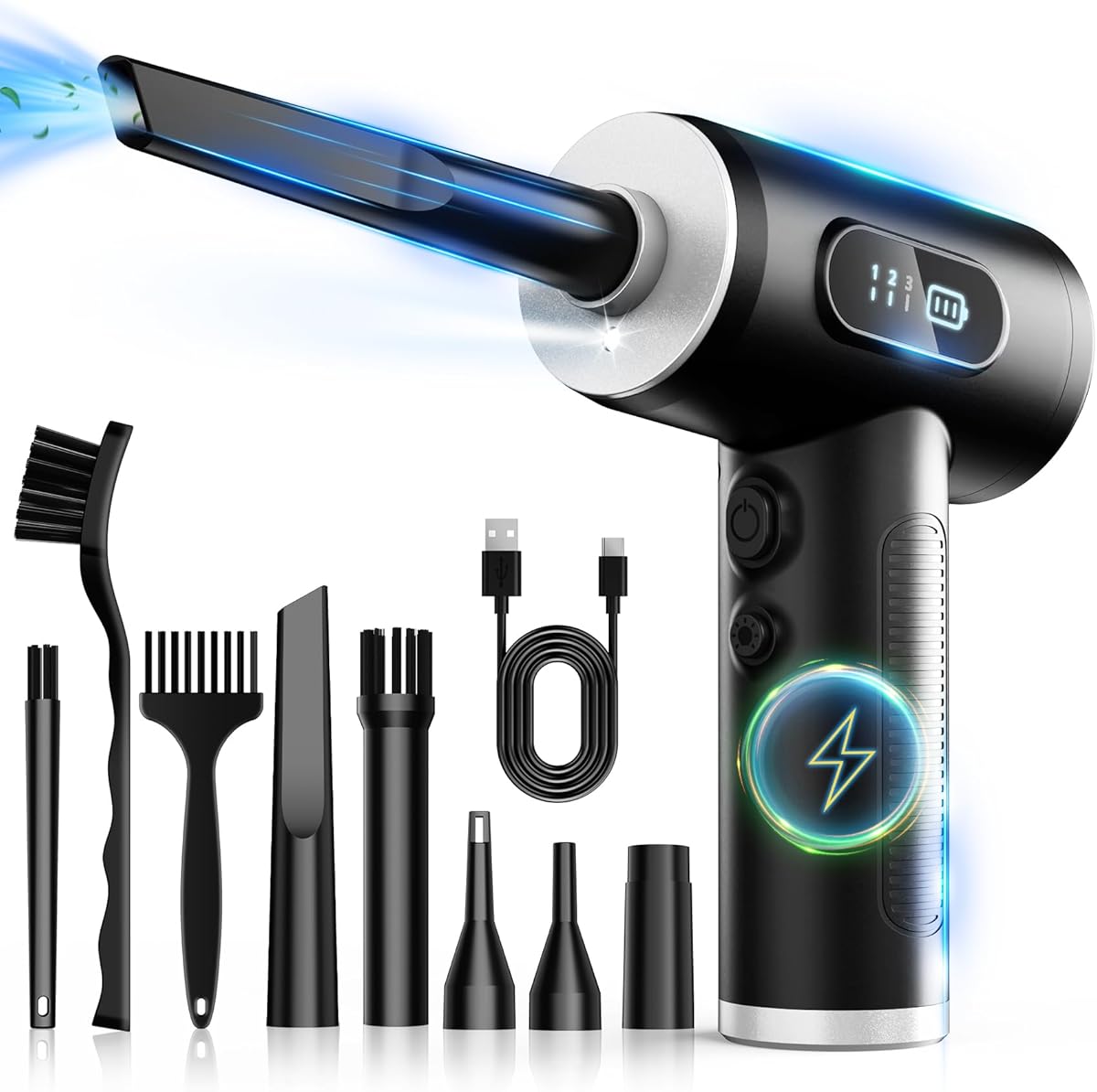
The FRESMOL Compressed Air Duster stands out as a top choice for laptop maintenance. With a 100000 RPM motor and adjustable speeds it delivers consistent airflow to clear dust from fans and vents effectively. The cordless design makes it easy to use anywhere without power constraints.
We may earn a commission when you buy through this link, at no additional cost to you.
Its smart LED display lets you check battery levels and speed modes at a glance ensuring you never run out of power mid-cleaning. The included 5 nozzles and 3 brushes provide versatility for hard-to-reach areas like keyboard gaps and camera gear. The built-in light illuminates dark spaces for precise cleaning.
While the battery life varies depending on usage intensity the fast charging capability minimizes downtime. Some users may find the power levels require adjustment for delicate screens but it is ideal for fans and vents. Overall it balances power and convenience well.
This kit is perfect for tech enthusiasts and daily users who want a reliable reusable alternative to canned air. It protects your laptop from overheating by ensuring fans run freely. We recommend it for those seeking a comprehensive electric cleaning solution.
The high-speed motor generates strong airflow to remove stubborn dust from cooling fans quickly and effectively.
Real-time LED display tracks battery and speed ensuring you stay in control throughout the cleaning process.
We may earn a commission when you buy through this link, at no additional cost to you.
The iFixit Laptop Cleaning Kit offers professional-grade tools for maintaining your device. It includes microfiber cloths an anti-static brush and a dust blower to keep your laptop pristine. The kit is designed to protect delicate surfaces from static damage and scratches during cleaning.
We may earn a commission when you buy through this link, at no additional cost to you.
Users appreciate the specialized swabs picks and brushes that target hard-to-reach areas like vents and ports. The screen saver and alcohol wipes help freshen up surfaces without leaving streaks or discoloration. Everything stores neatly in the compact tool pouch for easy transport.
Though it lacks a powerful electric duster for heavy dust it excels at detailed maintenance and screen care. The anti-static brush is particularly useful for sensitive electronic components. It is an investment in quality tools that last longer than disposable options.
This kit is ideal for professionals and meticulous users who prioritize device longevity and pristine appearance. It ensures your laptop looks new and functions optimally. Choose this for a complete manual cleaning experience with trusted tools.
Anti-static materials prevent electrical damage to sensitive components while cleaning internal parts safely.
The compact pouch keeps all essentials organized and portable for cleaning anywhere at home or on the go.
We may earn a commission when you buy through this link, at no additional cost to you.
The MiaEpic Z3 delivers unmatched power with a 280000 RPM motor ideal for heavy-duty dust removal. Its smart LCD screen displays battery status and speed settings helping you manage cleaning tasks efficiently. The LED light ensures visibility in dark corners of your laptop chassis.
We may earn a commission when you buy through this link, at no additional cost to you.
With 6 adjustable speed settings and multiple nozzles it adapts to various cleaning needs from delicate keyboards to industrial equipment. The high-capacity battery offers up to 150 minutes of runtime on low settings reducing the need for frequent recharging. It replaces thousands of disposable air cans.
While powerful the device is larger than some handheld options which may limit precision in very tight vents. The premium price reflects its advanced features and durability. It is best for users needing consistent high-performance cleaning for multiple devices.
This duster is recommended for gamers and tech enthusiasts who need reliable deep cleaning power. It keeps PCs and laptops running cool by clearing fans effectively. Consider it if you prioritize speed and longevity in your cleaning tools.
The brushless motor reaches extreme speeds to blast away years of dust buildup from cooling fans instantly.
High-capacity battery provides extended runtime for thorough cleaning sessions without interruption.
We may earn a commission when you buy through this link, at no additional cost to you.
The WOLFBOX MegaFlow 50 offers a great balance of power and portability for laptop fans. Weighing only 0.45 lb it is easy to handle for extended periods without fatigue. The 110000 RPM motor ensures effective dust removal from vents and keyboards.
We may earn a commission when you buy through this link, at no additional cost to you.
Three adjustable gear settings allow you to customize airflow for different tasks from gentle dusting to heavy debris. The included lanyard makes it convenient for use both indoors and outdoors. Fast charging means less wait time between sessions.
While it has fewer nozzles than competitors it remains versatile enough for most household and office cleaning. The build quality is durable supporting long-term reuse compared to disposable cans. It is a practical choice for daily maintenance needs.
Ideal for travelers and office workers this duster keeps devices clean with minimal effort. It supports eco-friendly cleaning by reducing waste. Choose this for a reliable compact solution that delivers consistent results.
Lightweight construction reduces hand strain during detailed cleaning of laptop components.
Adjustable gears provide control for both delicate screens and heavy-duty fan cleaning.
We may earn a commission when you buy through this link, at no additional cost to you.
The Ordilend Keyboard Cleaner Kit provides excellent value for budget-conscious users. It includes retractable brushes cloths and a keycap puller to handle both surface and deep cleaning. This all-in-one approach simplifies your maintenance routine without breaking the bank.
We may earn a commission when you buy through this link, at no additional cost to you.
Users find the metal pen tip and soft brushes perfect for removing stains and dust from keyboards and screens. The included microfiber cloths are thick enough to absorb spills without streaking. Everything fits into a small package for easy storage.
Since it lacks an electric duster it may take more effort to clear deep dust from fans. However it covers essential maintenance tasks effectively. The variety of tools makes it versatile for different device types.
This kit is great for students and families needing a basic cleaning solution for multiple devices. It helps keep laptops and keyboards in top condition affordably. Choose it for convenience and variety at a low cost.
Includes specialized tools like keycap pullers and brush sets for thorough cleaning.
Provides extensive accessories at a competitive price point for entry-level users.
We may earn a commission when you buy through this link, at no additional cost to you.
This Ultra-Powerful Electric Air Duster features an 8000mAh battery that lasts twice as long as standard models. It delivers 130000 RPM power to blast away dust from keyboards and fans quickly. The AI chip ensures safe operation with overheat protection.
We may earn a commission when you buy through this link, at no additional cost to you.
Four gear speeds let you choose the right power for any task from gentle cleaning to heavy duty blasting. Six versatile nozzles and ten brushes address various cleaning challenges from car detailing to electronics. The included storage bag keeps attachments organized.
While it is slightly heavier than some options the extended runtime minimizes interruptions. High gear can be noisy but low settings are quiet enough for office use. It is a robust choice for frequent cleaning needs.
Recommended for power users who need reliability and long sessions without recharging. It offers eco-friendly value over canned air. Choose this for a dependable long-lasting cleaning tool.
High-capacity battery supports up to 120 minutes of continuous cleaning.
Built-in protection prevents overheating during prolonged use for safe operation.
We may earn a commission when you buy through this link, at no additional cost to you.
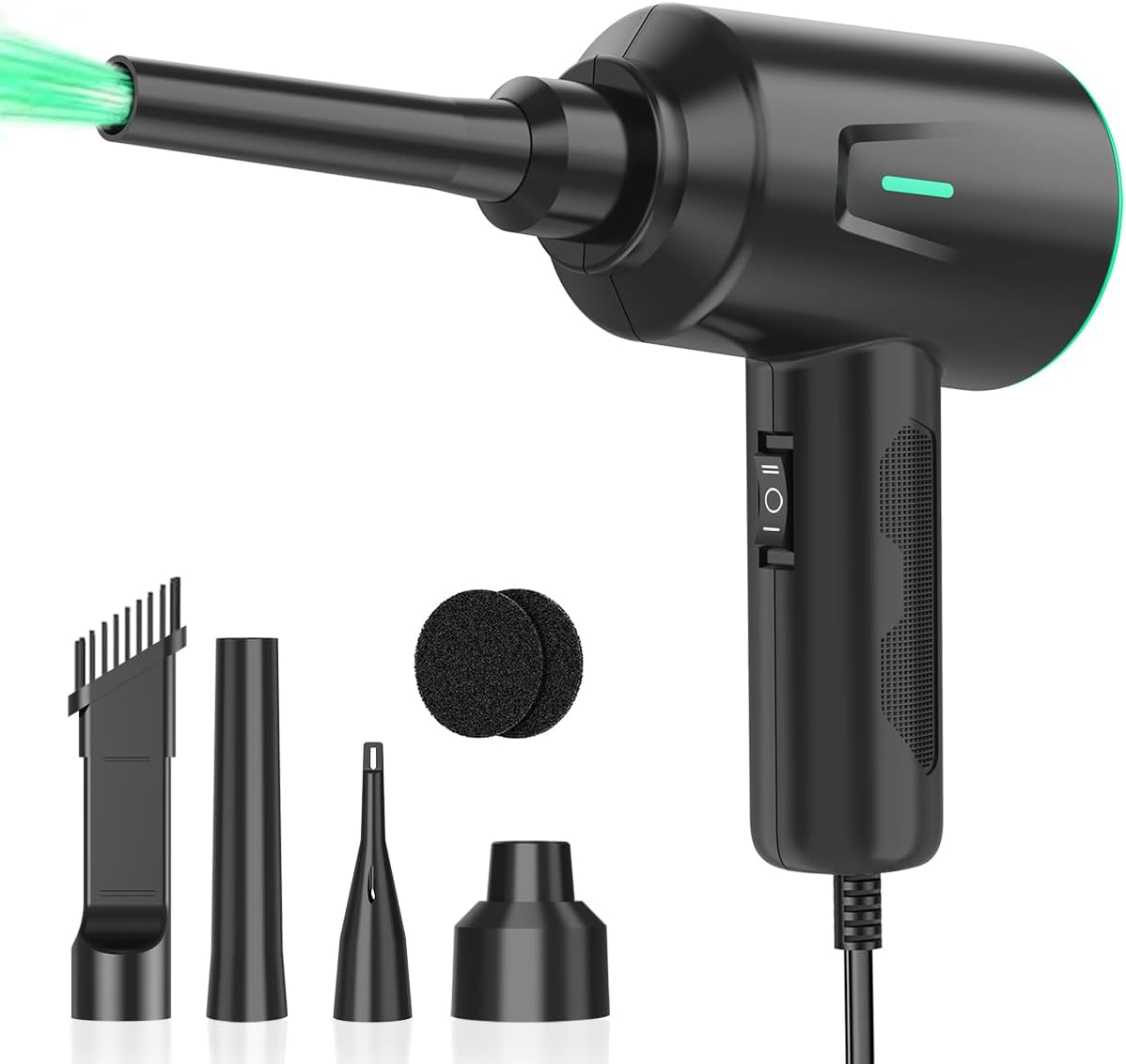
The Meudeen Air Duster eliminates the need for recharging with its corded design. It provides consistent high-pressure air directly from the mains power making it ideal for stationary cleaning sessions. The 8.2-foot cord offers good reach around a desk.
We may earn a commission when you buy through this link, at no additional cost to you.
With two-speed adjustments it adapts to different cleaning needs from delicate screens to heavy debris. The included brushes and sponge filters add versatility for various surfaces. It is an affordable eco-friendly alternative to disposable cans.
The cord limits mobility compared to cordless options but ensures steady power without downtime. It is best for home or office use where outlets are available. Maintenance is simple without battery degradation over time.
Perfect for those who prioritize consistent performance over portability. It keeps laptops clean with reliable airflow. Choose this for a hassle-free electric cleaning solution.
Direct mains connection ensures steady airflow without battery interruptions.
Extra-long cord allows flexible cleaning across a workstation without moving the unit.
We may earn a commission when you buy through this link, at no additional cost to you.
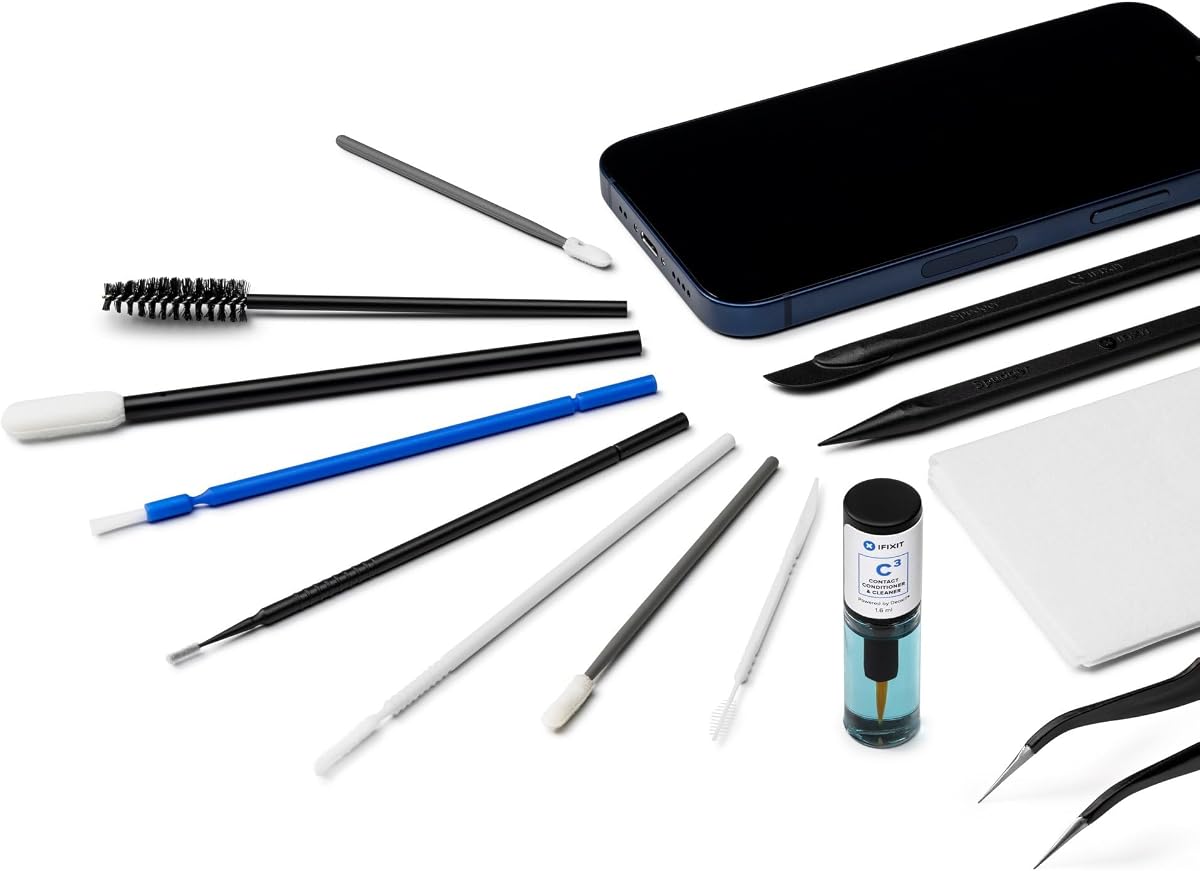
The iFixit Precision Cleaning Kit focuses on detailed maintenance using professional tools. It includes spudgers tweezers and foam swabs for handling hard-to-reach areas safely. This kit is ideal for users who want to clean internals beyond surface dust.
We may earn a commission when you buy through this link, at no additional cost to you.
Lint-free wipes and precision brushes ensure no residue is left behind on sensitive components. The tools are durable and reusable making them a good long-term investment. It helps prevent damage during maintenance tasks.
While it does not include an air duster it complements other cleaning tools well. Manual work is required for dust removal which may take time. However the precision prevents accidental damage to components.
Recommended for repair enthusiasts and advanced users needing safe internal cleaning. It ensures your devices are maintained correctly. Choose this for detailed care beyond basic dusting.
Specialized tools allow safe handling of internal components without risk.
High-quality materials mean tools last longer reducing need for replacements.
We may earn a commission when you buy through this link, at no additional cost to you.
This Keyboard Brush Set offers ten different sizes for versatile cleaning of various electronics. Made from anti-static nylon it is safe for motherboards and sensitive components. The mix of soft and hard bristles allows effective dust removal without scratches.
We may earn a commission when you buy through this link, at no additional cost to you.
Users appreciate the wide range of applications from keyboard gaps to camera lenses. It is an affordable addition to any toolkit for routine maintenance. The compact set is easy to store and carry.
While it lacks an air blower it excels at dislodging dust from tight spaces. Requires manual effort for best results. It is best combined with an air duster for complete cleaning.
Ideal for students and professionals seeking a budget-friendly brush kit. It ensures sensitive parts remain safe during cleaning. Choose this for a reliable static-safe brush collection.
Anti-static materials protect sensitive electronics from electrical damage.
Ten sizes ensure coverage for every cleaning scenario.
We may earn a commission when you buy through this link, at no additional cost to you.
The Electric Blower for PC is a cost-saving reusable alternative to canned air. It features a high-capacity battery and three-speed adjustable design for precise control. The LED light helps illuminate dark spaces during cleaning.
We may earn a commission when you buy through this link, at no additional cost to you.
Five nozzles and four brushes make it versatile for home office and automotive use. It supports eco-friendly cleaning by reducing waste from disposable cans. The ergonomic grip ensures comfortable use over time.
Battery charging may take a bit longer than some models but the runtime is sufficient for most tasks. The light is functional but not bright. It remains a solid choice for daily dust removal.
Recommended for users prioritizing sustainability and consistent power. It keeps devices clean efficiently. Choose this for a smart upgrade from traditional methods.
Reduces waste by replacing disposable cans with a reusable device.
Designed to fit comfortably in hand for prolonged cleaning.
We may earn a commission when you buy through this link, at no additional cost to you.
Selecting the right cleaning kit ensures your laptop fans stay dust-free and functional.
Higher RPM motors provide stronger airflow to remove deep dust from fans quickly. Look for at least 100000 RPM for effective results.
Choose higher speed settings for heavy debris but adjust for delicate surfaces.
Cordless units offer portability but require recharging. Corded models provide consistent power without interruptions.
Decide based on your typical cleaning environment and need for mobility.
Long battery runtime ensures you can clean multiple devices without recharging. Look for models with at least 60 minutes on low settings.
Check charging time to minimize downtime between cleaning sessions.
Multiple nozzles allow you to reach tight vents and keyboard gaps easily. A set with various shapes improves versatility.
Ensure attachments are easy to swap and durable.
Static electricity can damage components so ensure brushes are anti-static safe. This protects your motherboard and internal parts.
Prioritize tools designed specifically for electronics.
Reusable kits reduce waste from disposable cans. Electric dusters offer a sustainable alternative for long-term use.
Consider environmental impact when choosing between disposable and reusable options.
Ergonomic designs and lightweight bodies reduce fatigue during cleaning. Intuitive controls make operation straightforward.
Look for features like LED displays for better monitoring.
Budget kits may lack power but offer affordability for basic cleaning. Premium tools provide durability and advanced features.
Assess your frequency of use to determine the best return on investment.
Power off and unplug your laptop before starting to ensure safety. Remove any attached peripherals like USB drives.
Use the electric duster to blow dust out of vents and fans. Keep nozzles a few inches away to avoid pushing dust deeper.
Wipe surfaces with microfiber cloths and dry brushes after removing loose dust. Store tools in a dry clean place to maintain longevity.
It is recommended to clean your laptop fans every three to six months depending on usage. If you notice overheating or noise increase maintenance frequency. Regular cleaning prevents dust buildup.
Avoid using water directly on fans as it can damage electronics. Use dry brushes and air dusters to remove dust safely. If liquids are needed use specialized electronics cleaners.
Electric dusters offer reusable power and better pressure control than canned air. They are more cost-effective and eco-friendly over time. Canned air may be convenient for quick spot cleaning.
An anti-static brush is designed to prevent static discharge during cleaning. This protects sensitive electronic components from damage. Look for nylon materials specifically labeled as anti-static.
Keep the nozzle clean and store the unit in a dry place. Charge the battery regularly even if not in use to prevent degradation. Check for any blockages in the intake vents.
Only open your laptop if you are comfortable with basic hardware maintenance. Otherwise use external air dusters to blow out vents. Consult your warranty terms before disassembly.
Many all-in-one kits include screen cloths and wipes for complete maintenance. Check product contents before purchasing to ensure screen care is covered. Proper screen cleaning avoids streaks and damage.
Yes these kits are suitable for gaming laptops which often accumulate more dust. Focus on cleaning vents and fans to maintain cooling performance. Use powerful dusters for thorough cleaning.
We have reviewed ten top options including powerful electric dusters and detailed brush sets. The FRESMOL and iFixit kits lead in performance and quality respectively.
Prioritize battery life and safety features like anti-static protection when selecting your kit. Choose a design that fits your typical cleaning environment and needs.
Remember that prices may change so verify current listings before buying. Regular maintenance will keep your laptop running smoothly for years.