
HP 15.6 Portable Laptop
4.1Editor score
Intel N200 Quad Core
Full Size Numeric Keypad
Wi-Fi 6 Connectivity
This comprehensive guide compares ten top laptops with 10 keypad numeric layouts for efficient data entry Excel work and business productivity needs in 2026.
Finding a laptop with a dedicated numeric keypad is essential for professionals who work heavily with spreadsheets or data entry daily.
We evaluated ten reliable models based on performance display quality port connectivity and keyboard layout to help you choose the right fit.
Each pick highlights key strengths and trade-offs so you can decide easily while keeping in mind that availability and specs may vary over time.
4.1Editor score

4.8Editor score

4.3Editor score
Here is a side-by-side look at all ten models including their core specs keyboard features and key strengths for different user needs.



This HP 255 G10 stands out as a reliable workhorse for professionals who need efficiency without paying premium prices.
We may earn a commission when you buy through this link, at no additional cost to you.
The AMD Ryzen 3 processor paired with 16GB of RAM ensures smooth multitasking across spreadsheets and video calls.
While the chassis is straightforward and durable it lacks the glossy appeal of higher end models.
It is an excellent pick for office users who prioritize keyboard comfort and performance over sleek design.
The combination of modern AMD architecture and ample RAM keeps apps running smoothly without lag.
A full size keyboard with a dedicated numeric row makes data entry significantly faster than smaller layouts.
We may earn a commission when you buy through this link, at no additional cost to you.
This model offers a rare combination of affordability and a full numeric keypad which is often reserved for higher priced units.
We may earn a commission when you buy through this link, at no additional cost to you.
It handles everyday tasks well making it suitable for students or remote workers who mainly use browsers and office apps.
The limited storage requires external drives or cloud use for larger media files over time.
For budget conscious buyers needing number crunching capabilities this is a top tier choice.
A one year Microsoft 365 subscription adds immediate productivity value without needing extra software purchases.
Its lightweight build allows for easy movement between desk and lap making it ideal for small spaces.
We may earn a commission when you buy through this link, at no additional cost to you.
The Lenovo V15 Gen 4 delivers robust performance with a fast Intel processor that handles complex tasks with ease.
We may earn a commission when you buy through this link, at no additional cost to you.
Business users appreciate the inclusion of an Ethernet port which ensures stable connections during critical meetings.
The keyboard layout remains ergonomic with a dedicated number row that boosts efficiency for data heavy workflows.
If you need reliability and speed for professional environments this laptop is a premium investment worth considering.
Having both Wi-Fi and an Ethernet port ensures you stay connected even when wireless signals are weak.
Windows 11 Pro provides advanced security and management tools essential for business security needs.
We may earn a commission when you buy through this link, at no additional cost to you.
This red HP laptop offers an eye-catching design with a focus on portability and long lasting battery for daily commutes.
We may earn a commission when you buy through this link, at no additional cost to you.
The 16GB of RAM helps manage multitasking better than many competitors in this price bracket.
While the processor is designed for essential tasks it may struggle with heavy video editing or gaming loads.
Students and home users looking for a reliable machine that can last through a workday will appreciate this model.
The battery life supports full day usage away from a power outlet which is rare for entry level laptops.
The vibrant red finish makes this device stand out among standard black or silver office laptops easily.
We may earn a commission when you buy through this link, at no additional cost to you.
A 17.3 inch display provides ample real estate for viewing large spreadsheets without needing to zoom in constantly.
We may earn a commission when you buy through this link, at no additional cost to you.
The 10 core processor ensures that even with multiple browser tabs open the system remains responsive and smooth.
The larger footprint makes it less ideal for travel but perfect for a fixed home office or desk setup.
Accountants and data analysts who prioritize screen space will find this model exceptionally useful for detailed work.
More pixels allow for side by side window viewing which greatly enhances multitasking efficiency daily.
This laptop feels more like a desktop computer in terms of usability and keyboard comfort while remaining mobile.
We may earn a commission when you buy through this link, at no additional cost to you.
Powered by a Ryzen 7 processor this model delivers top tier speed for users who require significant processing power.
We may earn a commission when you buy through this link, at no additional cost to you.
The numeric keypad is well integrated into the full size keyboard ensuring comfortable typing for long sessions.
It supports professional workflows better than most home laptops thanks to its business focused feature set.
For power users who need speed and reliability for complex data processing this is a strong contender.
The Ryzen 7 CPU handles heavy multitasking and rendering tasks faster than standard entry level chips.
Windows 11 Pro offers advanced security features that are vital for handling sensitive business data safely.
We may earn a commission when you buy through this link, at no additional cost to you.
The Pavilion brings a crisp Full HD display that ensures text and images look sharp during long work hours.
We may earn a commission when you buy through this link, at no additional cost to you.
Its anti glare coating reduces eye strain significantly when working under bright office lights or near windows.
While it has less RAM than others the SSD ensures quick boot times for everyday applications.
Users who value a good screen for visual clarity will enjoy this model for both work and streaming.
Anti glare technology helps reduce reflections making it easier to see content clearly in bright settings.
The NVMe SSD delivers rapid file access which keeps the system feeling responsive even with older hardware.
We may earn a commission when you buy through this link, at no additional cost to you.
This Dell Inspiron adds a touchscreen layer that allows for intuitive navigation alongside traditional keyboard input.
We may earn a commission when you buy through this link, at no additional cost to you.
The 10 core processor ensures that the system runs smoothly even when handling complex office tasks.
While touchscreens can attract fingerprints the display quality remains crisp for viewing detailed documents easily.
Hybrid workers who switch between typing and quick navigation will find the extra interface layer quite helpful.
Tapping icons or scrolling through long documents becomes faster with a responsive touch interface on screen.
Integrated AI tools help streamline content creation and organization tasks without leaving your primary apps.
We may earn a commission when you buy through this link, at no additional cost to you.
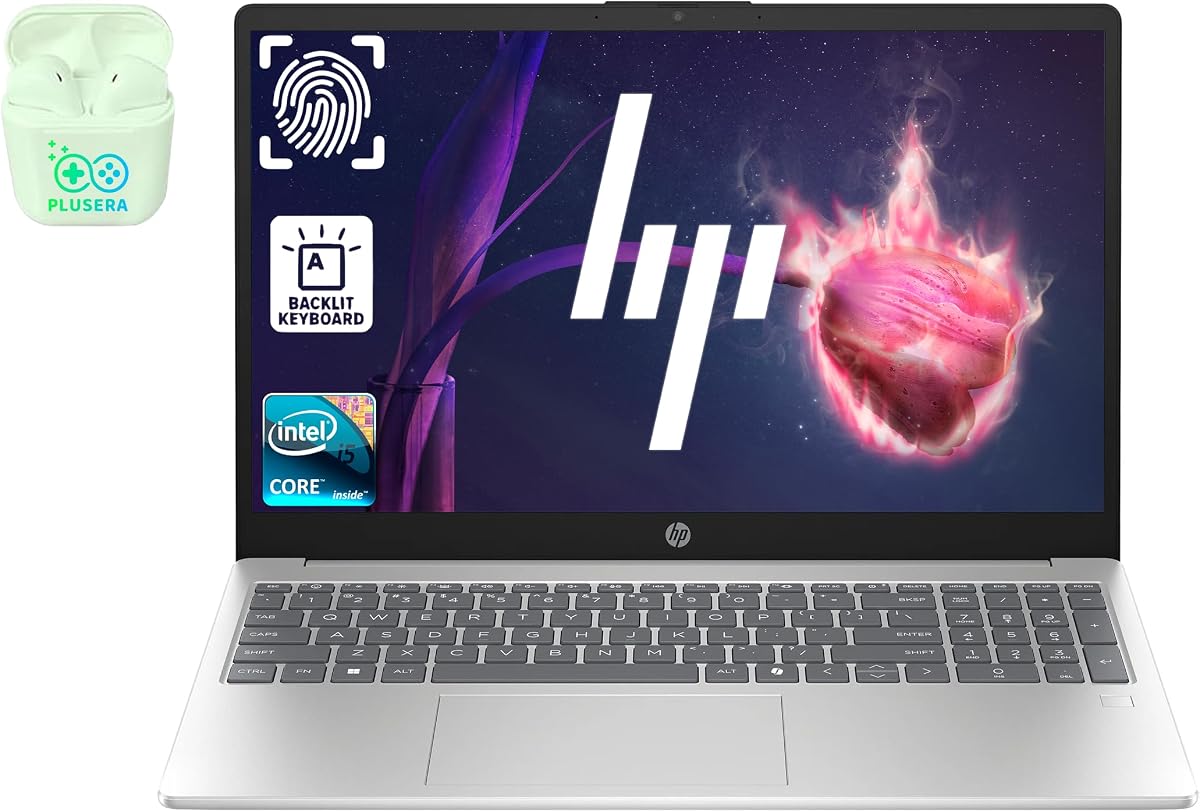
This renewed unit offers a chance to get a premium Core i5 experience at a more accessible price point.
We may earn a commission when you buy through this link, at no additional cost to you.
The backlit keyboard allows for typing in dimly lit environments without needing an external light source.
Accessories like earphones add value making this a ready to go package for remote workers immediately.
Buyers looking for a reliable laptop without paying full new price should consider this option strongly.
Backlit keys ensure you can type accurately even in dark rooms or during late night work sessions.
Included accessories such as earphones provide immediate utility for calls and media without extra cost.
We may earn a commission when you buy through this link, at no additional cost to you.
This 2026 edition HP brings the latest AMD Ryzen 5 processor ensuring performance stays relevant for years.
We may earn a commission when you buy through this link, at no additional cost to you.
The large screen and battery life make it ideal for long work sessions without constant access to a power outlet.
Its sturdy build quality suggests it can withstand frequent travel and handling in professional environments.
Future buyers looking for a laptop that will not need upgrading soon should prioritize this model.
Modern hardware ensures the system will handle new software updates and heavier workloads for years.
The 17.3 inch display allows for complex layouts and multiple windows without feeling cramped or cluttered.
We may earn a commission when you buy through this link, at no additional cost to you.
Selecting the right laptop for data entry and professional tasks requires balancing performance screen size and layout comfort.
A full size keyboard with a dedicated numeric keypad is essential for anyone who frequently inputs numbers or works with financial data.
Look for models where the keypad is integrated into the main key row rather than an external peripheral for better ergonomics.
Larger screens like 17 inch models offer more real estate for viewing spreadsheets side by side without constant scrolling.
Ensure the display has at least 1080p resolution to keep text sharp and reduce eye strain during long work sessions.
For smooth multitasking between browsers and office apps aim for at least 8GB of RAM and a modern multi-core processor.
Higher specs like 16GB RAM help maintain speed when running multiple heavy applications simultaneously without slowdowns.
Solid state drives (SSD) are vital for fast boot times and quick file access compared to older mechanical drives.
Choose at least 256GB of storage to accommodate your files and software without relying on external drives immediately.
Windows 11 Pro provides enhanced security and remote desktop capabilities useful for business environments and sensitive data.
Ensure the system supports necessary business tools and updates for longevity in professional workflows.
Larger laptops with 17 inch screens tend to be heavier so consider how often you will carry them between locations.
If you travel frequently a 15.6 inch model may offer a better balance between usability and ease of transport.
Look for versatile ports including USB-C and HDMI to connect to monitors and peripherals easily without adapters.
Modern Wi-Fi standards like Wi-Fi 6 ensure stable connections in crowded network environments.
For users who work away from desks a battery that lasts at least eight hours ensures uninterrupted productivity.
Check real-world battery tests to ensure the advertised capacity matches actual usage patterns for your needs.
Keep your keyboard clean by gently removing crumbs or debris that might jam the numeric keys over time using compressed air.
Regularly update your operating system and drivers to ensure compatibility with security patches and new software features.
Use a protective sleeve when transporting the laptop to prevent scratches and damage to the screen or chassis.
No not all 15 inch laptops include a numeric keypad. Some models prioritize portability or compact layouts and omit the number row entirely. Always check the product specs for a dedicated numeric pad before purchasing.
A 17 inch screen provides more horizontal space allowing you to view multiple columns without zooming or scrolling. This reduces eye strain and increases productivity for tasks like accounting or data analysis.
Windows 11 Pro offers advanced security features like BitLocker and remote desktop management which are crucial for business environments. Home edition lacks some enterprise tools but is sufficient for general office use.
Yes you can connect a USB external numeric keypad to any laptop via a USB port. This is a cost effective solution if your current device does not have a built-in number row.
For basic data entry and browser use 8GB of RAM is typically sufficient. However if you run multiple heavy applications simultaneously 16GB is recommended to maintain smooth performance.
An SSD provides significantly faster boot times and file access compared to traditional hard drives. This results in a snappier system response and less waiting time when launching applications.
These ten models offer a range of options from budget friendly builds to powerful business machines tailored for numeric entry.
Prioritize screen size and keyboard comfort if you spend long hours working with data or spreadsheets daily.
Always verify current availability and features before purchasing as tech specs and inventory can shift quickly.