
Canon imageCLASS LBP6030w
3.8Editor score
Compact design fits anywhere
Wireless connectivity options
Low power consumption mode
This guide compares the top laser printers with cheap toner options for 2026, focusing on cost efficiency, print quality, and reliability for home and office
Finding a reliable laser printer that also offers cheap toner is essential for managing long-term printing costs. Whether you run a home office or a small business, the initial price of the machine is only part of the equation. You need a device that delivers consistent quality without draining your budget on every single page printed.
We have evaluated ten top-rated models based on their toner compatibility, yield, and overall cost of ownership. Our analysis focuses on genuine supplies, subscription options, and third-party alternatives that keep per-page costs low. This list covers a range of features from basic printing to all-in-one functionality to suit different needs.
Each pick highlights key strengths and potential trade-offs to help you make an informed decision. We include detailed specifications, pros and cons, and buying advice tailored to your specific workflow. Keep in mind that prices and availability can change frequently, so verify current details before purchasing to ensure the best value.
3.8Editor score

4.1Editor score

4.3Editor score
This side-by-side comparison highlights the key specifications and features of all ten selected models. We focus on print speed, connectivity, paper handling, and toner compatibility to help you quickly identify which printer best fits your specific workflow and budget constraints for long-term savings.





The Brother HL-L2405W stands out as a top contender for anyone seeking a balance between performance and cost efficiency. With a solid rating of 4.1 stars, this model delivers sharp black and white prints quickly. Its inclusion of a Refresh Subscription trial highlights its commitment to keeping toner costs low for users.
We may earn a commission when you buy through this link, at no additional cost to you.
Its standout feature is the integration with Brother's Refresh EZ Print Subscription Service. This allows users to automate toner delivery and save up to 50% on genuine supplies. The dual-band wireless connectivity ensures stable connections across multiple devices, making it ideal for home offices where reliability is key.
While it lacks automatic duplex printing, the manual feed slot handles specialty paper well. The 250-sheet tray reduces the frequency of refills, which is a significant convenience for busy users. The main trade-off is the lack of two-sided printing, but the speed and toner savings often outweigh this limitation for small workloads.
This printer is best suited for home users or small offices that prioritize toner savings and fast output. If you want a hassle-free experience with automated supply management, this model is a strong recommendation. It offers premium features at a competitive price point, making it a versatile choice for modern workflows.
The Refresh service ensures you never run out of toner unexpectedly while providing significant discounts on genuine supplies.
Built-in dual-band wireless supports both 2.4GHz and 5GHz bands for faster and more reliable connections.
We may earn a commission when you buy through this link, at no additional cost to you.
The Canon imageCLASS LBP6030w is an excellent choice for users who need a straightforward, affordable printer. With a rating of 3.8 stars, it offers reliable basic printing without extra features that drive up the cost. Its compact design makes it easy to fit into tight spaces like small desks or shelves.
We may earn a commission when you buy through this link, at no additional cost to you.
Cost efficiency is a major focus here, with energy-saving modes and an affordable price point. The printer uses Canon Genuine Toner 125, which is widely available and compatible with various third-party options. This flexibility allows users to choose toner based on their budget without sacrificing print quality.
The trade-off is a slower print speed of 19 pages per minute compared to higher-end models. Additionally, it lacks duplex printing and advanced connectivity options. However, for light users who print documents occasionally, these limitations are often acceptable given the significant savings on the initial purchase and ongoing toner.
This model is ideal for students or home users with minimal printing needs. If you prioritize upfront savings and space efficiency, this printer delivers strong value. It ensures you can handle essential tasks without breaking the bank, making it a practical entry-level option for affordable printing.
The compact footprint fits easily on small desktops or shelves without consuming valuable workspace.
Energy Saver mode consumes less than 2 watts, reducing electricity costs over time.
We may earn a commission when you buy through this link, at no additional cost to you.
The Brother MFC-L2820DW is a powerhouse for small offices needing more than just printing. With a rating of 4.3 stars, it combines fast output with versatile all-in-one functionality. The inclusion of a Refresh Subscription trial ensures that toner costs remain manageable even for high-volume users.
We may earn a commission when you buy through this link, at no additional cost to you.
This model boasts a rapid print speed of 36 pages per minute, significantly outpacing many competitors. The built-in touchscreen simplifies navigation for scanning and copying tasks, while the 50-page auto document feeder handles multi-page documents efficiently. These features reduce manual effort and increase overall productivity.
While the initial investment is higher than basic models, the cost per page is low due to efficient toner usage and subscription savings. The larger footprint requires adequate desk space, which might be a constraint in small environments. However, the time saved on multi-tasking often justifies the extra space required.
This printer is best for small teams or home offices that need scanning and faxing. If you want a premium experience with low long-term costs, it is an excellent choice. It balances speed, features, and toner efficiency to provide a comprehensive solution for demanding workflows.
Combines printing, scanning, copying, and faxing into one compact device to streamline office tasks.
Supports dual-band wireless and USB, allowing flexible connections for multiple devices simultaneously.
We may earn a commission when you buy through this link, at no additional cost to you.
The Canon imageCLASS MF3010 VP is designed for users who value wired reliability over wireless convenience. With a rating of 4.2 stars, it offers consistent performance for basic multifunction needs. The inclusion of a high-yield toner cartridge right in the box means immediate use without extra purchases.
We may earn a commission when you buy through this link, at no additional cost to you.
Its wired connection ensures a stable link to your computer, reducing the risk of network interruptions. The color scan quality is excellent, allowing you to digitize documents and photos with precision. The ID card copy feature simplifies creating copies of identification cards, which is useful for administrative tasks.
The main limitation is the lack of wireless connectivity, which restricts mobility. Additionally, it lacks duplex printing, requiring manual page flipping for two-sided documents. However, for users in a fixed location who prioritize stability and cost efficiency, these trade-offs are often negligible compared to the benefits.
This model suits small offices that prefer hardwired connections for security and stability. It is a practical choice for those who want immediate toner savings without subscription commitments. If you need a reliable workhorse for standard documents, it delivers strong value without unnecessary complexities.
Direct USB connection ensures stable printing without relying on potentially inconsistent wireless signals.
Includes a high-yield toner cartridge in the box, reducing initial costs and allowing immediate use.
We may earn a commission when you buy through this link, at no additional cost to you.
The Brother HL-L2460DW is engineered for users who need fast output and automatic duplex printing. With a rating of 4.0 stars, it excels in speed and efficiency. The inclusion of the Refresh Subscription trial ensures that toner costs remain low even for high-volume printing environments.
We may earn a commission when you buy through this link, at no additional cost to you.
This model prints at up to 36 pages per minute and handles two-sided documents automatically, saving paper and time. The 250-sheet paper tray reduces the frequency of refills, which is a significant convenience for busy users. Mobile connectivity allows printing from devices anywhere on the network.
While it lacks scanning capabilities, the printing performance is robust and reliable. The subscription service is a strong selling point for managing ongoing supply costs effectively. However, users needing to scan documents may need to pair this printer with a separate scanner or consider an all-in-one model instead.
This printer is ideal for home offices focused on rapid document production. If you value speed and paper savings, it delivers excellent performance. It balances cost-efficiency with premium features to provide a solid solution for professional printing needs without the cost of extra functions.
Delivers rapid output of up to 36 pages per minute for quick document turnaround.
Wireless printing from mobile devices ensures flexibility and convenience for on-the-go users.
We may earn a commission when you buy through this link, at no additional cost to you.
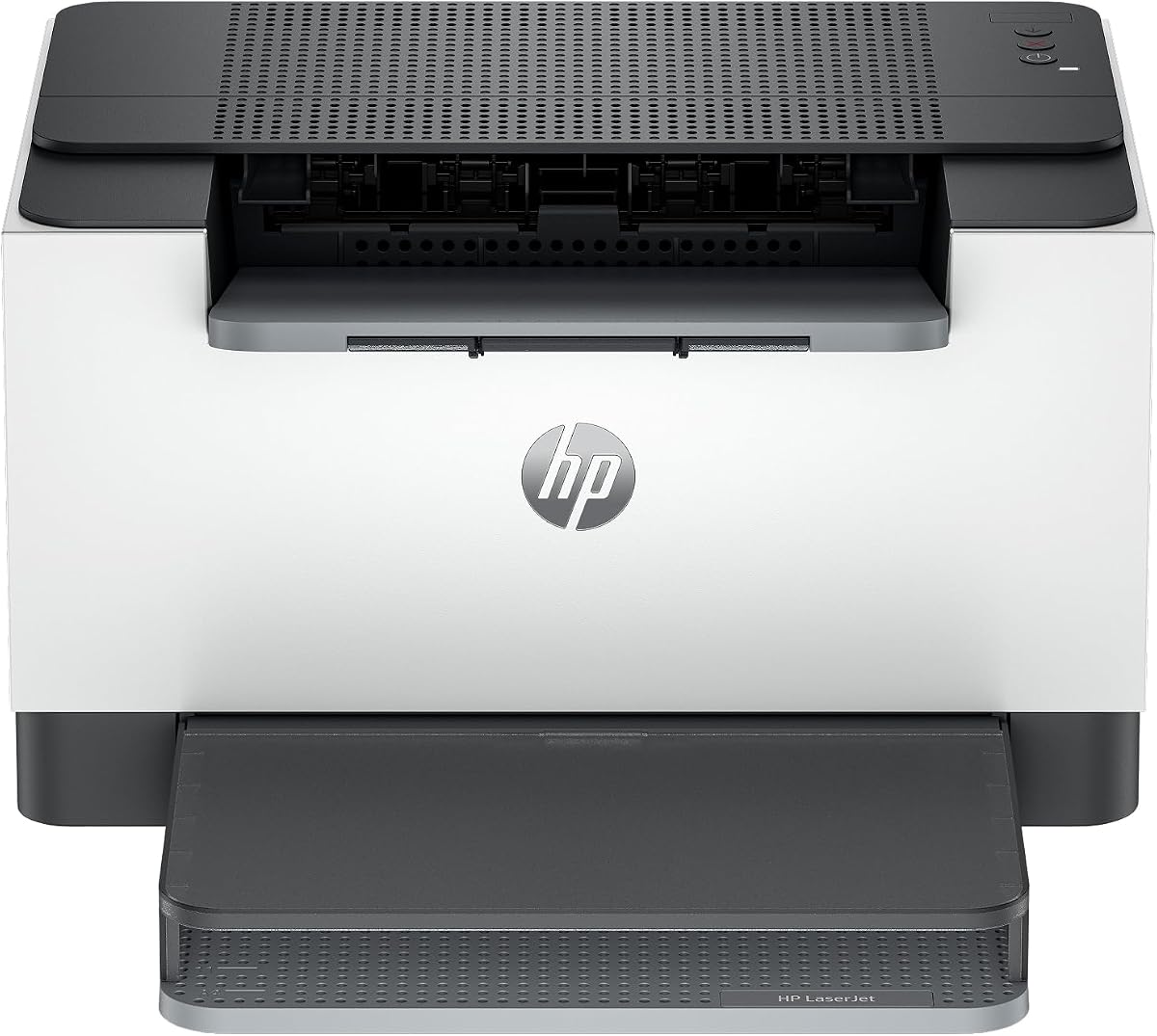
The HP LaserJet M110w is designed for small teams needing professional quality in a tiny package. With a rating of 3.9 stars, it offers fast setup and reliable wireless performance. Its compact size makes it ideal for small offices or home desks where space is at a premium.
We may earn a commission when you buy through this link, at no additional cost to you.
This model features a wireless self-reset function that maintains connectivity even when network issues arise. The HP Smart app simplifies tasks, allowing easy printing and scanning from mobile devices. However, it is designed to work only with cartridges with original HP chips, which affects toner options.
While the restriction on non-HP chips can limit toner savings, the ease of use and speed often justify the choice. The smaller paper tray means more frequent refills, but the overall efficiency remains high. It is a balanced choice for those prioritizing convenience over third-party toner savings.
This printer is best for small teams needing quick, reliable printing. If you value setup simplicity and app integration, it is a strong option. It ensures efficient workflows despite the limitations on cartridge compatibility, making it suitable for professional settings requiring minimal fuss.
The world's smallest laser printer in its class fits anywhere without consuming valuable workspace.
HP Smart app eliminates steps in repetitive tasks and supports scanning to the cloud.
We may earn a commission when you buy through this link, at no additional cost to you.
The HP LaserJet M209dw offers fast two-sided printing for small teams. With a rating of 4.2 stars, it balances speed with connectivity. It includes dual-band Wi-Fi and auto two-sided printing, which saves paper and ensures professional results for documents and reports quickly.
We may earn a commission when you buy through this link, at no additional cost to you.
This model is eligible for HP Instant Ink, which can automate delivery and provide cost savings. The built-in security features protect your printer from potential attacks, an important consideration for connected environments. However, non-HP cartridges may be blocked by firmware updates, affecting long-term costs.
While Instant Ink offers convenience, you must ensure the subscription suits your usage to save money. The lack of scanning functions is a limitation if you need multi-tasking capabilities. However, for pure printing needs, the speed and reliability make it a competitive option in its class.
This printer is ideal for teams needing fast two-sided output and security features. If you value automated toner delivery, it is a great choice. It delivers premium printing performance with robust security, making it a reliable solution for modern office workflows requiring efficient printing.
Prints up to 19 images per minute two-sided for efficient double-sided document creation.
Self-reset Wi-Fi automatically detects and resolves connectivity issues to maintain uptime.
We may earn a commission when you buy through this link, at no additional cost to you.
The Canon imageCLASS LBP122dw provides fast duplex printing at a competitive price. With a rating of 3.9 stars, it is ideal for home users seeking efficiency. Its wireless design allows easy printing from mobile devices, while the compact footprint fits well in small spaces.
We may earn a commission when you buy through this link, at no additional cost to you.
This model prints at up to 30 pages per minute and includes automatic duplex printing to reduce paper waste. It uses Canon Genuine Toner 071, which is available in high-capacity versions to lower the cost per page. This feature makes it an attractive choice for budget-conscious users.
While it lacks scanning capabilities, its speed and wireless convenience cover most basic needs. The toner options allow users to choose between standard and high-capacity cartridges based on usage. The main trade-off is limited paper handling options, but this is often acceptable for personal use.
This printer is best for home users needing fast two-sided printing. If you prioritize paper savings and speed, it delivers strong value. It offers essential features without unnecessary complexity, ensuring efficient document production for personal tasks and basic business needs.
Delivers up to 30 pages per minute for quick document processing.
Uses high-capacity toner options to reduce page costs over time.
We may earn a commission when you buy through this link, at no additional cost to you.
The HP LaserJet MFP M235sdw is an all-in-one printer designed for offices prioritizing security. With a rating of 4.0 stars, it offers fast duplex printing and robust features. Its built-in security helps protect your printer from potential attacks, ensuring safe document management.
We may earn a commission when you buy through this link, at no additional cost to you.
This model features Ethernet connectivity in addition to wireless, providing reliable network options. The duplex printing and scan functions simplify multi-tasking for business documents. However, like other HP models, it may restrict third-party cartridges, which can impact toner costs and availability.
While the price is higher than basic units, the security and speed justify the investment for offices. The included Ethernet port ensures stable connections without relying on wireless networks. The main trade-off is limited toner flexibility, but the built-in protections are valuable for professional settings.
This printer is ideal for offices needing secure, fast printing and scanning. If you value network flexibility, it is a strong option. It balances premium features with security to provide a reliable solution for business document workflows and professional printing needs.
Built-in security helps protect your printer from potential attacks to ensure safe printing.
Includes Ethernet and wireless support for flexible connectivity options.
We may earn a commission when you buy through this link, at no additional cost to you.
The Brother HL-L2480DW offers a premium experience with a large touchscreen interface. With a rating of 4.5 stars, it stands out for usability and performance. Its integration with Refresh Subscription ensures toner costs remain low, and the flatbed glass supports diverse scanning tasks for versatile use.
We may earn a commission when you buy through this link, at no additional cost to you.
This model prints at up to 36 pages per minute and features a 2.7-inch touchscreen for easy navigation. The compact footprint is smaller than expected for an all-in-one, making it suitable for home offices. It includes a manual feed slot for specialty paper like envelopes or card stock.
While it is larger than single-function units, the all-in-one capabilities reduce the need for separate devices. The touchscreen simplifies cloud printing, enhancing workflow efficiency. The main trade-off is the space requirement, but the benefits of scanning and printing efficiency often justify the size.
This printer is best for users needing high performance and ease of use. If you want a reliable all-in-one with low toner costs, it is an excellent choice. It delivers exceptional value through speed, features, and subscription support for modern office workflows.
Intuitive 2.7-inch touchscreen enables effortless navigation and easy scanning to cloud apps.
Combines printing, scanning, and copying in one compact footprint for efficient document management.
We may earn a commission when you buy through this link, at no additional cost to you.
Selecting the right laser printer involves more than just the initial price. You must consider long-term costs, functionality, and compatibility to ensure the best value.
The most critical factor is the toner yield. A higher page yield means fewer replacements and a lower cost per page. Look for printers using high-capacity cartridges or offering subscription plans that reduce these costs.
Prioritize printers with high-yield toners or subscription options to minimize long-term expenses.
Some brands offer subscription services like Brother's EZ Print or HP's Instant Ink. These automate delivery and often provide discounts. While convenient, ensure the subscription suits your usage volume to avoid unnecessary fees.
Evaluate subscription models carefully to determine if the discounts outweigh the commitment.
Not all printers allow third-party toners. Some brands use chips to block non-genuine cartridges, which can limit savings. Check reviews or specs to see if the model supports generic toners if that is a priority for your budget.
Choose models that support third-party toners if you want maximum flexibility in sourcing supplies.
Speed matters if you print frequently. Laser printers range from 19 to 36 pages per minute. Faster speeds increase productivity and reduce wait times, especially for small offices or businesses with tight deadlines.
Select a printer with at least 30 ppm if you handle high-volume document production.
Modern printers need robust connectivity. Look for dual-band wireless and Ethernet for stable connections. Mobile app support ensures you can print from phones or tablets easily without a direct cable connection.
Ensure the printer supports dual-band wireless and mobile printing for versatile connectivity.
Automatic duplex printing saves paper and time. Manual flipping for two-sided documents can be tedious and costly. While adding to the price, auto-duplex is worth the investment for frequent users.
Prioritize models with automatic duplex printing to reduce paper waste and improve efficiency.
If you need scanning or copying, consider an all-in-one model. These combine multiple functions, saving space. However, they are generally more expensive and may have higher maintenance costs than single-function printers.
Choose an all-in-one unit if you require scanning and copying in addition to printing.
Paper trays vary from 150 to 250 sheets. Larger trays reduce refills and interruptions. If you print many documents daily, a higher capacity is essential to keep workflows smooth.
Opt for models with larger paper trays to minimize downtime and maintenance.
Regular cleaning keeps your printer running smoothly. Wipe the exterior with a soft cloth and check the paper rollers for dust. Using the right paper type prevents jams and ensures consistent print quality over time.
Update your printer firmware regularly to ensure security and compatibility. Download the latest software from the manufacturer's website. This prevents issues with drivers and allows you to access new features or fixes.
Store toner cartridges in a cool, dry place until needed. Avoid exposing them to direct sunlight or extreme temperatures. Proper storage extends their shelf life and ensures they function correctly when you install them.
Generally, yes. Laser toner cartridges last longer and print more pages per unit than inkjet cartridges. Additionally, laser printers are less prone to clogging when not used frequently, which reduces wasted supplies and maintenance costs over time.
A toner subscription is a service where the manufacturer delivers cartridges automatically based on your usage. You pay a monthly fee, often with savings on the cost per page. This ensures you never run out of toner unexpectedly.
No. Some printers have chips that block non-genuine cartridges to prevent use. Always check the printer's policy before buying generic toner. Models that support third-party toners will allow you to use them without issues.
This often means the toner is low but not empty. Printing continues until the toner is completely depleted. To avoid running out mid-job, replace the cartridge when this warning first appears to ensure consistent quality.
Depends on your monthly print volume and the cartridge yield. A standard cartridge might last 1,000 pages while high-yield ones last more. Track your usage to determine when replacements are needed for consistent performance.
Duplex printing saves paper but does not significantly save toner. It prints on both sides using the same amount of toner per side. The main benefit is reduced paper costs and waste rather than toner usage.
We have explored ten top models offering various balances of speed, features, and cost efficiency. From the budget-friendly Canon options to the versatile Brother all-in-ones, there is a solution for every need. Each pick ensures toner costs remain manageable through yield or subscriptions.
When choosing, prioritize factors that matter most to your workflow. If speed is key, look for high ppm ratings. If space is limited, choose a compact design. Understanding your usage will help you select the right model for long-term savings.
Always verify current prices and availability before purchasing as they can change. Use our comparison table to see specifications side-by-side. Investing in the right printer ensures reliable performance and cost-effective printing for your home or office.