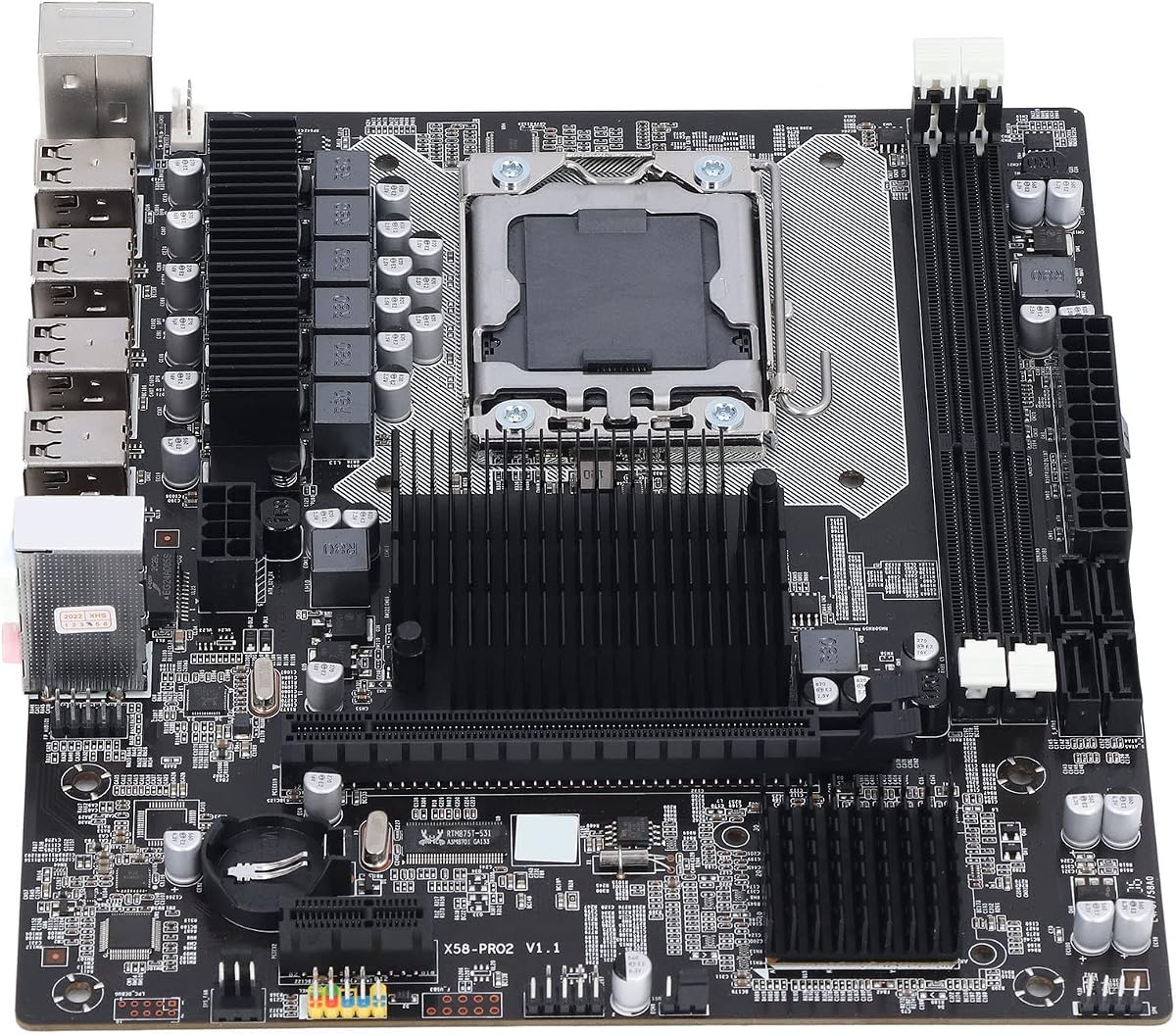
X58 Gaming Motherboard
4.0Editor score
Solid capacitor power delivery
Standard ATX form factor
ECC memory compatibility
This guide compares the top Lga 1366 Motherboard models for enthusiasts seeking legacy performance, overclocking capability, and triple-channel memory support.
Finding a reliable Lga 1366 Motherboard is essential for builders focusing on legacy High-end desktop platforms. These boards offer unique features like triple-channel memory and robust power delivery for demanding tasks. They remain popular among hobbyists who value specific workstation capabilities.
We evaluated ten distinct models based on chipset support, expansion slots, and connectivity options. Our analysis focuses on real-world stability, overclocking potential, and compatibility with Intel Core i7 processors. Each selection represents a different approach to the X58 platform architecture.
Every pick highlights specific strengths such as VRM quality, USB 3.0 integration, or multi-GPU support. Note that availability and pricing for these legacy components fluctuate significantly over time. Always verify stock status before finalizing your purchase decision for these older systems.
4.0Editor score

5.0Editor score

4.5Editor score
The following table provides a side-by-side comparison of key specifications across all ten selected models. This allows you to quickly identify differences in memory slots, expansion options, and specific chipset features.



This motherboard stands out as a top choice for professional workstation builds requiring high reliability. It supports Core i7 Extreme and Xeon processors with robust power delivery. The board is designed for demanding multitasking and server-like environments.
We may earn a commission when you buy through this link, at no additional cost to you.
Key strengths include the dual Realtek Gigabit LAN controllers and extensive USB connectivity. The support for Xeon processors allows for ECC memory usage which is rare in consumer boards. This makes it ideal for tasks requiring data integrity and stability.
Trade-offs include the lack of native USB 3.0 ports and a large physical size. The absence of modern USB speeds might slow data transfer for external drives. However the legacy connectivity is often sufficient for internal storage setups.
Users building high-performance rendering stations or legacy servers should consider this board. It offers the stability and features needed for long-term operation. The investment pays off in system reliability and expandability.
Dual Gigabit LAN and multiple USB headers allow flexible peripheral and network setups for professional environments.
Compatibility with Intel Xeon processors and ECC memory ensures data integrity for critical computing tasks.
We may earn a commission when you buy through this link, at no additional cost to you.
This model offers an accessible entry point for those seeking LGA 1366 support without high costs. It features solid capacitors that ensure stable power delivery during operation. The design focuses on essential functionality for basic gaming or general use.
We may earn a commission when you buy through this link, at no additional cost to you.
Strengths lie in its simplicity and compatibility with both ECC and non-ECC memory. The all-solid capacitor design improves durability and extends lifespan under load. It supports standard DDR3 speeds well enough for typical desktop workloads.
Limitations include only two memory slots which restricts total RAM capacity. The absence of USB 3.0 means slower peripheral data transfers. These constraints are acceptable for budget builds but limit future expansion.
Buyers looking for a cost-effective upgrade path for older systems will appreciate this board. It provides the necessary socket support at a low price. Check current availability before committing to ensure stock remains.
All solid capacitors provide stable voltage regulation ensuring reliable performance during daily tasks.
Designed for essential USB 2.0 needs it simplifies build requirements for legacy peripherals.
We may earn a commission when you buy through this link, at no additional cost to you.
This premium board is engineered for dual-socket servers requiring maximum processing power and memory. It supports Intel Xeon processors with up to 144GB of DDR3 ECC Registered memory. The build quality reflects enterprise-grade standards for 24/7 operation.
We may earn a commission when you buy through this link, at no additional cost to you.
The dual socket configuration doubles the core count potential significantly boosting throughput. The Intel 5520 chipset ensures high-speed communication between CPUs. Dual-port Gigabit Ethernet provides robust network connectivity for virtualization or database tasks.
Trade-offs involve the need for a large EATX chassis and higher power draw. The physical size limits case compatibility and the power requirements demand a strong PSU. These are necessary compromises for such high capabilities.
Server administrators or virtualization enthusiasts needing raw power will find this board valuable. It remains a top choice for legacy high-density computing. Verify chassis compatibility before purchasing to avoid fit issues.
Dual socket support and massive memory capacity allow for complex virtualization and database workloads.
Enterprise-grade components and dual-port Ethernet ensure stable operation and flexible network configurations.
We may earn a commission when you buy through this link, at no additional cost to you.
This board is notable for integrating USB 3.0 and SATA 6Gb/s early in its lifecycle. The 16+2 phase power design provides stable voltage for high-performance CPUs. It includes ASUS TurboV for precise real-time overclocking adjustments.
We may earn a commission when you buy through this link, at no additional cost to you.
The Stack Cool 3+ fanless heat dissipation solution keeps temperatures low efficiently. This design helps maintain silence while delivering consistent power. The USB 3.0 support speeds up external storage transfers significantly.
However BIOS features may feel dated compared to modern standards. The fan header count is limited for complex cooling setups. These issues are manageable with external controllers but add complexity.
Enthusiasts who value thermal efficiency and early high-speed interface support should consider this model. It balances legacy features with some forward-looking connectivity. Verify component availability for replacement needs.
USB 3.0 and SATA 6Gb/s provide faster bandwidth for external and internal storage devices.
Stack Cool 3+ design offers effective passive cooling keeping noise levels minimal.
We may earn a commission when you buy through this link, at no additional cost to you.
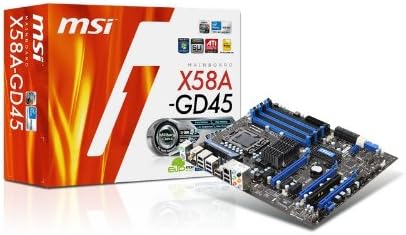
MSI designed this board for enthusiasts needing extensive PCIe expansion for multi-GPU setups. It features three PCI Express x16 slots alongside SATA 6GB/s connectivity. The Active Phase Switching optimizes power delivery dynamically based on load.
We may earn a commission when you buy through this link, at no additional cost to you.
The USB 3.0 implementation provides fast data rates for peripherals. Users appreciate the stability and noiseless design for quieter builds. This layout supports complex configurations with multiple expansion cards.
Trade-offs include a potentially tight layout for large GPUs and legacy driver support. Some older peripherals might need specific drivers. These are minor issues given the board's high expandability.
Gamers or render farms needing multiple graphics cards will find this board suitable. It delivers the lanes and power required for heavy workloads. Check case compatibility before assembling.
Three PCIe x16 slots allow for multi-GPU configurations ideal for rendering or high-end gaming.
Active Phase Switching adjusts power phases in real time improving efficiency and reducing heat.
We may earn a commission when you buy through this link, at no additional cost to you.
This model offers a balanced mix of connectivity and audio quality for legacy desktops. It includes two USB 3.0 ports and six SATA ports for ample storage. The Realtek ALC889 codec delivers high-definition audio for multimedia tasks.
We may earn a commission when you buy through this link, at no additional cost to you.
Stability is a key strength with robust voltage regulation for Core i7 CPUs. The triple-channel memory support maximizes bandwidth performance. It is well-rounded for general high-end use.
It lacks integrated wireless connectivity and standard Ethernet speed may not satisfy network pros. These are acceptable given the focus on wired stability. Users can add Wi-Fi via PCIe cards easily.
Home users seeking a reliable and feature-rich board for multimedia or gaming should consider this. It combines legacy performance with essential modern ports. Ensure firmware is updated for best compatibility.
High-definition audio codec and multiple USB ports support diverse entertainment and peripheral needs.
Voltage regulation ensures consistent performance during intensive tasks or overclocking.
We may earn a commission when you buy through this link, at no additional cost to you.
Supermicro targets this board for reliable single-socket server and workstation applications. It supports Core i7 and Xeon processors with full ECC memory capability. The dual Intel Gigabit LAN controllers offer redundant network connections.
We may earn a commission when you buy through this link, at no additional cost to you.
Reliability is central to the design with enterprise components ensuring longevity. The built-in Matrox video controller is sufficient for basic display needs. It is a sturdy option for 24/7 operations.
Trade-offs include fewer PCIe expansion slots compared to enthusiast boards. The integrated graphics are not meant for heavy gaming. These constraints define its role as a stable compute node.
IT administrators or home lab enthusiasts needing stability will value this board. It delivers consistent performance with essential server features. Check power supply requirements for full load.
Dual Gigabit LAN controllers provide failover and load balancing for critical network tasks.
Enterprise components ensure reliable operation under continuous workload conditions.
We may earn a commission when you buy through this link, at no additional cost to you.
This board is part of a niche line focusing on extreme performance. It uses the X58 chipset with a robust design for high-frequency operation. The ATX layout fits standard cases while offering unique features.
We may earn a commission when you buy through this link, at no additional cost to you.
Strengths include strong power delivery capable of handling overclocked CPUs. The design prioritizes thermal performance and stability. Users praise the build quality and reliability in intensive tasks.
Documentation might be sparse compared to major brands which complicates troubleshooting. Availability for replacement parts can be tricky. These are minor drawbacks for those seeking specialized hardware.
Specialists needing high-performance legacy support should consider this model. It offers a unique alternative to mainstream options. Verify vendor support before purchase.
Designed for high-frequency operation it supports aggressive overclocking with stable voltage.
Thermal solutions prioritize efficient cooling to maintain system stability under load.
We may earn a commission when you buy through this link, at no additional cost to you.
A classic choice for enthusiasts this board supports Core i7 processors with triple-channel memory. The Dynamic Speed Technology optimizes CPU performance based on workload. It offers a sturdy layout for multiple expansion cards.
We may earn a commission when you buy through this link, at no additional cost to you.
The power delivery is robust enough for typical overclocking. Users benefit from stable performance during gaming or rendering. It represents a mature platform with proven reliability.
However the BIOS features are dated compared to modern standards. Some noise from cooling solutions may be higher. These are manageable issues for users focused on raw performance.
Collectors or users building retro high-end systems will appreciate this model. It delivers strong legacy support with reliable features. Ensure firmware updates are available.
Dynamic Speed Technology adjusts CPU performance dynamically for efficiency and speed.
Layout supports multiple expansion slots for versatile upgrade paths.
We may earn a commission when you buy through this link, at no additional cost to you.
As an official Intel board this model offers reference-level quality and stability. It supports Core i7 processors and includes 12 USB ports for broad connectivity. The 7.1 Dolby Audio provides strong sound for media centers.
We may earn a commission when you buy through this link, at no additional cost to you.
The design focuses on stability and broad compatibility with Intel CPUs. Users appreciate the audio quality and ample ports. It is a reliable choice for general high-end desktops.
Memory capacity tops at 16GB which may limit heavy multitasking. PCIe lanes are standard but not expanded. These constraints suit most users but limit scaling.
Those valuing official support and balanced features should consider this board. It delivers reliability and quality without excessive cost. Check memory limits before purchase.
Dolby Digital Audio ensures high fidelity sound for entertainment and communication.
Twelve USB ports accommodate a wide range of external devices easily.
We may earn a commission when you buy through this link, at no additional cost to you.
Selecting the right board involves understanding your specific workload needs and legacy requirements. This section breaks down critical factors to consider before purchasing.
The X58 chipset is the core component that defines memory and PCIe support. Ensure the board supports the CPU generation you intend to use. Newer X58 boards may have minor revisions improving stability.
Look for official Intel support to avoid BIOS or driver issues.
LGA 1366 uses triple-channel memory architecture which boosts bandwidth. Boards with six DIMM slots allow for higher capacity setups. Verify maximum supported speed to match your RAM modules.
Prioritize boards with ample slots if you need over 16GB of RAM.
Check the number of PCI Express x16 slots if you plan multi-GPU. Some boards offer only one while others support three-way SLI. Consider PCIe x1 and legacy PCI slots for specific peripherals.
Choose a model with enough lanes for your intended expansion cards.
Robust power design is crucial for overclocking and stability. Look for boards with multiple phases like 16+2 for high performance. Solid capacitors ensure reliability and longer lifespan under load.
Invest in boards with strong VRM designs for consistent CPU voltage.
USB 3.0 and SATA 6Gb/s speeds improve data transfer rates significantly. Ensure the board has enough rear ports for your peripherals. Consider LAN speed if you need faster network connectivity.
Select a board with enough USB ports to avoid dongles.
Integrated codecs like Realtek ALC889 offer high-fidelity sound. If you use high-end speakers ensure the board supports 7.1 surround. Some boards include better shielding for clearer audio output.
Look for boards with dedicated audio circuitry for better quality.
Most boards are ATX but some are EATX for server use. Verify your case supports the specific form factor you choose. Larger boards may offer more features but fit fewer cases.
Measure your case before buying to ensure physical compatibility.
Legacy components may have limited availability so check stock early. Support may be limited to older drivers so research community forums. Look for sellers with return policies for used hardware.
Confirm vendor support before purchasing to avoid dead ends.
Install the motherboard in a case with adequate airflow to prevent overheating. Use high-quality thermal paste when mounting the CPU cooler for efficient heat transfer.
Update the BIOS to the latest version to ensure CPU compatibility. Many legacy boards require updates to support specific Core i7 models effectively.
Keep the system free of dust using compressed air to maintain cooling efficiency. Monitor voltages and temperatures regularly using software to detect hardware issues.
LGA 1366 boards support Intel Core i7 Extreme Edition and standard i7 processors such as the 900 series. Some models also support Intel Xeon 3500 series processors for workstation use.
Yes all LGA 1366 boards use DDR3 memory. Triple-channel support is a key feature allowing you to mix matched modules for maximum bandwidth.
Some models like the ASUS P6X58D Premium include native USB 3.0. Others may require a PCIe card to add USB 3.0 ports.
Workstation boards like the Supermicro X8STI support ECC memory. Consumer boards typically support non-ECC memory only.
Depending on the model you can support up to three graphics cards for SLI or CrossFire. Check the specific PCIe slot configuration.
Most boards support up to 24GB of DDR3 memory. Some dual-socket enterprise boards can support up to 144GB.
They can run modern games with a powerful GPU but lack newer features like NVMe support. They are best for legacy enthusiast builds.
Visit the manufacturer's official support page. Ensure you match the exact model number to avoid BIOS flashing errors.
The top picks cover diverse needs from budget builds to high-end workstation setups. The ASUS P6T7 WS SuperComputer leads in professional reliability and connectivity.
Prioritize boards with strong power delivery and ample memory slots for longevity. If you need multi-GPU support ensure the model has enough PCIe lanes.
Prices and stock for these legacy boards change frequently so verify current listings before purchasing. Always confirm CPU and RAM compatibility to avoid issues.