
Lian Li Strimer Wireless 24-Pin RGB Motherboard Power Cable with Controller
4.8Editor score
2.4GHz wireless signal control
Includes dedicated L-Wireless controller
Extended lighting guide coverage
Discover the top light up cables for PC to elevate your build with synchronized ARGB lighting, seamless integration, and premium aesthetics for any custom
Transforming a standard PC build into a visual masterpiece often starts with managing the internal cabling. Light up cables for PC offer a unique solution by merging functionality with dynamic RGB illumination to hide clutter while adding vibrant color to your system.
We evaluated ten leading products based on LED density, flexibility, sync compatibility, and build quality. Each option was scrutinized for ease of installation, durability of materials, and how well they integrate with major motherboard lighting ecosystems.
This guide highlights the best picks for budget, premium, and specialized needs. Note that product availability and pricing fluctuate frequently so verify current stock before purchasing your ideal power cable enhancement kit.
4.8Editor score

4.4Editor score

4.5Editor score
The following table provides a side-by-side comparison of all ten products including key specifications, ratings, and direct links to purchase each item from Amazon.


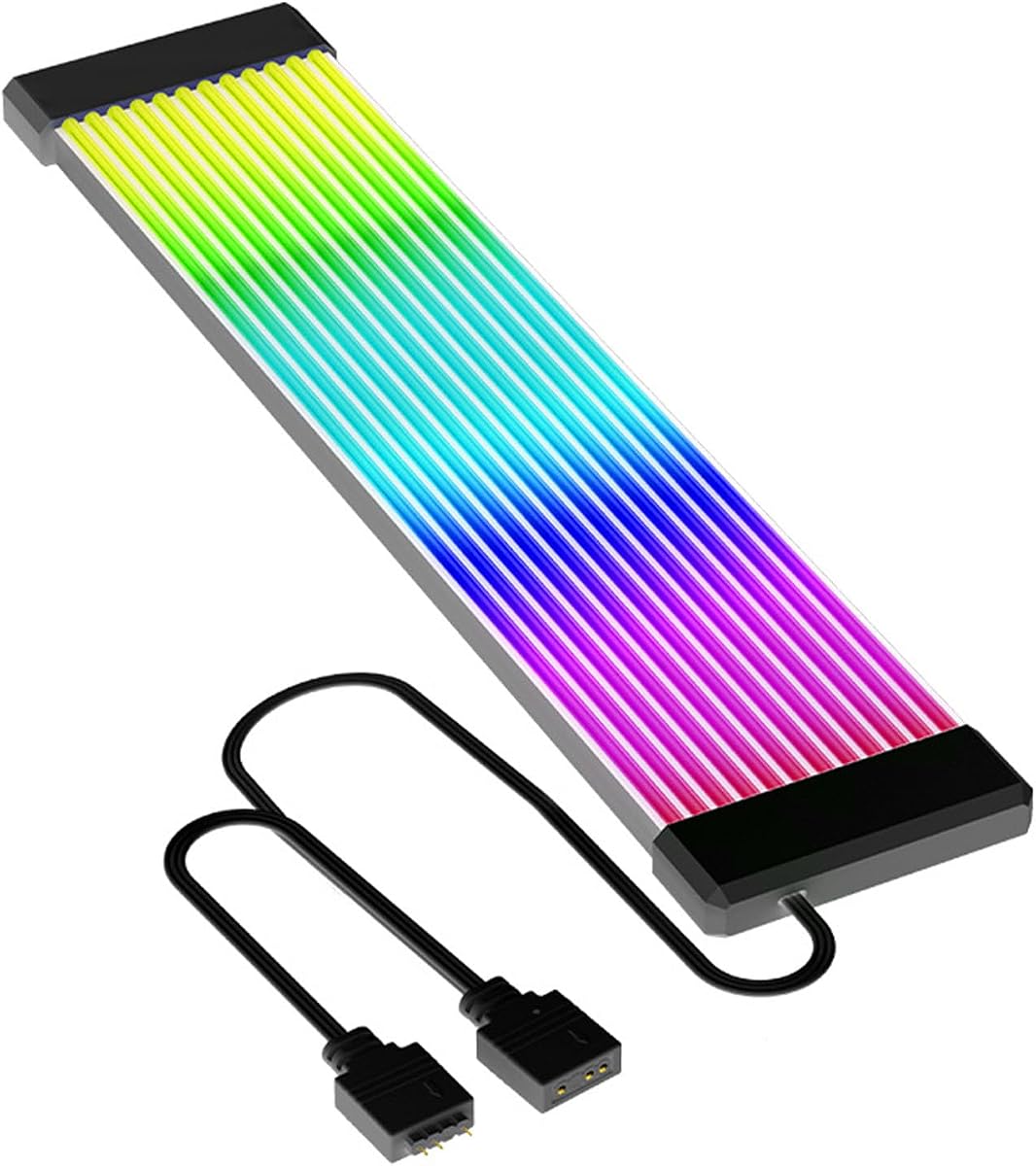
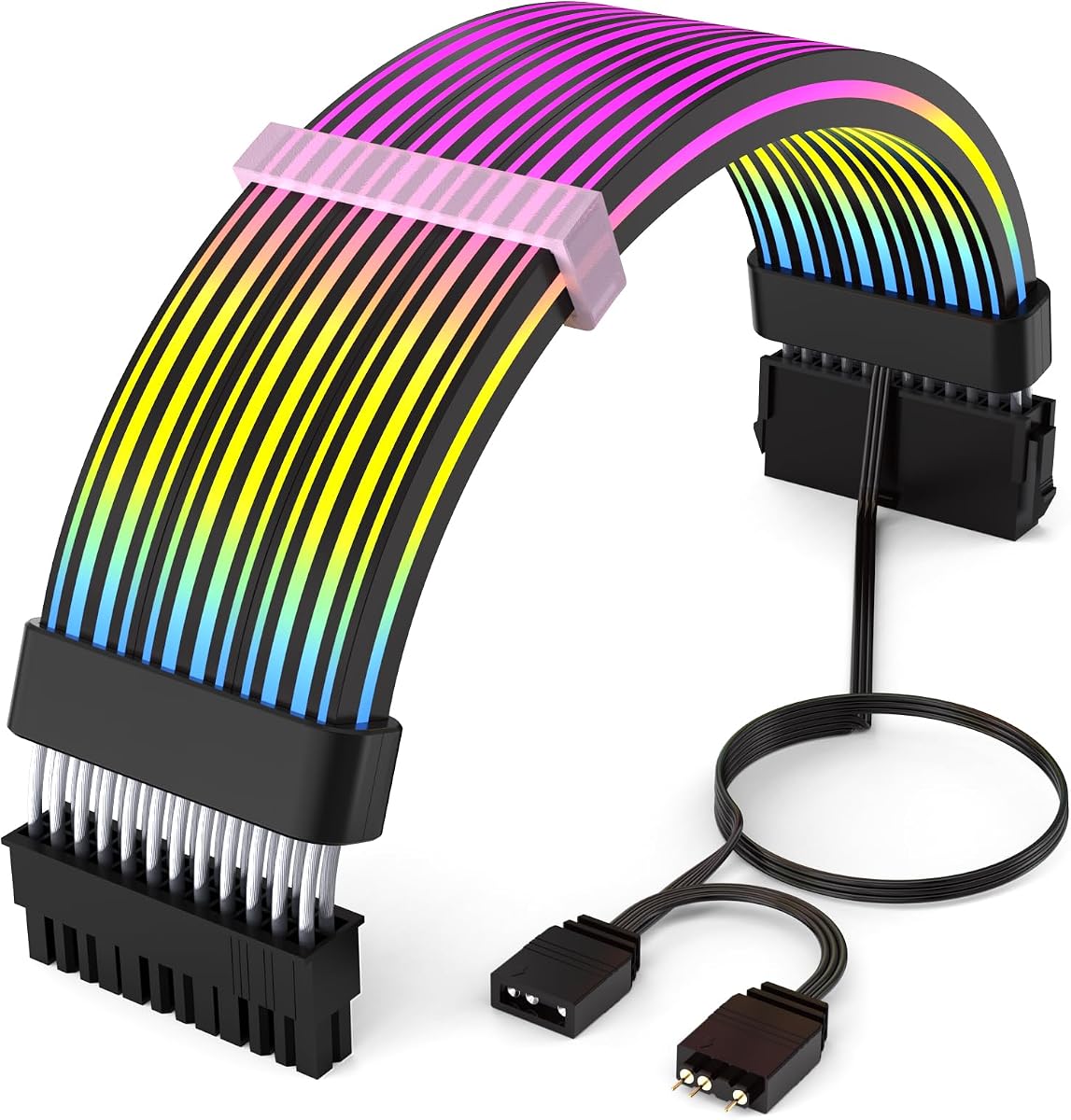

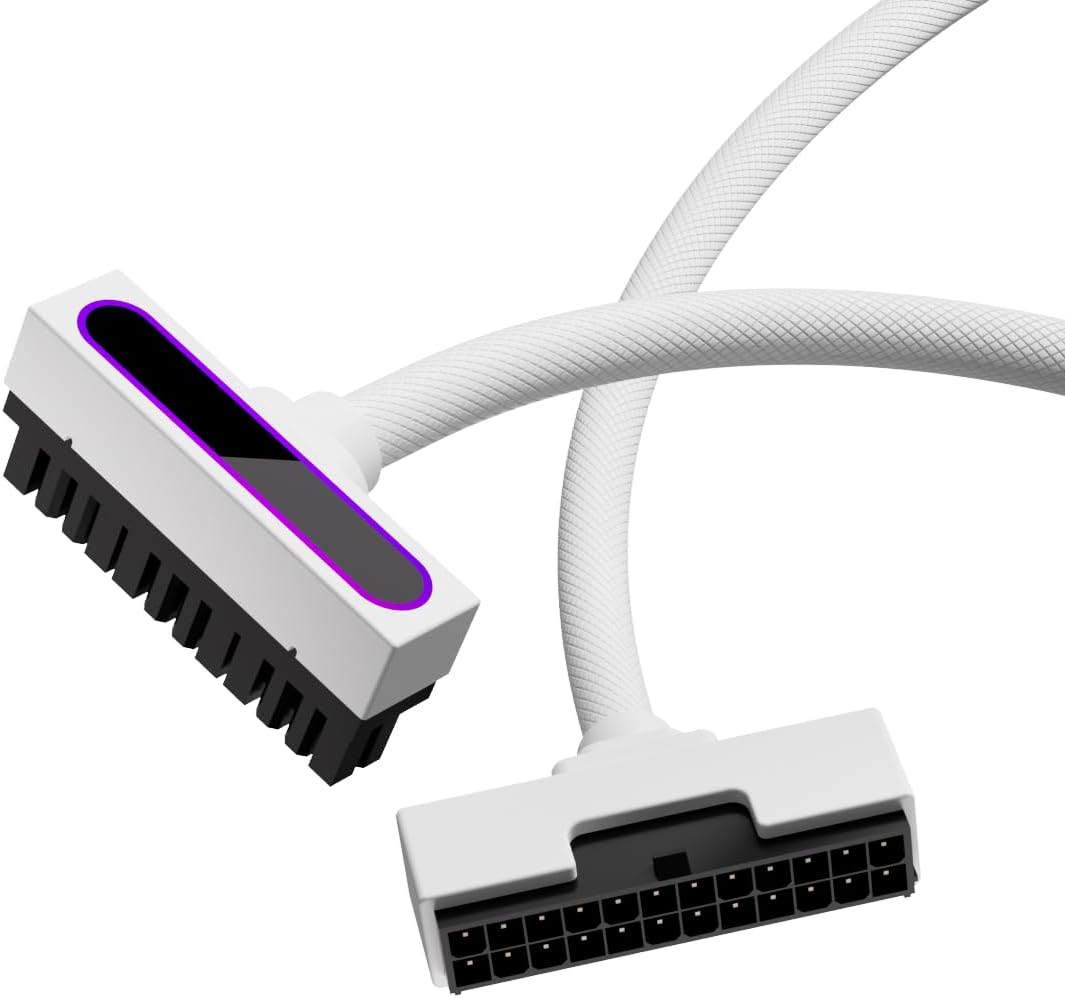
The TECWARE Flex RGB Cable Cover Kit stands out as a top contender for builders seeking an affordable yet effective way to illuminate their power supply cables. With a rating of 4.4 stars it delivers high-density ARGB lighting that transforms standard PSU cables into a seamless flow of color.
We may earn a commission when you buy through this link, at no additional cost to you.
This kit features up to 81 LEDs per cable ensuring bright and consistent illumination across your 24-pin motherboard and 8-pin or 16-pin GPU connections. The durable silicone construction allows for smooth bends and a clean finish making installation straightforward even in tight cases. It connects directly to 5V 3-pin headers for synchronized effects via standard motherboard software.
While the LEDs cannot be controlled individually the diffused light design ensures a smooth and dynamic ARGB effect without visible hotspots. Users should note that power cables are not included so this kit is designed to cover existing cables rather than replace them entirely.
Ideal for gaming PCs and custom builds this kit offers a premium look without a high price tag. It is best suited for those who want to upgrade existing PSU cables with minimal hassle and maximum visual impact.
Connects directly to motherboard 5V 3-pin headers for unified color transitions and animations across all ARGB components.
Made from high-quality silicone to allow smooth bends and a clean professional appearance in any PC chassis.
We may earn a commission when you buy through this link, at no additional cost to you.
For builders on a strict budget this RGB Cable Extension PC Kit offers exceptional value without compromising on visual appeal. It boasts a 4.5-star rating and utilizes high-precision LEDs with an ultra-long 20000-hour lifespan ensuring continuous use without light decay concerns.
We may earn a commission when you buy through this link, at no additional cost to you.
The kit features a high-density LED arrangement that provides bright and uniform RGB lighting with smooth color transitions. Its 360-degree flexible bendable design allows it to accommodate different cable layouts and chassis sizes including compact builds. Made of soft silicone it fits snugly over standard 24-pin and 8-pin or 16-pin cables.
Users can select preset lighting modes and customize colors using standard motherboard software. While it lacks some advanced features found in premium kits it delivers a vibrant and dynamic RGB lighting experience at a very accessible price point.
This product is perfect for entry-level custom builds or anyone looking to add RGB flair to their PC without spending a fortune. It is recommended for those who prioritize longevity and flexibility in their lighting solutions.
Utilizes high-durability LEDs with a 20000-hour lifespan for reliable continuous operation over many years.
Soft silicone construction allows 360-degree bending to fit compact chassis and various cable layouts.
We may earn a commission when you buy through this link, at no additional cost to you.
The Lian Li Strimer Wireless 24-Pin RGB Motherboard Power Cable with Controller represents the pinnacle of wireless cable lighting technology. With a stellar 4.8 rating it eliminates wire clutter entirely by using a 2.4GHz wireless signal for both RGB and fan control.
We may earn a commission when you buy through this link, at no additional cost to you.
This kit includes the essential L-Wireless Controller which allows control of Lian Li wireless fans and devices ensuring smooth performance. The light strips have been improved to extend coverage to the sides creating a more immersive and visually striking effect. It is compatible with most motherboards with standard 24-pin headers.
Setup is simplified with the L-Connect 3 software which provides hardware monitoring dashboards alongside fan and lighting controls. While it commands a higher price it offers unparalleled convenience and aesthetics for those invested in the Lian Li ecosystem or seeking a truly wireless solution.
This premium option is best for enthusiasts who want the highest quality lighting without visible power cables connecting the strip to the motherboard. It delivers a polished integrated look that justifies its cost for dedicated builders.
Uses 2.4GHz wireless technology for reliable operation without needing a physical data cable to motherboard.
Includes dedicated controller and software for unified management of fans and lighting in one interface.
We may earn a commission when you buy through this link, at no additional cost to you.
The AsiaHorse ARGB PSU Cables Cover Kit distinguishes itself with a modular design that seamlessly integrates with extension or PSU cables. With a 4.5 rating it offers addressable RGB lighting that allows individual control of each LED for more vibrant and synchronized light shows.
We may earn a commission when you buy through this link, at no additional cost to you.
It features high-density LED beads with both front and side lighting designs creating a smooth 3D lighting effect. The kit is compatible with ASUS MSI GIGABYTE and ASRock motherboards via a 5V 3-pin interface. The modular wiring and strip design enhances stability and ensures a clean look.
Like other high-end kits it boasts a 20000-hour ultra-long lifespan for durable operation. Users must note that the power cord is not included so you need your own PSU extension cables to pair with these covers.
This kit is recommended for builders who want detailed software adjustments and a sleek integrated look. It is ideal for custom setups where aesthetic precision and long-term reliability are top priorities.
Addressable technology allows individual LED control for detailed software adjustments and personalized lighting.
Front and side lighting designs create a smooth and delicate 3D lighting effect for depth.
We may earn a commission when you buy through this link, at no additional cost to you.
For white-themed builds the Sirlyr White ARGB Sleeves offer a stylish solution to organize and illuminate existing PSU cables. With a 4.5 rating it provides vibrant uniform RGB illumination using a high-density arrangement of 80+81 LEDs across motherboard and GPU cables.
We may earn a commission when you buy through this link, at no additional cost to you.
The design features a patented ultra-flexible LED strip with soft silicone allowing 360-degree bending to fit different case sizes. Installation is tool-free with included combs for 24-pin ATX and GPU power cables. It can daisy chain with other addressable ARGB components for a unified system lighting effect.
Users can customize colors and modes using motherboard software including music sync modes for immersive streaming. The kit is compatible with most original PSU cables and extensions ensuring broad compatibility.
This product is perfect for builders prioritizing a clean white interior look. It is recommended for those who want easy tool-free installation without sacrificing visual quality or flexibility.
Designed specifically for white builds to ensure color consistency across all internal components.
Connects with other ARGB components to create an integrated RGB lighting system.
We may earn a commission when you buy through this link, at no additional cost to you.
The Asiahorse Aurora Pro RGB Cable Cover offers extensive customization with 108 addressable LEDs and 10 levels of brightness adjustment. It has a 4.5 rating and features patent LEDs that deliver true-color rendering with a 20000-hour lifespan.
We may earn a commission when you buy through this link, at no additional cost to you.
It supports ultra-smooth lighting effects up to 60 FPS and includes over 124 preset effects for easy mood matching. Users can control lighting via remote or software and sync with motherboard RGB software for further personalization. The modular soft silicone design hides clutter and maintains stable connections.
Installation is a simple three-step process involving securing the strip and connecting the ARGB interface. It is compatible with major brands like ASUS MSI Gigabyte and ASRock ensuring detailed software adjustments.
This cover is ideal for gamers who want to match lighting to specific game themes or moods. It is best for those who value precise control over brightness and effect speed.
108 patent LEDs deliver vibrant true-color rendering consistent with software color gradation.
Up to 60 FPS lighting effects ensure fluid uninterrupted light shows without stuttering.
We may earn a commission when you buy through this link, at no additional cost to you.
The ARGB PSU Cable X12 Wide features 120 LED beads and 12 light guiding strips to offer multi-track flowing light effects. With a 4.6 rating it provides programmable lighting for up to 16.8 million colors making it ideal for decorative motherboard CPU and graphics card setups.
We may earn a commission when you buy through this link, at no additional cost to you.
It has 5V 3-pin male and female connectors for convenient connection and expansion. The silicone material ensures flexibility for easy shaping and installation. It is widely compatible with Aura Sync RGB Fusion Mystic Light and other addressable ARGB interfaces.
The wide design supports up to 24 pin or 3×8 pin configurations making it versatile for different setups. Users can enjoy impressive and dazzling lighting effects that enhance the overall aesthetic of their system.
This product is best for those who want unique multi-track visual effects. It is recommended for builders who value high LED counts and software programmability.
12 light guiding strips enable multiple flowing light tracks for unique visual patterns.
Multiple interfaces ensure convenient connection and expansion across various power supply units.
We may earn a commission when you buy through this link, at no additional cost to you.
Sirlyr Black 24Pin 4-Side RGB offers integrated design and 4-side lighting for a cooler and brighter case. With a 4.5 rating it uses 120 beads to create a 360-degree light effect with no dark spots. The integrated design hides the extension cable making it look neater and more technological.
We may earn a commission when you buy through this link, at no additional cost to you.
Made of high-quality TPE/silicone material it is easy to bend and route. It includes a mini controller for lighting control even if the motherboard does not support ARGB. It supports major motherboard brands like ASUS AURA and RGB Fusion.
This product is recommended for all-black builds with tempered glass side panels where black aesthetics are key. Users should note it is larger than normal extension cables and is recommended for mid-tower or full-tower chassis.
It is best for those who want seamless integration of power and lighting without exposed wires.
Lighted on four sides with 120 beads ensuring no dark spots for a 360-degree effect.
Integrated cable and LED design hides messy wires for a clean and neater look.
We may earn a commission when you buy through this link, at no additional cost to you.
The Sirlyr Black RGB PCIe 8Pin Extension is specifically designed to enhance GPU power visibility with 4-side lighting. With a 4.6 rating it features 27 LEDs for vibrant color and a 360-degree soft light effect making your build stand out professionally.
We may earn a commission when you buy through this link, at no additional cost to you.
It is compatible with graphics cards using 8-pin power supply ports such as RTX 4060 and 4070. The cable uses silver-plated wire cores for stable current transfer and does not heat up even under overclocking demands. It includes a mini RGB controller powered by SATA for easy control.
This product is perfect for GPU-focused builds where the graphics card power connection is visible. It is recommended for those who want to match a black chassis with high-quality cable management.
Ideal for gamers prioritizing GPU aesthetics this extension ensures stable current transfer without compromising on visual appeal.
Specifically designed for 8-pin GPU power ports with vibrant 4-side lighting effects.
Silver-plated wire cores maintain stable current and prevent heating during intense gaming sessions.
We may earn a commission when you buy through this link, at no additional cost to you.
This 24PIN PSU Extension Cable features a single-cable design to eliminate multiple wires and offer a cleaner aesthetic interior. With a 4.6 rating it uses high-conductivity soldered terminals for lower resistance and reduced heat generation.
We may earn a commission when you buy through this link, at no additional cost to you.
The 90 degree right-angle design allows for cleaner PC builds by fitting snugly into tight motherboard headers. It supports up to 16.8M color spectrum and 12 dynamic modes for seamless system-wide lighting harmony. Made of high-quality PVC it is durable and flexible for easy routing.
This extension is best for short distance cable management needs. It is recommended for those who want an integrated cable with lighting rather than separate covers.
Ideal for white builds its white color matches clean setups while ensuring stable power delivery.
High-conductivity soldered terminals offer lower resistance and reduced heat for stable performance.
Highly integrated single-cable design eliminates multiple wires for flexible cable management.
We may earn a commission when you buy through this link, at no additional cost to you.
Choosing the right light up cables for PC requires understanding several technical factors to ensure compatibility visual appeal and stability.
LED density determines how smooth and uniform your lighting appears. Look for high-density arrangements with 80 or more LEDs per cable to reduce shadows and light spots. A well-dense arrangement ensures a continuous flow of color without visible gaps between individual light points.
Prioritize kits with high-density LEDs for a professional polished look.
Ensure the cable kit supports 5V 3-pin ARGB headers which are standard for modern motherboards. Check compatibility with your specific motherboard brand like ASUS MSI GIGABYTE or ASRock for seamless software synchronization. Proper sync ensures your cable lighting matches fans and other components.
Confirm ARGB header compatibility before purchase to avoid integration issues.
The sleeve should fit your existing PSU cable thickness. Many kits accommodate 24-pin and 8-pin or 16-pin cables up to 14 mm thick. Check the specifications to ensure your specific power cables will fit snugly without being too loose or too tight.
Verify sleeve dimensions match your existing power cable thickness.
Look for soft silicone construction which allows 360-degree bending for easy routing. Tool-free installation features such as included combs and clips simplify the setup process significantly. Flexible materials ensure the cable bends around corners without damaging the LED strip or connections.
Choose silicone materials for easy routing and tool-free installation.
High-quality ARGB LEDs typically have a lifespan of 20000 hours or more. Check for features like soldered terminals or silver-plated wire cores that reduce heat and ensure stable current transfer. Durability is key to maintaining consistent lighting over years of continuous operation.
Select products with long LED lifespans and stable wire cores.
Decide whether you want black white or clear finishes to match your build theme. Black cables are ideal for all-black builds while white cables complement lighter interiors. The finish should not interfere with the RGB diffusion quality.
Match the cable color to your overall case interior theme.
Some kits include mini controllers or remote controls for cases lacking ARGB headers. Others rely on software control via motherboard apps. If you need standalone control ensure the kit includes the necessary hardware to manage your lighting.
Check if a controller is included for standalone lighting control.
Verify if the kit requires a SATA power connector or if it draws power through the ARGB header. Most covers use low power but some advanced kits need a dedicated SATA connection for brighter LEDs. Ensure your PSU has available connectors for the required power source.
Confirm power requirements match your available PSU connectors.
Begin by unplugging your PC and removing the side panel to access the internal power cables. Carefully route the light up sleeve over your existing 24-pin or GPU power cables ensuring all ends align properly. Use included clips or combs to secure the sleeve in place without pinching the wires.
Connect the 5V 3-pin ARGB header to your motherboard or controller ensuring the pins are properly aligned. Power on the system and access your lighting software to set desired effects and brightness levels. If your motherboard lacks ARGB headers use a standalone controller provided in the kit to manage lighting.
Regularly dust the sleeves with a soft cloth to maintain brightness and appearance. Avoid bending the LED strips beyond their natural flexibility to prevent internal wire damage. Periodically check connections to ensure stable lighting performance and replace any faulty components immediately if issues arise.
Most light up cables for PC use standard 5V 3-pin ARGB headers which are compatible with many modern motherboards from brands like ASUS MSI GIGABYTE and ASRock. If your board lacks this header you may need a standalone controller included in some kits to manage the lighting.
Yes most kits are designed to fit standard 24-pin motherboard and 8-pin or 16-pin GPU power cables up to 14 mm thick. Check the specific product dimensions to ensure your PSU cables will fit snugly inside the sleeve without too much gap.
Some advanced kits with addressable ARGB LEDs allow individual control via motherboard software. However simpler kits offer preset effects and overall color customization but do not support controlling each LED individually for unique patterns.
Yes it is always recommended to unplug your PC and turn off the power supply before installation. This ensures safety and prevents accidental short circuits while you are routing cables and connecting internal headers inside the case.
Most light up cables draw minimal power through the ARGB header. If your kit requires extra power it usually uses a SATA connector which many PSUs have available. Verify your power supply connectors before purchasing to ensure you have what is needed.
High-quality ARGB LEDs in these kits often have a lifespan of up to 20000 hours allowing for continuous operation over many years. Proper care and avoiding excessive bending help maintain this longevity and ensure consistent light output without decay.
We have reviewed the top 10 light up cables for PC ranging from budget-friendly covers to premium wireless solutions. The TECWARE Flex RGB Cable Cover Kit offers exceptional value while the Lian Li Strimer Wireless delivers top-tier wireless control for enthusiasts.
Prioritize compatibility with your motherboard ARGB headers and your existing cable thickness to ensure a smooth installation. Consider your case size and interior theme to select the appropriate color and flexibility for the best aesthetic integration.
Prices and availability change frequently so verify current stock and pricing on Amazon before finalizing your purchase. Choose the kit that best balances your budget with the visual impact you desire for your custom PC build.