
AX210NGW DTK WiFi Card WiFi 6E Supports 6GHz
4.5Editor score
6GHz Band Support
Includes Antenna Cables
Low-Profile Brackets
This guide compares the top M2 WiFi Cards for laptops and desktops, covering WiFi 6E and WiFi 7 options for speed reliability and security.
Modern computing demands reliable wireless connectivity for work and entertainment. M2 WiFi Cards offer a compact solution to upgrade older laptops or enhance desktop performance with the latest standards.
We evaluated ten leading models based on chipset performance, band support, and compatibility. Each option brings unique strengths for gamers, professionals, and casual users seeking better signal quality.
Our picks highlight key features like tri-band support and Bluetooth integration. Prices fluctuate often so check current listings before buying to ensure you get the best value available today.
4.5Editor score

4.8Editor score

4.6Editor score
This side-by-side comparison highlights key specifications across all ten selected models to help you find the perfect fit for your hardware needs.





The Intel AX210 Tri-Band card stands out as a top choice for notebook users needing reliable connectivity. With a high rating and solid performance metrics, it offers the latest WiFi 6E technology in a compact form factor.
We may earn a commission when you buy through this link, at no additional cost to you.
Its standout qualities include full access to the 6GHz band alongside 2.4GHz and 5GHz. This tri-band approach reduces interference significantly. Bluetooth 5.3 ensures peripherals connect smoothly without lag during calls or gaming.
While it lacks a physical mounting bracket in the box, most modern laptops use screw-down M.2 slots anyway. The need for external antenna cables is standard for these upgrades but might require technical comfort.
This card is ideal for professionals and students needing stable links for cloud work. We recommend it as the primary upgrade path for most laptops seeking better speed and reliability.
Accessing the 6GHz band opens up crowded wireless space allowing your laptop to communicate without competing with older devices.
Improved Bluetooth range and speed mean your wireless mouse and headset stay connected with minimal battery drain on the host system.
We may earn a commission when you buy through this link, at no additional cost to you.
The AX210NGW DTK WiFi Card is perfect for those who want a full upgrade kit without extra purchases. It brings WiFi 6E capability with included accessories to ensure signal range.
We may earn a commission when you buy through this link, at no additional cost to you.
The 5dBi high gain antennas and eleven-inch RF cables help maintain strong connections even from a distance. Low-profile brackets make this suitable for compact desktop cases or specific laptop slots.
Some users might find the cable setup slightly complex if they prefer wireless installation. However the value provided by the included antenna cables and brackets justifies the minor effort required.
We recommend this for desktop users needing range or laptop users wanting a direct swap. It balances cost and performance exceptionally well for a broad range of needs.
Getting cables and brackets in one box simplifies the upgrade process for non-experts needing to re-antenna the system.
The 5dBi antennas boost signal strength significantly compared to stock internal antennas found in older machines.
We may earn a commission when you buy through this link, at no additional cost to you.
The WiFi 7 Wireless Card brings cutting edge technology for future-proofing your network setup. It offers the fastest theoretical speeds currently available in a consumer M.2 form factor.
We may earn a commission when you buy through this link, at no additional cost to you.
Its BE200 chipset supports Bluetooth 5.4 and multi-link operation for smoother data streams. This reduces lag in competitive gaming or high-bandwidth video tasks significantly.
Users must have an Intel 12th generation CPU or newer to use this card. AMD systems are currently unsupported which limits its broad appeal despite the strong performance metrics.
We suggest this premium card for enthusiasts with supported hardware. It delivers the highest performance ceiling available now for those ready to adopt the next generation of WiFi.
This adapter prepares your device for upcoming routers that will unlock the full bandwidth potential of the new standard.
Enhanced connection stability reduces jitter for wireless gaming mice and audio devices during critical tasks.
We may earn a commission when you buy through this link, at no additional cost to you.
This WiFi 6E AX210 NGW Wireless Card delivers consistent performance for general laptop use. It supports high speeds and modern protocols ensuring you do not face bottlenecks during heavy usage.
We may earn a commission when you buy through this link, at no additional cost to you.
Key strengths include MU-MIMO support which allows better communication with multiple devices simultaneously. The ultra-low latency feature ensures responsive connections for video calls or streaming.
It lacks extra installation accessories like brackets which might be a minor inconvenience. The setup relies on standard drivers available from Intel ensuring broad compatibility.
This model is a reliable choice for users needing a direct replacement. It offers a balanced mix of speed and cost without the premium cost of WiFi 7 options.
Communicating with multiple devices at once improves overall network performance in busy household environments.
We may earn a commission when you buy through this link, at no additional cost to you.
The EDUP M.2 WiFi 7 Card offers an alternative to Intel-based solutions with a MediaTek chipset. It supports both AMD and Intel platforms providing broader compatibility for desktop upgrades.
We may earn a commission when you buy through this link, at no additional cost to you.
Its Multi-Link Operation technology helps eliminate lag by selecting the best signal path dynamically. This makes it ideal for gaming environments where consistency is more important than peak speed.
Users must ensure their system has an A/E key slot to install this card properly. Driver downloads are handled separately from the vendor which requires a bit more setup effort.
We recommend this for AMD users seeking WiFi 7 benefits. It is a strong contender for those needing platform flexibility without sacrificing modern connectivity features.
This card opens up next-gen WiFi options for AMD based systems that typically face hardware limitations.
We may earn a commission when you buy through this link, at no additional cost to you.
This EDUP M.2 WiFi Card delivers stable performance based on the trusted AX210 chipset. It is designed for straightforward upgrades in laptops requiring reliable internet access.
We may earn a commission when you buy through this link, at no additional cost to you.
The module supports full tri-band speeds and wide bandwidth for faster data transfer. Secure protocols ensure that your connection remains protected from common threats.
While the design is functional it does not include extra brackets or specialized tools. Users should verify their slot type before purchasing to ensure physical compatibility.
We suggest this for general laptop users needing a solid replacement. It provides a secure and stable link for daily work without complex configuration requirements.
Using the widely supported AX210 module ensures stable operation across most modern laptops.
We may earn a commission when you buy through this link, at no additional cost to you.
The Intel 9560NGW is an entry-level option for those needing a basic upgrade. It relies on AC Wave 2 technology which is still sufficient for many everyday tasks.
We may earn a commission when you buy through this link, at no additional cost to you.
Key strengths include a low cost and broad compatibility with older laptops. The compact size ensures it fits easily into standard M.2 slots without modification.
It lacks support for the 6GHz band which limits future-proofing capabilities. However for users on a strict budget this card provides a stable connection.
We recommend this for older machines needing a refresh. It is a practical choice where extreme speed is not the primary requirement.
This card offers a low cost entry point for users with older systems needing basic connectivity.
We may earn a commission when you buy through this link, at no additional cost to you.
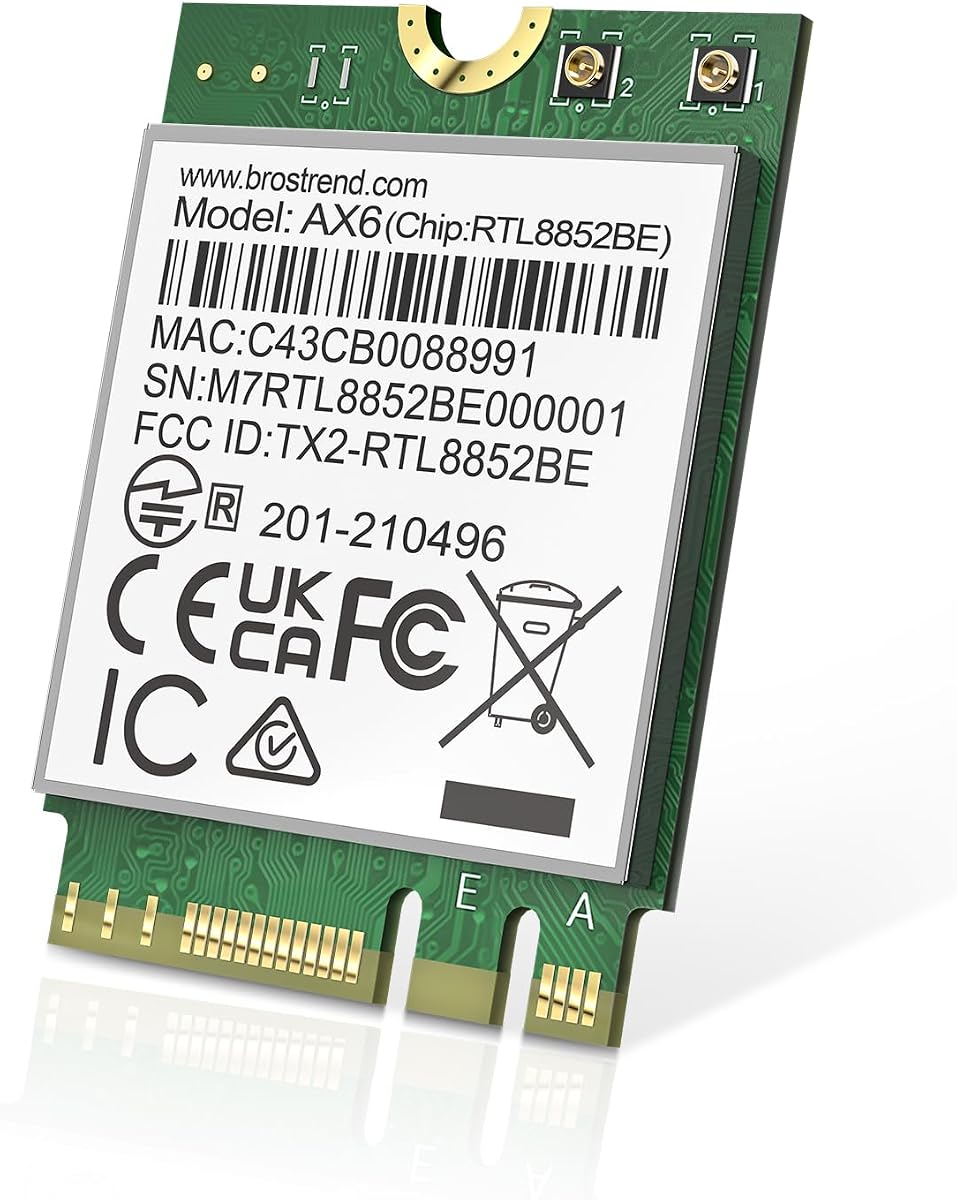
The BrosTrend WiFi 6 M.2 Wireless Card offers a balanced approach to modern connectivity. It supports WiFi 6 protocols ensuring better efficiency even on older routers.
We may earn a commission when you buy through this link, at no additional cost to you.
It features MU-MIMO and OFDMA technologies which improve performance in crowded networks. The Bluetooth 5.2 integration ensures stable peripheral connections for daily use.
This card does not include a 6GHz band which limits total potential speed. Users should check if their current setup needs the extra bandwidth provided by newer standards.
We suggest this for Linux users needing a compatible option. It provides a reliable link for work tasks without requiring complex configuration steps.
Built-in driver support makes this card a great choice for Linux users requiring stable networking.
We may earn a commission when you buy through this link, at no additional cost to you.
The Intel Killer BE200 is designed specifically for high-performance gaming needs. It brings next-gen speed to competitive environments where milliseconds matter.
We may earn a commission when you buy through this link, at no additional cost to you.
Its ultra-low latency design minimizes lag during online matches. The tri-band support ensures you have multiple channels to choose from for the cleanest signal.
This card requires an Intel processor and specific key E interface which limits installation options. However the performance benefits are clear for targeted use cases.
We recommend this for serious gamers with compatible hardware. It delivers the responsiveness needed for competitive play and high-speed tasks.
This card prioritizes game traffic to ensure minimal lag during intense online sessions.
We may earn a commission when you buy through this link, at no additional cost to you.
The Intel AX411 is a specialized card built for server environments and high-demand workloads. It offers perfect user ratings indicating strong reliability under stress.
We may earn a commission when you buy through this link, at no additional cost to you.
Killer networking technology intelligently prioritizes traffic ensuring smooth performance for real-time apps. The compact size saves space while maintaining robust connectivity standards.
While optimized for servers it can work in desktops needing extreme stability. The design focuses on maintaining consistent throughput over long periods.
We suggest this for professional environments or power users. It provides a stable foundation for tasks where downtime is not an option.
This module prioritizes consistent throughput to maintain smooth operation over long periods.
We may earn a commission when you buy through this link, at no additional cost to you.
Choosing the right M2 WiFi Card involves understanding your hardware limits and network needs.
Select a generation that matches your router. Newer standards like 6E or 7 offer faster speeds but require compatible hardware to function correctly.
Verify your router supports the chosen generation before buying.
Some high-end cards only work with specific CPU brands or generations. Always check if the card supports your processor to avoid installation issues.
Confirm CPU compatibility in the product details before purchasing.
Check your motherboard slot for Key A/E vs Key B/M. M2 WiFi cards typically use Key A/E slots which are different from storage slots.
Measure your slot to ensure the card fits physically.
Some cards come with cables while others do not. If you upgrade a desktop ensure you have the correct antenna adapters for your case.
Ensure you have the necessary antenna cables for your system.
Verify the card supports your OS version. Most drivers are available for Windows 10/11 but Linux support varies by chipset model.
Check OS driver availability before installing.
Determine if you need the 6GHz band for faster speeds. Older dual-band cards may suffice if you mostly browse or stream standard video.
Assess your bandwidth usage to decide on speed tiers.
Choose well-known brands that offer consistent drivers and support. Trusted manufacturers often provide better long-term stability for your network.
Prioritize established brands for better support.
Ensure the card offers the Bluetooth version you need for peripherals. Newer versions like 5.3 or 5.4 offer better range and connection stability.
Check the Bluetooth version for peripheral compatibility.
To install, power down your system and open the case. Locate the M.2 slot, insert the card at an angle, and secure it with the screw. Connect antenna cables to the metal connectors.
After installation, boot into your OS and download drivers from the manufacturer website. Ensure you update the firmware for best stability and performance.
Keep the internal components free of dust using compressed air. Regular checks of connections ensure your wireless signal remains strong over time.
Not all laptops have the correct slot. Most use Key A or E slots for wireless but some modern systems solder chips. Always check your model manual.
Yes they work on older WiFi 5 or 6 routers. You will not get the 6GHz speed but you will still benefit from better stability and efficiency.
Yes updating drivers ensures you get the latest features. Most cards install automatically but manual updates can fix performance issues.
Yes they are ideal for streaming. The wide bandwidth reduces buffering and supports higher quality video streams.
Most models come with integrated Bluetooth. Check the specs to ensure it matches your peripheral needs.
Slow speeds often come from driver issues or interference. Ensure you install the latest drivers and check antenna connections.
Our top picks include the Intel AX210 for value and the BE200 for future speed. Each model brings unique strengths for different system types.
Prioritize compatibility with your CPU and slot type to avoid issues. Check your router generation to ensure you get the right speed.
Prices and stock change frequently so verify current availability before buying. A reliable upgrade ensures better connectivity for work and play.