
Wireless Gaming Headset for PC
4.4Editor score
7.1 surround sound
100 hour battery
Multi platform support
This guide compares the top Mac gaming headsets for audio quality, comfort, and connectivity to help you choose the best headset for your setup.
Finding the right audio equipment for your Mac gaming setup is crucial for an immersive experience. You need a headset that delivers clear sound, comfortable fit, and reliable connectivity to match your system's capabilities.
We have evaluated ten top-rated headsets based on audio performance, build quality, and compatibility with macOS. Our comparison focuses on features that matter most to gamers who value precision and long sessions without fatigue.
Each pick highlights specific strengths and ideal use cases to simplify your decision process. Please note that product availability and pricing can change frequently, so always check the latest details before purchasing your new gear.
4.4Editor score

4.3Editor score
4.3Editor score
The following table provides a side-by-side comparison of all ten selected headsets to help you quickly identify the model that best fits your specific gaming needs and Mac configuration.



The Corsair Void RGB Elite stands out as a top contender for Mac gamers seeking premium audio quality. With a rating of 4.3 stars, it delivers clear sound and a comfortable fit that enhances immersion without causing fatigue over time.
We may earn a commission when you buy through this link, at no additional cost to you.
Its custom-tuned 50mm neodymium drivers provide an expanded frequency range from 20Hz to 30,000Hz. This ensures you hear every detail from light footsteps to thundering explosions. The low-latency 2.4GHz wireless connection keeps audio synchronized perfectly with your gameplay on Mac.
While the microphone offers excellent clarity with its flip-up mute function, some users report minor placement issues during active chat. Additionally, software customization is limited compared to other brands. However, the durable aluminum yokes and plush memory foam earpads make these trade-offs acceptable for most users.
This headset is ideal for gamers who prioritize sound quality and comfort over extensive software features. If you want a reliable wireless experience that works seamlessly with your Mac setup, the Void RGB Elite remains a strong recommendation for your next upgrade.
The custom-tuned drivers ensure precise sound staging that helps you locate enemies accurately during competitive matches.
Breathable microfiber fabric and memory foam earpads prevent heat buildup and discomfort during extended gaming marathons.
We may earn a commission when you buy through this link, at no additional cost to you.
This versatile wireless headset offers an exceptional value for budget-conscious Mac gamers. It holds a 4.4-star rating and supports multiple devices including Mac. The standout feature is its battery life which allows for extended use without frequent recharging.
We may earn a commission when you buy through this link, at no additional cost to you.
With up to 100 hours of playtime in Bluetooth mode, you can game for weeks on a single charge. The 7.1 surround sound provides deep bass and clear highs that help you hear footsteps clearly. It connects via 2.4GHz dongle or Bluetooth for flexible setup options.
The build quality feels slightly lightweight compared to premium models and turning on RGB lights can reduce battery life significantly. The retractable microphone works well for voice chat but may not be as robust as dedicated boom mics. Still it delivers impressive performance for the cost.
Choose this headset if you need a reliable multi-platform solution without breaking the bank. It is perfect for casual gamers or those who need long battery life for travel. The ease of use and broad compatibility make it a practical choice for any gaming setup.
Enjoy uninterrupted gaming sessions for days without worrying about finding a power outlet or charging your device.
Switch easily between your Mac phone and console using dual wireless modes and a standard 3.5mm jack backup.
We may earn a commission when you buy through this link, at no additional cost to you.
The Razer Kraken V4 X is a fantastic wired option for Mac users who prioritize audio clarity. Rated 4.4 stars, it features Razer's Triforce 40mm drivers that deliver exceptional highs mids and lows. The design focuses on immersion and comfort for long gaming sessions.
We may earn a commission when you buy through this link, at no additional cost to you.
Its retractable HyperClear Cardioid mic ensures clear voice communication without picking up background noise. The 7.1 surround sound optimizes game acoustics so you hear everything as if you are in the middle of the action. Memory foam cushions with hybrid fabric provide superior sound isolation.
The convertible USB-C and Type-A cable offers flexibility across platforms but it is not detachable which can be inconvenient for storage. Some users find that full feature access relies on Razer software which can be heavy on system resources. However the audio quality remains consistent regardless of software use.
This headset is best suited for gamers who prefer wired connections for zero latency. It is a great choice for those who value clear communication and balanced sound. The durable construction and comfort features make it a reliable daily driver for Mac gaming.
Patented 3-part driver design keeps audio clean and dynamic without muddying details in loud game scenarios.
The retractable mic design allows for optimal positioning or protection when not in use during music listening.
We may earn a commission when you buy through this link, at no additional cost to you.
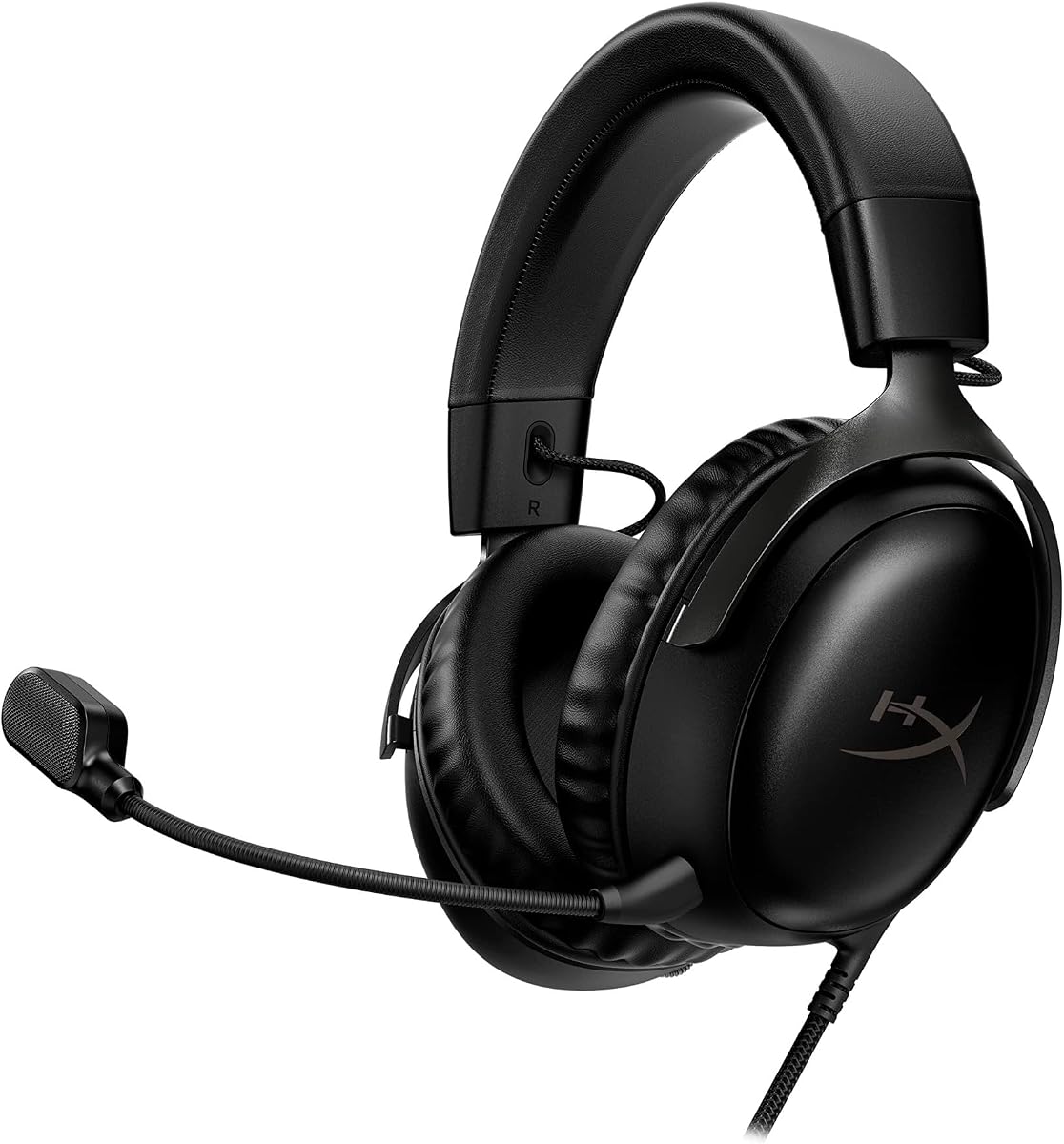
The HyperX Cloud III is designed with comfort as its primary focus for serious gamers. It holds a 4.3-star rating and features memory foam ear cushions that provide a plush fit. The angled 53mm drivers are tuned by audio engineers for optimal gaming performance.
We may earn a commission when you buy through this link, at no additional cost to you.
The upgraded noise-cancelling microphone captures high-quality audio with a built-in mesh filter to omit disruptive sounds. The durable aluminum frame ensures resilience against travel and accidents. You can connect via USB-C USB-A or 3.5mm for wide compatibility with Mac and other devices.
As a wired headset it lacks wireless freedom which might be a drawback for some users. The audio quality is solid but may not have the advanced surround features found in wireless models. Despite this the build quality and comfort make it a reliable choice for daily use.
Ideal for players who prioritize comfort and durability over wireless convenience this headset delivers consistent performance. The versatile connectivity options ensure it works with almost any Mac or console setup. If you want a sturdy and comfortable headset the Cloud III is a top contender.
Drivers are specially tuned to accent the dynamic sounds of gaming ensuring you hear critical cues clearly.
Resilient aluminum construction withstands travel accidents and the level-headed reactions to losses in battle.
We may earn a commission when you buy through this link, at no additional cost to you.
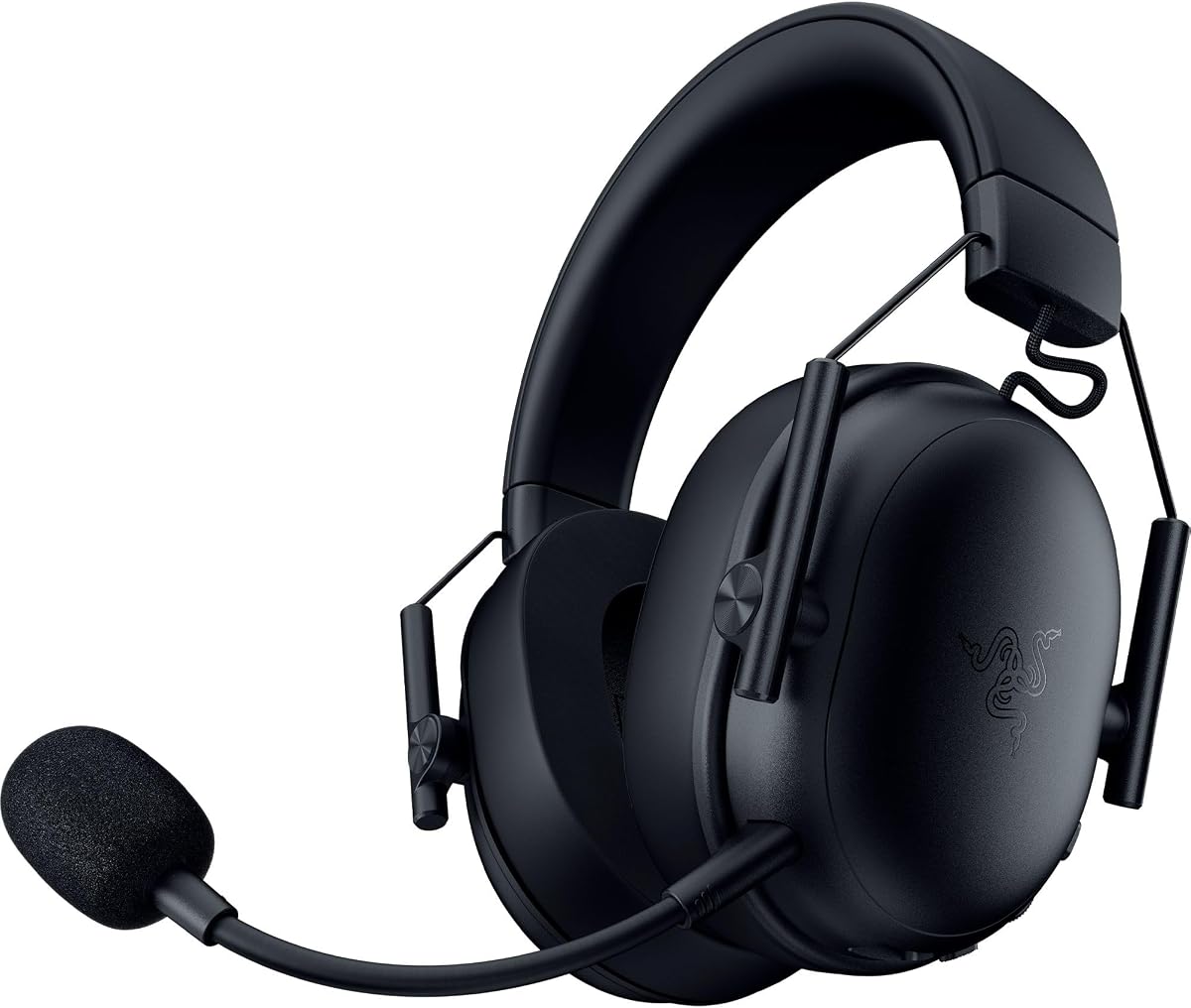
The Razer BlackShark V3 X offers a lightweight wireless experience tailored for competitive gamers. Rated 4.2 stars it features Gen-2 Triforce drivers for improved clarity and positional performance. The HyperSpeed wireless connection ensures sound is perfectly synced with your gameplay on Mac.
We may earn a commission when you buy through this link, at no additional cost to you.
With a 270g ultra-lightweight design and plush earcups you can play for hours without discomfort. The detachable HyperClear mic provides clear voice communication and can be removed when not needed. It supports 2.4GHz and Bluetooth modes via SmartSwitch Dual Wireless for flexible connectivity.
The microphone is detachable rather than retractable which may be less convenient for some users. The build relies heavily on plastic which feels less premium than metal alternatives. However the excellent soundstage and low latency make it a strong choice for online competitive play.
This headset is perfect for gamers who need a portable and lightweight solution for travel. The seamless switching between devices makes it versatile for Mac and mobile gaming. If you value comfort and speed in wireless audio the BlackShark V3 X is highly recommended.
Ultra-fast 2.4 GHz connection provides competitive edge with high-performance low-latency audio that stays synced.
Optimized weight reductions and plush earcups allow you to power through intense scrim sessions easily.
We may earn a commission when you buy through this link, at no additional cost to you.
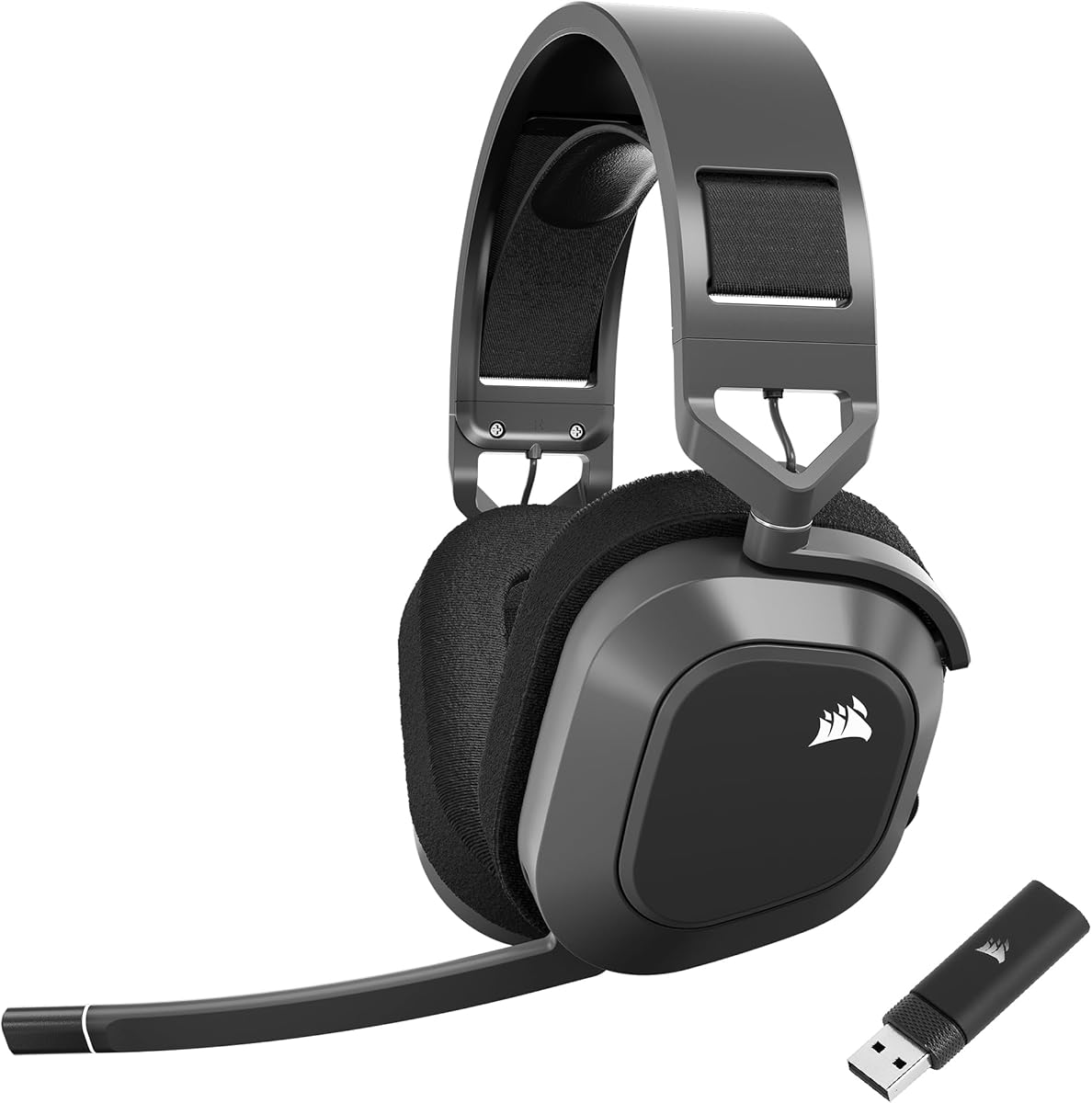
The Corsair HS80 RGB Wireless brings immersive Dolby Atmos to PC gaming for a 3D audio experience. It holds a 4.1-star rating and features low-latency SLIPSTREAM wireless technology. This ensures you hear every shot step and shout exactly as it happens during intense moments.
We may earn a commission when you buy through this link, at no additional cost to you.
Custom-tuned 50mm high-density neodymium drivers deliver sound in exquisite detail with an expanded frequency range. The broadcast-grade Omni-Directional Microphone captures your voice with terrific clarity and includes a flip-up mute function. The iconic CORSAIR design combines superb audio quality with durable build standards.
Some users note that battery life could be better and the bass can be a bit heavy without tuning. While the Dolby Atmos feature is powerful it requires compatible software to function fully. Despite these points the wireless performance and sound detail make it a strong competitor.
If you want a wireless headset that offers advanced spatial audio features the HS80 RGB is a great choice. It is ideal for gamers who prioritize precise directional audio and robust wireless connections. The reliable performance and microphone quality support both gaming and voice chat effectively.
Places sounds of the game all around you with three-dimensional precision for faster and more accurate reactions.
Extremely low-latency connection lets you hear every shot and step exactly as it happens in real time.
We may earn a commission when you buy through this link, at no additional cost to you.
The HyperX Cloud III in White offers a fresh design that fits modern gaming aesthetics perfectly. It has a 4.6-star rating and features HyperX signature memory foam wrapped in premium leatherette. The angled 53mm drivers are tuned for an optimal listening experience that accents dynamic sounds.
We may earn a commission when you buy through this link, at no additional cost to you.
The full metal frame provides resilience against travel and accidents ensuring long-term durability. Quick audio and mic controls on the earcup allow you to adjust volume without entering menus. The versatile connectivity includes USB-A USB-C and 3.5mm for maximum compatibility across devices.
The white color is visually striking but may show dirt or stains more easily than darker models. As a wired headset it lacks wireless freedom which may be a drawback for some users. However the superior comfort and solid build make it a reliable choice for daily sessions.
Choose this headset if you value style and comfort alongside performance. It is ideal for gamers who want a premium feel and reliable audio on Mac. The fresh design and legendary performance make it a standout choice for the new generation of gaming.
Signature memory foam in the headband and ear cushions provides a plush comfortable fit all around for hours.
Adjust headphone volume and mute your microphone quickly with controls right on the Cloud III earcup.
We may earn a commission when you buy through this link, at no additional cost to you.
The Razer Barracuda X is designed for seamless transitions between PC console and mobile devices. Rated 4.3 stars it features SmartSwitch Dual Wireless to connect to two devices simultaneously. It supports 2.4GHz wireless and Bluetooth for flexible use with your Mac and phone.
We may earn a commission when you buy through this link, at no additional cost to you.
Weighing 285g it offers an ergonomic design with breathable memory foam ear cushions for long sessions. The 70-hour battery life ensures you can power through a full day of gaming and commuting without worry. Access to 16.8 million colors for lighting effects allows deep customization.
This headset is not compatible with Xbox consoles which limits its universal use for some gamers. Heavy reliance on software for lighting customization can be cumbersome for some users. However the dual wireless capability and lightweight comfort make it versatile for daily gaming.
Ideal for gamers who switch between multiple devices the Barracuda X offers unmatched convenience. The long battery life and comfortable fit support both work and play scenarios. If you need a headset that adapts easily to different setups this model is a strong candidate.
Switch from PC to phone with a simple toggle for seamless audio for any activity you engage in.
Swiveling earcups and memory foam cushions provide a snug comfortable fit for gaming marathons.
We may earn a commission when you buy through this link, at no additional cost to you.
The Ozeino Wireless Gaming Headset delivers lossless audio with a stable 2.4GHz connection for a smooth experience. It holds a 4.2-star rating and features 50mm drivers for clear and precise sound. The ultra-low latency wireless connection ensures you stay ahead of the competition.
We may earn a commission when you buy through this link, at no additional cost to you.
With less than 30ms delay you can enjoy lag-free gaming and better bass accuracy. The 40-hour battery supports long sessions while dual input modes offer flexibility for phone and laptop. Simple button controls allow you to adjust volume and mute instantly during gameplay.
Bluetooth mode does not work directly with Mac or PS5 requiring an extra adapter for those connections. The design is basic but functional which may not appeal to users looking for premium aesthetics. However the stable connection and audio quality make it a great value for money.
Choose this headset if you want reliable performance without spending much. It is ideal for gamers who need a stable wireless connection for competitive play. The easy setup and long battery life make it a practical choice for most gaming setups.
2.4G lossless wireless transports you to the gaming world so you never miss a step or shot.
Intuitive button layout lets you instantly crank volume or mute for effortless in-game control.
We may earn a commission when you buy through this link, at no additional cost to you.
The Corsair HS80 MAX Wireless delivers high-fidelity audio with an impressive battery life. Rated 4.2 stars it supports 24bit/96kHz sound for rich detail and depth. It offers low-latency 2.4Ghz wireless plus Bluetooth connectivity for versatile use on Mac and mobile devices.
We may earn a commission when you buy through this link, at no additional cost to you.
Enjoy up to 65 hours of battery life over 2.4GHz or up to 130 hours with Bluetooth off. The memory foam ear pads with breathable cloth fabric provide incredible comfort for long sessions. A stress-free floating headband design ensures the headset does not feel heavy over time.
Some users may find the build slightly heavier than other lightweight models and the price point is higher. While the battery is long you must balance RGB usage with battery life if using the light features. Despite this the audio quality and comfort make it a strong option for premium users.
Ideal for gamers who need extended battery life and superior audio quality this headset is a top pick. It supports multiplatform compatibility well and ensures you stay connected longer without charging. The comfortable design and detailed audio support both gaming and media consumption effectively.
24bit/96kHz sound delivers detail and depth double that of typical gaming headsets.
Enjoy up to 130 hours with Bluetooth to power through a full day of working and gaming.
We may earn a commission when you buy through this link, at no additional cost to you.
Selecting the right gaming headset for your Mac involves balancing audio quality, comfort, connectivity, and features to match your specific gaming habits.
Look for high-quality drivers such as 50mm or larger with wide frequency ranges to ensure rich sound and clear separation between highs and lows. Drivers tuned for gaming often include technologies like surround sound which help you hear critical audio cues like footsteps or reloads with precision.
Prioritize headsets with drivers that offer balanced audio output and spatial features to maximize your immersion in the game world.
Comfort is essential for long gaming sessions and features like memory foam ear cushions and breathable fabric materials can significantly reduce fatigue. Headsets with adjustable headbands and lightweight designs help distribute weight evenly and prevent pressure points on your head.
Choose a headset with plush padding and ergonomic design to ensure you can play for hours without discomfort or headaches.
Mac users should consider whether a wired or wireless connection fits their setup better. Wireless headsets with low latency 2.4GHz dongles offer freedom without significant audio delay while Bluetooth is better for mobile devices. Check compatibility with USB-C and standard 3.5mm jacks.
Verify that the headset supports your Mac's ports and offers stable wireless transmission for lag-free audio performance.
Clear voice communication is vital for team-based games so look for microphones with noise cancellation and clear voice capture. Detachable or retractable microphone designs offer flexibility allowing you to remove the mic for music listening when not gaming.
Opt for a mic with a mute function and clear sound quality to ensure effective communication with teammates.
For wireless headsets battery life determines how long you can play without interruption. Models offering 40 hours or more allow for extended sessions and some even support simultaneous use while charging to avoid downtime.
Select a headset with long battery life and reliable charging options to ensure uninterrupted gaming sessions.
Durable materials like aluminum frames and reinforced headbands extend the lifespan of your headset against travel and daily wear. A sturdy build also helps reduce breakage and maintains comfort over time.
Choose a headset with metal components and robust construction to withstand regular use and travel.
Gaming headsets often come with software suites that allow customization of audio profiles lighting effects and microphone settings. Ensure that the software is compatible with macOS and provides an intuitive interface.
Check that the manufacturer offers macOS compatible software to unlock full features of the headset.
Budget headsets offer impressive performance at lower price points but premium models usually deliver better sound quality and build durability. Evaluate the features you need most and balance them against the cost to find the best value.
Determine your priorities and set a budget that aligns with the features most important to your gaming experience.
To connect your headset to Mac plug in the USB wireless dongle or use the appropriate USB-C cable depending on the model. For Bluetooth compatible models open system preferences and pair with your Mac to enable wireless audio.
Clean your headset regularly by wiping ear pads with a soft cloth to remove sweat and dust. Avoid exposing the headset to extreme temperatures or moisture to prolong its lifespan and maintain comfort.
Update any manufacturer software frequently to ensure optimal performance and compatibility with your macOS version. Store your headset in a dry place or use a protective case when traveling to prevent physical damage.
Many modern Mac gaming headsets support Bluetooth alongside 2.4GHz wireless or wired connections. Check the product specifications to confirm Bluetooth compatibility with your Mac device and note that some headsets may require USB adapters for full functionality.
Low latency of under 30ms is ideal for gaming to prevent audio delays. Headsets using 2.4GHz wireless dongles typically offer better latency than standard Bluetooth connections.
Most headsets listed support multiple platforms including PS5 Xbox and Nintendo Switch. However some Bluetooth functions may be limited on consoles so check compatibility details before purchasing.
Yes, these headsets are designed to work with current macOS versions using standard USB or Bluetooth protocols. Software features may require downloading updates from the manufacturer website.
Most headsets feature a physical mute button on the earcup or a flip-up mic mute function. Look for an LED indicator to confirm when the microphone is muted.
Many of these headsets deliver high-quality audio suitable for music listening. Features like wide frequency range and balanced drivers enhance your music experience.
Choosing the right Mac gaming headset depends on your specific needs such as comfort audio quality and connectivity options. Whether you want wireless freedom or wired stability there are excellent choices available for every budget and setup.
Focus on features that enhance your gaming experience like clear audio low latency and durable build materials to get the most value from your purchase.
Remember to check current availability and details since product offerings may change over time. With the right headset you can elevate your Mac gaming setup and enjoy immersive audio for every session.