
Computer Speakers for Desktop PC Monitor
4.2Editor score
USB C Adapter included
Clips to monitor edge
Deep bass and loud sound
Discover the top MacBook external speakers setup options for 2026. We compare USB and Bluetooth speakers for Mac to help you find the best audio.
Finding the right external speakers for your MacBook can transform your entertainment experience. Good speakers deliver clear sound and deep bass without taking up much desk space.
We compared ten top-rated models based on connectivity, sound quality, and design. Each option offers unique features for different needs and budgets.
Each pick shows key specs and real user ratings. Prices change frequently, so check current deals before you buy to ensure the best value.
4.2Editor score

4.4Editor score
4.5Editor score
This side-by-side comparison highlights key features across all ten products. See how connectivity, power output, and design vary to find your ideal match.




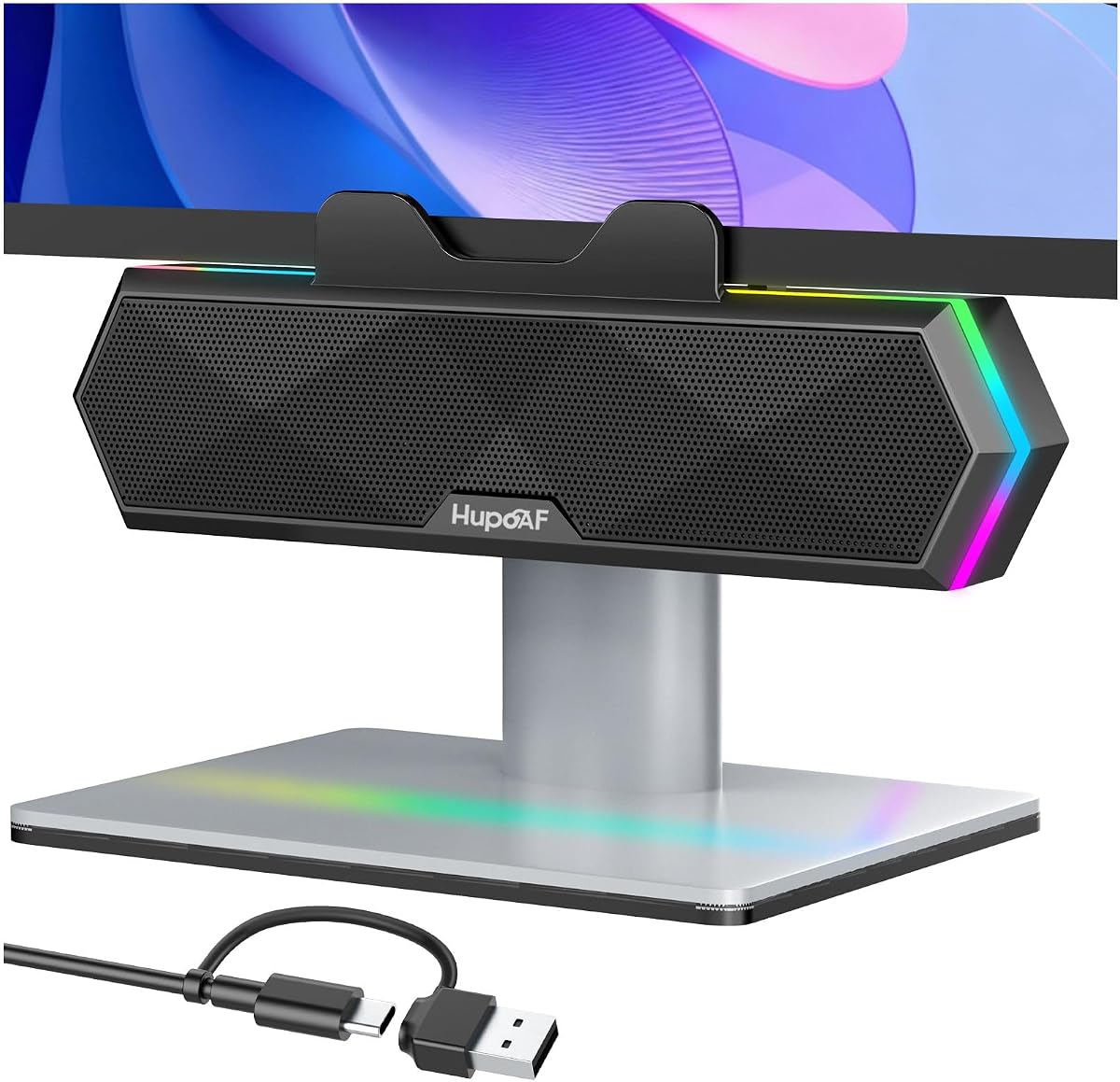
This compact USB speaker system ranks first for its value and space-saving design. It delivers solid performance with a rating of 4.2 stars.
We may earn a commission when you buy through this link, at no additional cost to you.
The adaptive channel switching ensures correct stereo separation regardless of where you mount it. A built-in USB-C adapter makes it ready for modern MacBooks.
While it is designed for computers only, the deep bass and loud sound punch above its weight. The clip-on mount keeps your desk clutter-free.
Buyers looking for an affordable upgrade for their MacBook audio will find this an excellent choice. It offers practical features at a very low cost.
The G-sensor automatically adjusts left and right channels if you flip the speaker on the monitor.
Built-in adapter ensures compatibility with newer MacBooks that lack traditional USB-A ports.
We may earn a commission when you buy through this link, at no additional cost to you.
Amazon Basics delivers a straightforward speaker pair that meets basic needs. It holds a 4.4 rating for reliability and ease of use.
We may earn a commission when you buy through this link, at no additional cost to you.
The USB power cable reduces clutter while the 3.5mm aux input offers flexibility for older devices. A bottom radiator adds some springy bass.
Sound quality is adequate for casual use but lacks depth. It is a solid choice if you need speakers quickly without complex features.
This option suits users who prioritize simplicity. It works well for office tasks and light media consumption on a budget.
Draws power directly from the laptop USB port for a simple plug-and-play experience.
Supports 3.5mm connection for devices that do not have USB audio output.
We may earn a commission when you buy through this link, at no additional cost to you.
The Logitech Z207 offers versatile connectivity that fits many workflows. It earns a 4.4 rating for its convenience and sound balance.
We may earn a commission when you buy through this link, at no additional cost to you.
Easy-Switch technology lets you toggle between your Mac and phone effortlessly. Bluetooth 4.2 provides stable wireless performance.
The passive radiator extends bass response but the overall sound is balanced. A headphone jack on the speaker adds practicality.
If you switch between devices often, this model is ideal. It bridges the gap between computer audio and mobile entertainment.
Seamlessly switch audio sources by pausing one device and playing on another.
Allows private listening directly at the speaker without unplugging cables.
We may earn a commission when you buy through this link, at no additional cost to you.
Creative Pebble V3 stands out with modern connectivity and refined sound. It holds a 4.4 rating for quality and usability.
We may earn a commission when you buy through this link, at no additional cost to you.
The 45-degree elevated drivers direct sound toward your ears. Clear Dialog processing makes voices on videos sound crisp.
It requires a 10W USB port for max gain but works fine otherwise. The cable length between units offers flexible placement.
We recommend this for users wanting a clean desk. It offers premium features at a mid-range price point.
Enhances voice clarity without affecting background audio effects during media playback.
Tilted speakers aim sound straight to your ears for a better sweet spot.
We may earn a commission when you buy through this link, at no additional cost to you.
The M60 brings high-fidelity audio to desktops with 66W RMS power. It earns a 4.5 rating for performance and build quality.
We may earn a commission when you buy through this link, at no additional cost to you.
Hi-Res certification and LDAC support ensure lossless wireless streaming. Class-D amplification delivers powerful sound efficiently.
Touch controls are intuitive with auto backlight. The included aluminum stands angle sound toward your ears.
This is the top choice for audiophiles. If you demand high-quality sound and design, the investment pays off.
Certified for both wired and wireless high-resolution audio streaming.
Supports high-bitrate Bluetooth transmission for superior wireless fidelity.
We may earn a commission when you buy through this link, at no additional cost to you.
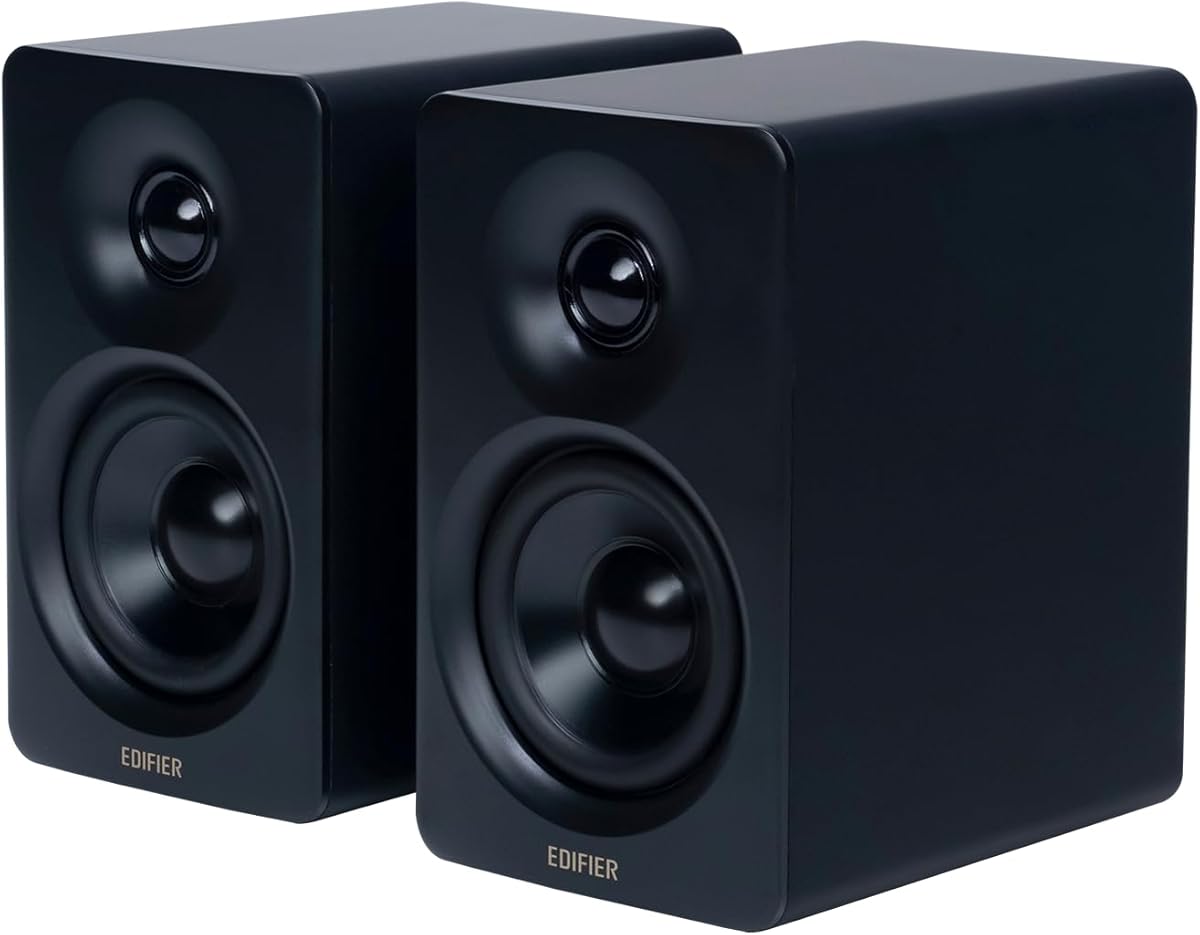
Edifier MR3 provides accurate sound for creative work and daily use. It holds a 4.5 rating for precise audio reproduction.
We may earn a commission when you buy through this link, at no additional cost to you.
Balanced TRS and RCA inputs offer pro-level connections. Hi-Res certification ensures detailed sound across frequencies.
The cabinet reduces distortion. App control lets you tweak EQ settings for your room.
Ideal for video editors and musicians. It brings studio-quality audio to your MacBook setup.
Delivers sound across 52Hz to 40kHz with precision.
Connects to two devices simultaneously for seamless switching.
We may earn a commission when you buy through this link, at no additional cost to you.
This USB speaker offers simple setup for most users. It carries a 4.2 rating for straightforward functionality and decent output.
We may earn a commission when you buy through this link, at no additional cost to you.
Dual drivers and a passive radiator improve dynamic range. No 3.5mm jack means clean cabling.
Compatibility is broad across Windows and macOS. Ensure audio drivers are current for best results.
Great for office desks or dorms. It gets the job done with minimal fuss.
Combines audio and power into one USB link.
Works if latest audio drivers are installed on your system.
We may earn a commission when you buy through this link, at no additional cost to you.
FUNLOGY delivers a compact speaker with smart orientation. It has a 4.2 rating for build and audio clarity.
We may earn a commission when you buy through this link, at no additional cost to you.
The 30-degree tilt aims sound upward to your ears. Dual drivers provide punchy bass in a small box.
Gold-plated input reduces noise. The matte finish looks stylish on any desk.
This works well for gaming or small spaces. It offers a nice balance of size and performance.
Optimizes sound direction to reach your ears directly.
Recognized for quality design and performance standards.
We may earn a commission when you buy through this link, at no additional cost to you.
This speakerphone targets business users on calls. It holds a 4.2 rating for clarity and certification.
We may earn a commission when you buy through this link, at no additional cost to you.
Full duplex audio allows multiple speakers at once. LED lights show call status clearly.
It works with laptops and desktops. The design prioritizes voice clarity over music dynamics.
Best for professionals. If meetings are your main focus, this tool simplifies remote work.
Allows two-way conversation without cutting out other speakers.
Certified for Microsoft Teams and Zoom platforms.
We may earn a commission when you buy through this link, at no additional cost to you.
This model adds style with RGB lighting. It has a 4.6 rating for user satisfaction and bass.
We may earn a commission when you buy through this link, at no additional cost to you.
The clamp mounts on monitors easily. Passive radiators ensure deep bass for the size.
You can turn off the lights for focus. Controls are on top for easy access.
Great for gamers and users wanting flair. It delivers solid audio in a vibrant package.
Six dynamic lighting modes to match your setup style.
Non-slip clamp secures to monitor edges safely.
We may earn a commission when you buy through this link, at no additional cost to you.
Selecting the right speakers for your MacBook involves considering connectivity, sound quality, and desk space. Here are key factors to help you decide.
MacBooks often have USB-C ports, so check if the speaker supports USB-C or includes an adapter. Bluetooth offers flexibility, but wired connections ensure zero latency.
Prioritize speakers with USB-C or Bluetooth 5.0 for seamless pairing with your Mac.
Look for drivers that deliver clear highs and deep bass. Passive radiators help enhance low-frequency response without adding size.
Aim for speakers with at least 2.0 stereo configuration for balanced audio.
Consider how much desk space you have. Clip-on models save space by mounting to your monitor. Compact designs suit smaller setups.
Choose a form factor that fits your workstation without cluttering your desk.
USB-powered speakers are convenient as they draw power from your MacBook. Some models include external power adapters for higher output.
Ensure your USB port can supply enough wattage for peak performance.
Extra features like EQ controls, RGB lighting, or app support can enhance usability. Decide if these are essential for your workflow.
Balance additional features with core audio performance.
If using Bluetooth, check supported codecs like LDAC or AAC for better fidelity. Higher bitrates mean better sound quality.
Prioritize models supporting high-resolution codecs for critical listening.
Materials like aluminum or MDF reduce resonance and improve durability. A sturdy build ensures longevity and better sound isolation.
Check for warranties and brand reputation for reliability.
Ensure the speaker works with macOS and any specific OS features. Plug-and-play compatibility avoids driver headaches.
Select products explicitly tested with Mac devices for smooth setup.
Start by connecting the speaker to your MacBook using USB or Bluetooth. Ensure volume settings are balanced between the device and speaker.
Adjust the speaker angle so drivers face your listening position. This improves clarity and stereo imaging.
Clean dust regularly with a soft cloth. Avoid spills and extreme temperatures to prolong lifespan.
Most speakers listed support macOS. Check for USB-C or Bluetooth compatibility. Many models include adapters for full compatibility with MacBooks.
Wired offers lower latency while Bluetooth provides freedom. For gaming or video, wired may be better. Bluetooth 5.0 is usually sufficient for music.
Yes, any device with USB or 3.5mm output works. Ensure the speaker has power from USB or external adapter.
Most are plug-and-play. If issues occur, update your Mac audio drivers. Check manufacturer support pages for macOS compatibility.
Clip-on models like the Computer Speakers for Desktop PC Monitor save space. They mount on monitors and keep desks clear.
These are desktop speakers. For home theater, consider surround systems. They work for movies on a desk but are not full systems.
Check Mac sound settings and speaker controls. Ensure drivers are up to date and volume is maxed on both sides.
Yes, they boost bass without needing power. They improve low-frequency performance without adding bulk or complexity.
Our top picks include the Creative Pebble V3 for overall balance and Edifier M60 for premium audio. The budget choice is the Computer Speakers for Desktop PC Monitor.
Focus on connectivity and sound quality. Choose a model that fits your desk and daily use.
Prices fluctuate often. Check current listings to get the best deal before buying.