
VSD Mini Macro Pad
4.1Editor score
Six custom LCD programmable keys
Compact portable design
Dual side RGB light bars
Discover the best Macro Pad for Streaming to streamline your workflow. We compare top models with LCD keys, knobs, and plugins for creators.
Streaming requires quick access to many tools. A good macro pad helps you control scenes, audio, and apps with one tap. These devices boost efficiency and keep your stream running smoothly without clutter.
We compared ten top macro pads based on key count, customization, and software support. Each model offers unique features like LCD screens, knobs, or RGB lighting to suit different setups and budgets.
Each pick shows key specs, pros, and cons to help you decide. Prices change often, so check current listings before buying. We aim to guide you toward the right tool for your streaming needs.
4.1Editor score

4.8Editor score

4.4Editor score
This side-by-side comparison highlights the key differences between all ten macro pads. We look at key counts, screen types, connectivity, and unique features to help you find the perfect fit.


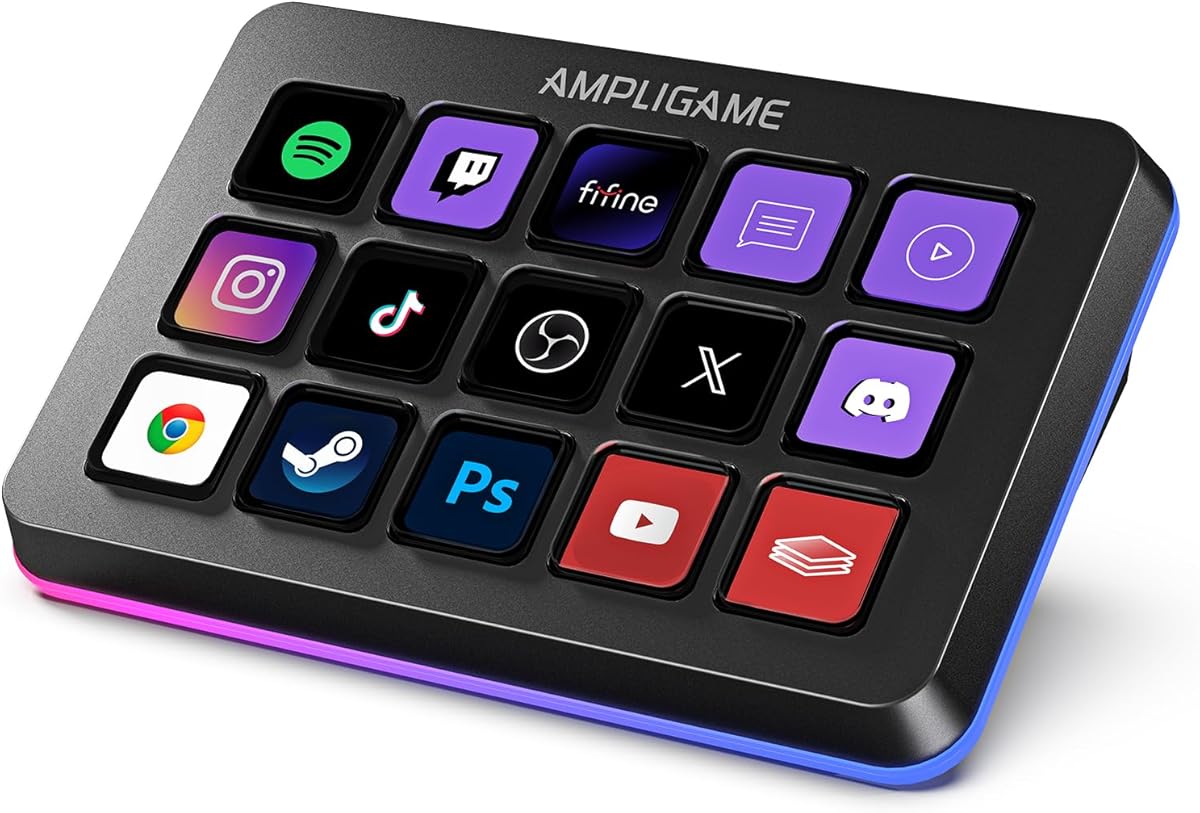


The Elgato Stream Deck MK.2 is a top choice for streamers needing reliable control. With 15 customizable LCD keys, it allows you to trigger actions instantly. Its high rating reflects consistent performance and a robust software ecosystem.
We may earn a commission when you buy through this link, at no additional cost to you.
Key strengths include one-touch operation for launching apps, adjusting audio, or switching scenes. Visual feedback confirms commands executed successfully. The extensive plugin library supports OBS, Twitch, Discord, and more, making it versatile for any workflow.
Trade-offs involve the higher price compared to generic brands. It lacks physical knobs found on newer models. However, its stability and integration depth make it a worthy investment for professional streaming setups.
Streamers prioritizing reliability and broad compatibility should choose this model. It is ideal for those who want a proven tool with active support. Final recommendation: best overall for serious creators.
Elgato supports dozens of plugins for apps like Philips Hue and Spotify, expanding control options without coding.
Setup involves plugging in USB and installing software, allowing drag-and-drop key customization for beginners.
We may earn a commission when you buy through this link, at no additional cost to you.
The VSD Mini Macro Pad offers a compact entry into streaming control. With 6 customizable LCD keys, it fits small desks easily. Its rating highlights good value for the price point and essential functionality.
We may earn a commission when you buy through this link, at no additional cost to you.
It allows one-touch shortcuts for OBS scenes, app launches, and media control. Dual side RGB light bars add a stylish touch to your setup. Being USB powered ensures continuous operation without battery worries.
However, the limited key count restricts complex workflows. You must install VSD Craft software for setup, which is not plug-and-play. Still, its size and cost make it a great starter tool.
Beginners or those with tight budgets should consider this pad. It balances features and cost effectively. Final recommendation: best budget option for compact setups.
Its mini portable size saves desk space while retaining full macro customization functions for tight workstations.
Dual side custom RGB light bars provide ambient lighting that enhances desk setup visuals during streams.
We may earn a commission when you buy through this link, at no additional cost to you.
The VSD N4 Pro is a premium choice offering advanced features. With 10 LCD keys and 4 RGB knobs, it provides both touch and physical control. Its rating indicates strong performance for content creation needs.
We may earn a commission when you buy through this link, at no additional cost to you.
Key strengths include the USB sound deck for triggering effects without built-in speakers. The built-in passive USB dock adds port connectivity. Dynamic RGB visuals and haptic keys enhance the user experience significantly.
Higher cost and potential setup complexity are trade-offs. Not all features work with every app. Yet, for those needing audio and dock features, it offers unique value. Final recommendation: best premium for versatile studios.
The USB sound deck lets you trigger sound effects and switch background audio with one tap easily.
The built-in passive USB dock adds extra ports for mice, keyboards, and storage drives conveniently.
We may earn a commission when you buy through this link, at no additional cost to you.
The VSD M18 Macro Pad offers a solid balance of features and cost. With 18 programmable keys including LCD visuals, it provides extensive control options. Its rating confirms reliable performance for streaming tasks.
We may earn a commission when you buy through this link, at no additional cost to you.
It supports single tap control and multi-shortcut programming. The adjustable RGB surround light ring adds style. Built-in plugins like weather and calendar assist daily desktop operations effectively.
Linux support requires SDK development rather than plug-and-play. The size may not fit very small desks. However, its versatility makes it a strong contender. Final recommendation: best value for feature-rich setups.
Users may program single actions or multi-step sequences for daily operation with ease.
Each LCD key accepts JPG, PNG and GIF images and animations to mark separate functions clearly.
We may earn a commission when you buy through this link, at no additional cost to you.
The Stream Deck N1 stands out with a vertical space-saving design. It offers three modes: shortcut, calculator, and numeric keypad. This high rating shows strong user satisfaction with its unique layout.
We may earn a commission when you buy through this link, at no additional cost to you.
You can drag files to keys for one-click access. The plugin market allows extensive customization. This makes it useful for productivity alongside streaming tasks.
The vertical orientation might not suit all desks. It is specific for left-hand or space-constrained setups. However, its functionality is robust. Final recommendation: best unique macro pad for versatile workflows.
Three practical switchable modes include left-hand shortcut, calculator, and numeric keypad options.
Drag files, browsers, apps, images and videos to keys for one-click access without searching manually.
We may earn a commission when you buy through this link, at no additional cost to you.
The VSD M18 Deck offers extensive customization for streamers. With 18 customized macro keys and one-touch operation, it simplifies complex workflows. Its high rating reflects quality and reliability.
We may earn a commission when you buy through this link, at no additional cost to you.
It supports dynamic icons for recognition. The surrounding RGB light ring enhances the desktop experience. Built-in plugins like clock and stopwatch aid productivity.
It is similar to other VSD models but has strong support. Linux requires SDK for plug-and-play. Still, it is a powerful tool. Final recommendation: best customizable pad for pros.
You can personalize each LCD key with different images and animations for enhanced recognition.
Efficiency is at your fingertips with the customizable usb macro keypad's one-touch operation.
We may earn a commission when you buy through this link, at no additional cost to you.
The fifine D6 RGB brings vivid lighting to your stream. With 15 customizable macro keys, it offers clear visual feedback. Its rating shows users appreciate its aesthetic and functional blend.
We may earn a commission when you buy through this link, at no additional cost to you.
Visual operation keypad means no need for multiple windows. You can create folders for different programs. It integrates well with OBS and Twitch for scene control.
You may need to update firmware first for best performance. It lacks advanced knobs. Still, the visual appeal is high. Final recommendation: best visual pad for immersive setups.
After setting keys, you can see the application on the touchscreen and press to control directly.
There is a glowing RGB ring around the controller with 9 different controllable changeable modes.
We may earn a commission when you buy through this link, at no additional cost to you.
The TreasLin VSDinside deck supports 18 customizable macro keys with a numeric keypad mode. This allows math and number entry without a full keyboard. Its rating reflects good utility for creators.
We may earn a commission when you buy through this link, at no additional cost to you.
It supports dynamic animated icons for unique styles. You can create dedicated scenarios like Daily or Live mode. A rotary knob adds tactile feedback for control.
Spotify requires Premium account for integration. Setup software is easy to install. It bridges streaming and daily work needs. Final recommendation: best numeric macro pad for versatile use.
Calculator mode simplifies mathematical operations, while numeric keypad mode compensates for compact keyboard limits.
Supports dynamic icons that break new ground beyond static image icons to create custom animated icon scenes.
We may earn a commission when you buy through this link, at no additional cost to you.
The Streonor S15 includes 3 non-touch status display panels for real-time info like weather or CPU. This adds value beyond standard keys. Its rating shows users value this monitoring feature.
We may earn a commission when you buy through this link, at no additional cost to you.
You can create preset control pages for streaming or editing. Action flows allow multiple commands per key. Icon packs and GIFs support personalization.
Linux is not supported. You must uninstall conflicting software before setup. Still, it is a strong tool. Final recommendation: best display pad for monitoring needs.
Three status display panels show useful real-time information like time, CPU temp, and memory usage.
Preset control pages allow dedicated layouts for streaming, editing, office, or gaming scenarios.
We may earn a commission when you buy through this link, at no additional cost to you.
The Streonor S10 brings 10 LCD keys and an integrated touchscreen. It acts as an audio mixer and soundboard. Its near-perfect rating confirms high quality and user satisfaction.
We may earn a commission when you buy through this link, at no additional cost to you.
Knobs assign to volume, mic, or scrolling. Multi-action workflows launch apps or switch scenes instantly. It supports profiles for different apps.
It is higher cost. Linux support is missing. Still, it is a top console for creators. Final recommendation: best sound macro pad for audio pros.
Access supported information and controls through the touchscreen while keys handle shortcuts and macros.
Knobs are assigned to volume, microphone levels, media playback, scrolling, or timeline adjustments.
We may earn a commission when you buy through this link, at no additional cost to you.
Choosing a macro pad requires looking at key features. This guide breaks down what matters most for your streaming workflow.
More keys allow more simultaneous actions. Look for pads with at least 10 keys for multi-tasking. This ensures you can cover all essential apps without switching tabs. Key count determines workflow speed significantly.
Choose enough keys for your apps. More keys mean faster access to tools without mouse movement.
LCD keys display custom images for functions. This helps identify commands instantly. Physical keys offer tactile feedback which some prefer. Both types have distinct benefits for different users. Decide based on feedback style.
LCD keys offer visual clarity while physical keys offer touch feedback. Select based on personal comfort.
Software supports plugins that connect apps like OBS. Check for a plugin store with relevant integrations. Open-source SDKs allow custom development if needed. A rich ecosystem expands your controller's value over time.
A strong plugin ecosystem connects tools like Twitch and Discord easily. Ensure software is user-friendly.
Rotary knobs provide precise volume control. Touchscreens offer advanced interactions. These features improve ergonomics for long sessions. They reduce strain on your hands during editing or mixing. Decide if you need tactile precision.
Knobs and touch interfaces add control depth. Look for them if you manage audio often.
RGB lighting enhances your desk setup. RGB RGB effects match your gear. A compact design saves valuable desk space. Consider aesthetics alongside functionality for a cohesive look. This boosts your streaming environment style.
RGB lighting and compact design improve desk aesthetics. Choose a size that fits your workspace.
Ensure the pad works with Windows and macOS. Some models lack Linux support. Check OS requirements before buying. This avoids frustration if you switch systems later. Cross-platform support ensures longevity.
Cross-platform support avoids issues if you change systems. Verify OS compatibility upfront.
Sturdy materials ensure long-term use. Look for durable construction. A solid build reduces wear from daily use. This protects your investment over time. High-quality materials are worth the extra cost for reliability.
High-quality build materials ensure longevity. Prioritize durable construction for daily streaming.
Consider budget vs features needed. Higher price often means better plugins. Balance cost with essential functions. This avoids overspending for unused features. A good value saves money while delivering performance.
Balance cost with essential functions. Avoid overspending for unused features by assessing your needs.
Install the provided software and connect via USB. Assign apps or actions to keys for quick access. Test macros to ensure they trigger correctly before going live.
Keep your desk clean to avoid debris entering keys. Update software regularly for new features. Use the provided plugin store to expand functionality as needed.
For long sessions, adjust the stand for comfort. Protect the device from liquid spills. Proper care ensures stable performance and extends the life of your macro pad.
Yes, many macro pads function as standalone keyboards. They can launch apps and control systems without a full keyboard. Ensure they match your OS requirements before connecting to your PC.
Most modern macro pads support macOS. Check product specs to confirm compatibility. Some require specific software installation for full functionality on Mac systems.
A plugin ecosystem allows connecting apps like OBS or Twitch to your pad. These plugins enable custom commands and controls. They expand what your macro pad can do beyond basic shortcuts.
No, RGB lights are for aesthetics. They enhance your desk visuals but do not affect control. Use them if you like visual feedback or want a cooler setup.
Use the provided software to upload images or GIFs. Drag and drop files onto keys. You can create unique visuals that match each function easily.
Most require software installation for full features. Some basic functions work plug-and-play. Check manufacturer details to see if drivers or apps are mandatory.
Yes, you can assign timeline shortcuts to keys. This speeds up editing processes significantly. Use it alongside standard tools for faster workflow control.
You can use generic shortcuts or SDKs to create custom actions. Check community forums for unofficial plugins. This often extends compatibility to less common apps.
We reviewed 10 top macro pads to help you streamline your workflow. From the Elgato Deck to budget VSD options, each offers unique benefits. Our top picks highlight value and performance for different needs.
Prioritize features like key count, software, and ergonomics. Choose a model that fits your desk and budget. These considerations ensure you get the best tool for your setup.
Prices and availability change often. Always check current listings for accurate deals. This ensures you get the best value for your streaming equipment.