
NGTeco Standalone Time Clock
4.2Editor score
Zero setup hassle required
Up to 500 users
Industrial grade materials
This guide compares the top fingerprint time clocks for employees featuring biometric security payroll sync and cloud access to help you choose the right
Finding the right attendance system is crucial for modern businesses managing growing teams. Fingerprint time clocks offer secure biometric verification to prevent buddy punching and ensure accurate payroll processing for all shifts.
We evaluated ten leading models based on setup ease, recognition speed, data security, and integration options. Our analysis covers standalone devices and cloud-connected systems suitable for various workplace environments.
Each selection highlights unique strengths like offline backup, flexible shift rules, and mobile app control. Note that manufacturer pricing and availability may change so verify current details before purchasing your device.
4.2Editor score

4.8Editor score

4.4Editor score
The following table provides a side-by-side comparison of all ten models focusing on key specifications and capabilities to help you quickly identify the best fit for your business needs.

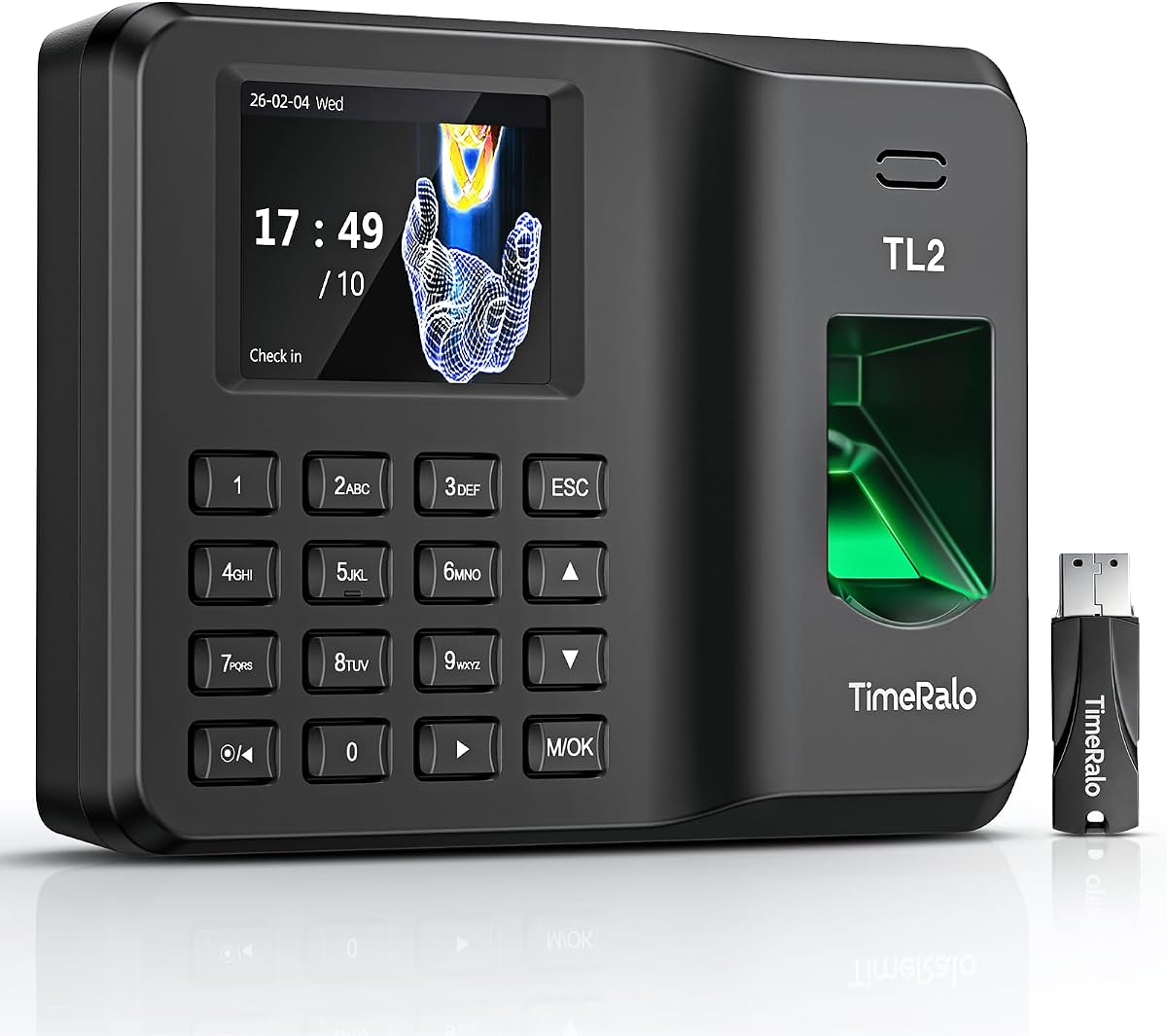


The HapAttend H4 stands out as the top choice for businesses needing reliable standalone tracking without subscription fees. With a high rating of 4.8 stars it combines speed with security to streamline attendance management effectively.
We may earn a commission when you buy through this link, at no additional cost to you.
Its three verification methods including fingerprint RFID and PIN prevent buddy punching while the advanced sensor recognizes wet or dry prints in just 0.5 seconds. This ensures quick clock-ins for all shifts even in busy environments.
The downside is the lack of cloud connectivity requiring manual USB exports for reports but this trade-off ensures data privacy and eliminates monthly charges. Most small businesses find this acceptable given the savings on software costs.
This model is ideal for offices retail stores and factories up to 500 employees seeking a simple secure solution without internet dependence. We recommend it for teams prioritizing cost efficiency and data control.
Enjoy full access to all system functions with no monthly subscription fees recurring costs or hidden charges ensuring long-term affordability.
The device supports overnight shifts and automatically recognizes night shifts with simple settings ensuring hours are recorded on the correct workday.
We may earn a commission when you buy through this link, at no additional cost to you.
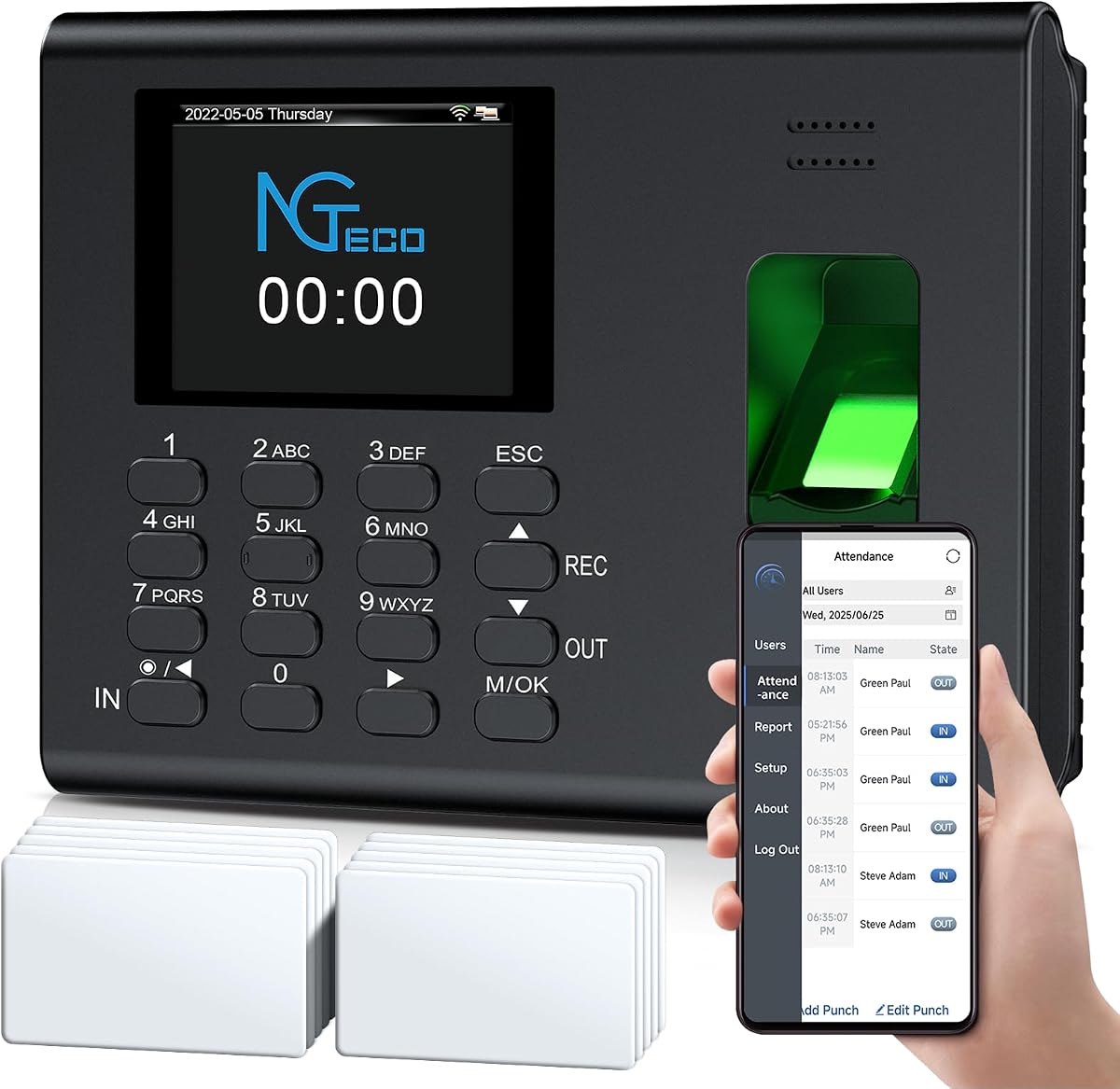
The NGTeco Standalone Time Clock offers exceptional value for small businesses needing quick deployment. It works out of the box without WiFi or complex software making it accessible for non-technical managers.
We may earn a commission when you buy through this link, at no additional cost to you.
True standalone operation allows easy data export via USB with ready-to-use Excel reports for payroll integration. Its internal backup preserves punch records during power loss keeping data secure without reset hassles.
While it lacks mobile connectivity this simplicity is perfect for workplaces with limited IT resources. The industrial-grade materials ensure durability in demanding environments like warehouses or retail counters.
This device is a top pick for startups or growing teams on a tight budget who need robust tracking without software dependencies. Choose it for straightforward paperless attendance management.
Easily export all attendance data via the included USB drive with ready-to-use Excel reports for instant payroll integration.
An internal backup system preserves every punch during unexpected power loss keeping employee records and timesheets fully secure.
We may earn a commission when you buy through this link, at no additional cost to you.
This premium model combines a sleek touchscreen interface with powerful remote management capabilities for modern businesses. It supports facial recognition fingerprint scanning RFID and PIN entry to maximize flexibility.
We may earn a commission when you buy through this link, at no additional cost to you.
Real-time monitoring via web or mobile apps allows managers to adjust schedules and correct punches from anywhere. Dual-band WiFi ensures stable connections for uninterrupted data transmission and quick uploads.
The main trade-off is the cost compared to standalone units but the convenience of cloud access and advanced features justifies the investment for larger teams. AWS servers with end-to-end encryption keep records private.
Best for enterprises needing detailed oversight and flexible scheduling this device delivers professional-grade performance. Invest in it for seamless remote team management and high-efficiency operations.
Fast facial recognition accurate fingerprint scanning RFID card tapping or PIN code entry simplify the punch process and reduce wait times.
All attendance records are protected with end-to-end encryption and stored on compliant U.S.-based AWS servers ensuring confidentiality.
We may earn a commission when you buy through this link, at no additional cost to you.
The NGTeco Time Clock delivers fast reliable fingerprint recognition with comprehensive app control for streamlined attendance management. It calculates work hours automatically simplifying admin tasks significantly.
We may earn a commission when you buy through this link, at no additional cost to you.
Advanced sensors authenticate wet or dry fingerprints in just 0.5 seconds reducing wait times during peak shifts. Flexible payroll sync aligns tracked hours with any cycle ensuring error-free processing.
Editing punches in seconds via the mobile app allows quick corrections without complex setups but requires the same local network. Built-in data protection keeps records secure during power outages.
This model suits businesses needing accurate real-time tracking without heavy IT infrastructure. Choose it for fast secure clock-ins and responsive customer support throughout the device lifecycle.
Advanced sensor authenticates wet or dry fingerprints in 0.5 seconds delivering quick secure clock-ins 24/7 with consistent performance.
Edit punches in seconds via the mobile app with instant sync across the system to ensure accurate hours.
We may earn a commission when you buy through this link, at no additional cost to you.
This straightforward model offers essential fingerprint and PIN capabilities without internet or software fees. It supports teams up to 500 employees handling shift schedules efficiently.
We may earn a commission when you buy through this link, at no additional cost to you.
USB transfer of Excel reports simplifies data export while the backup system safeguards records during power outages. High-quality ABS plastic ensures durability in offices factories and retail environments.
Limited connectivity is a drawback for managers needing remote access but the device excels as a self-contained tracker. It replaces wasteful paper cards with precise instant digital records.
Ideal for budget-conscious businesses needing reliable offline tracking this clock provides great value. Select it for a no-frills solution that focuses on accuracy and cost reduction.
Stores up to 500 fingerprints and 50,000 punch records perfectly supporting teams of up to 500 employees.
Mount on the wall with screws or place directly on the desktop for flexible adaptation to any workplace.
We may earn a commission when you buy through this link, at no additional cost to you.
This cloud-connected clock enables managers to monitor attendance from anywhere via intuitive apps and portals. Dual-band WiFi ensures stable performance without connection lags during daily operations.
We may earn a commission when you buy through this link, at no additional cost to you.
Flexible shift customization supports rotating part-time or department-specific schedules seamlessly. Overtime rules can be configured for precise payroll-ready data reducing manual work significantly.
A separate TimeEntrix subscription unlocks full GPS and reminder features but basic management remains free. The built-in battery maintains tracking during power cuts ensuring no data loss.
Choose this for businesses needing remote oversight and customizable scheduling without complex IT. It balances cost and functionality well for evolving small teams.
Manage your small business attendance effortlessly from anywhere with our intuitive mobile app and web portal.
Configure weekly overtime and dual-level OT1 & OT2 rates to auto-compute overtime hours and generate payroll-ready data.
We may earn a commission when you buy through this link, at no additional cost to you.
The uAttend JR2000 offers an all-in-one cloud system with flexible verification options to suit varied workflows. It integrates payroll automation tax filings and real-time management into one platform.
We may earn a commission when you buy through this link, at no additional cost to you.
In-depth reporting provides valuable insights into attendance trends and labor costs helping managers optimize workforce efficiency. Automatic backups keep data secure and always available for review.
Its lower rating reflects potential complexity or subscription costs compared to simpler models yet the feature set is robust for growing businesses needing detailed analytics and secure data access.
This clock is suitable for teams wanting full payroll integration without separate software. Consider it if comprehensive reporting and cloud reliability are top priorities.
With uAttend we automate payroll with time and attendance data handle tax filings and make switching easy.
View track and manage employee attendance in real-time from any device providing flexibility and control no matter where you are.
We may earn a commission when you buy through this link, at no additional cost to you.
This 4-in-1 model combines fingerprint card and PIN methods for versatile tracking with secure cloud connectivity. It uses AWS servers for compliant global data protection.
We may earn a commission when you buy through this link, at no additional cost to you.
Offline functionality ensures punches are captured locally and synced automatically once the network restores preventing data loss at remote sites. Shift configurations support split or rotating schedules seamlessly.
Core features remain free including basic reports and auto calculations but unlocking GPS and reminders requires a separate subscription. This offers a balanced entry point for cloud management.
Opt for this if you need multi-verification and offline reliability without paying for premium features upfront. It works well for international teams requiring language options.
Powered by AWS US servers with end-to-end encryption your attendance data is stored securely and fully compliant with global standards.
Supports up to 200 users connects via WiFi or LAN. Offline punch capture syncs automatically to the cloud once network is restored.
We may earn a commission when you buy through this link, at no additional cost to you.
This upgraded model allows staff to view their own timesheets on phones eliminating delays and boosting transparency. It handles cross-day shifts and flexible schedules with ease.
We may earn a commission when you buy through this link, at no additional cost to you.
Built-in intelligence calculates working hours OT1 OT2 and weekly overtime automatically while customizing formats to fit payroll rules. Reports auto-generate and send to your email reducing paperwork.
While setup is simple and requires no professional skills it relies on 2.4GHz WiFi which may be slower in some networks. However no monthly fees make it very cost-effective.
Great for restaurants retail or high-turnover teams needing self-service features. Pick this for smart automation and user-friendly reporting.
Staff can view their timesheets on their phone—no approval needed. Verify fingerprint select dates scan the QR code and access full work hours.
Supports fixed rotating flexible and night shifts. It easily handles cross-day shifts department transfers and temporary employee attendance.
We may earn a commission when you buy through this link, at no additional cost to you.
This model features a 2000mAh backup battery ensuring continuous operation during power outages for reliable tracking. It supports 3-in-1 smart auto punch to prevent buddy punching effectively.
We may earn a commission when you buy through this link, at no additional cost to you.
Remote management via the local network app allows viewing and editing attendance data with standardized reports auto-generated in one click. Flexible shift settings optimize team management efficiency.
Durable wear-resistant ABS construction ensures it withstands long-term high-frequency use. While remote control is limited to local networks this device offers solid offline capabilities.
Best for small businesses needing durable paperless tracking with flexible scheduling. Select it for zero hidden fees and straightforward installation.
This time clock features fingerprint PIN code and card swiping recognition modes and comes with 10 RFID cards.
Adopting a user-friendly plug-and-play design the time clock needs no complex configuration or professional IT support.
We may earn a commission when you buy through this link, at no additional cost to you.
Selecting the right time clock involves evaluating connectivity options capacity and features to match your business size and workflow.
Decide between standalone units that store data locally and cloud-enabled devices allowing remote access via apps or web portals. Cloud models offer real-time monitoring but depend on reliable network connections whereas standalone options ensure uptime during outages.
Choose cloud if remote management is critical and standalone if network reliability is a concern.
Most devices support fingerprint scanning but advanced models include RFID cards PIN codes or facial recognition. Using multiple methods helps prevent buddy punching and accommodates employees with difficult-to-scan fingerprints.
Opt for 3-in-1 or 4-in-1 modes to maximize flexibility and security.
Check the maximum number of user profiles and punch records the system can store. Small businesses may only need 500 users while larger teams require scalable solutions to avoid data loss or frequent exports.
Ensure capacity matches your current and projected headcount.
Look for built-in backup systems that preserve attendance records during power outages. Cloud systems should offer encrypted storage on secure servers like AWS to protect sensitive employee information from breaches.
Prioritize devices with local backups and encryption standards.
Consider how easily the clock exports data to your payroll software. CSV or Excel reports allow simple imports whereas some models offer direct integration APIs or custom sync features to automate tax and salary calculations.
Choose export formats compatible with your existing payroll tools.
Advanced clocks support customizable shifts including rotating splits night shifts and overtime rules. These features automatically calculate working hours and deductions reducing manual errors in timesheet approval.
Verify shift customization matches your operational complexity.
Many cloud models charge monthly fees for full access to reports and advanced features. Standalone devices typically involve one-time purchases without recurring costs making them more affordable long-term.
Calculate total cost of ownership including subscription fees before buying.
Industrial-grade materials like ABS plastic ensure the device withstands high-traffic environments. Wall mounting options and compact designs allow flexible installation at entrances or workstations.
Select a rugged model with appropriate mounting options for your space.
Begin by powering on the device and accessing the admin menu via the provided password or physical key. Enter your company settings such as work hours and shift rules to configure the initial system.
Register each employee's fingerprint by scanning their finger multiple times to ensure accurate recognition. Include alternative methods like PIN or card codes for those who have difficulty using biometric scanning.
Regularly clean the fingerprint sensor with a soft dry cloth to maintain speed and accuracy. Check backup systems and export data weekly to prevent loss and ensure your records are current.
Yes many standalone models operate entirely offline storing data locally. They allow export via USB to generate reports without needing cloud access or WiFi connectivity.
Fingerprint verification is highly secure as each person has unique prints. This prevents coworkers from clocking in for others and ensures accurate attendance records.
Choose devices with encryption and secure local storage. Cloud models should comply with global data protection standards. Ensure your policies clearly outline how biometric data is stored and used.
Advanced sensors detect wet dry or damaged prints quickly. Many modern models include algorithms that adjust to varying conditions ensuring consistent performance for all users.
Cloud-enabled time clocks offer mobile apps for iOS and Android to view reports and correct punches remotely. Some apps require subscriptions while basic functions may be free depending on the model.
Most devices include backup batteries or internal memory that retain data during outages. Once power is restored the system continues operating normally without losing any recorded punches.
Our top picks highlight the HapAttend H4 for its cost-effectiveness the NGTeco Standalone for budget needs and the NGTeco Touchscreen for premium features. Each model delivers reliable biometric tracking suitable for different business scales.
Prioritize connectivity type and shift customization based on your operational needs. For offices requiring real-time access cloud systems are ideal whereas warehouses may prefer offline standalone devices.
Always check current prices and feature availability before purchasing to ensure you get the best value for your team. Implementing the right system can significantly improve payroll accuracy and employee trust.