
HP ZBook Firefly 14 G11
5.0Editor score
Lightweight 3.13 lbs design
ISV certified for AutoCAD
Up to 50% battery in 30 minutes
Finding the right laptop for electrical engineering requires balancing raw computing power with portability and battery life. You need a machine that can handle complex simulations, circuit design software, and heavy multitasking without slowing down during critical projects or exams.
We evaluated ten top models based on processor speed, graphics capabilities, display quality, and build durability. Our analysis focuses on real-world workflows like running MATLAB, AutoCAD, and SPICE simulators while ensuring compatibility with industry-standard tools and external hardware.
Each pick highlights specific strengths such as workstation certifications, screen accuracy, or extended battery life. Prices and availability fluctuate frequently, so verify the current listing details before purchasing to ensure you get the exact configuration you need for your academic or professional work.
5.0Editor score

4.4Editor score

As an Amazon Associate we earn from qualifying purchases.
The following table provides a side-by-side comparison of all ten laptops selected for this guide, highlighting key specifications and performance capabilities relevant to electrical engineering tasks.




The Dell Precision 7680 stands out as the premier workstation for demanding electrical engineering workflows. It scores highly due to its Intel Core i9 processor and robust 32GB DDR5 RAM configuration which ensures smooth operation during intensive simulations.
We may earn a commission when you buy through this link, at no additional cost to you.
Its high-performance architecture is built to handle complex CAD designs and 3D rendering tasks with ease. The system supports up to three external monitors at 4K resolution allowing engineers to maintain productive multi-screen setups without docking stations.
While the device delivers exceptional speed it does come with trade-offs in portability and battery endurance. The heavy chassis limits mobility and the power-hungry components mean frequent charging is required during long days on campus or at job sites.
This laptop is ideal for professionals who prioritize raw performance and reliability over lightweight convenience. If your workflow involves running multiple heavy applications simultaneously the Precision 7680 provides the stability and power needed to complete projects efficiently.
The Intel Core i9 processor ensures rapid processing of circuit simulations and design software.
Connect up to three external monitors to maximize screen real estate for multitasking.
We may earn a commission when you buy through this link, at no additional cost to you.
This Dell Precision model is optimized for engineers who require dedicated graphics power for visualization tasks. The NVIDIA RTX 1000 Ada GPU provides stability and speed for design and architecture applications essential in engineering work.
We may earn a commission when you buy through this link, at no additional cost to you.
Its workstation design ensures scalability and reliability across demanding professional environments. The laptop supports up to four external monitors at 4K resolution enabling flexible setups for reviewing schematics and data simultaneously.
Despite its strengths the CPU is a mid-range option which might limit performance in purely compute-bound tasks. Users should also expect limited battery life due to the power requirements of the professional graphics hardware included.
Ideal for design-focused engineers this device balances GPU capabilities with workstation reliability. Choose this if your projects depend heavily on rendering and visualization rather than pure CPU computation.
The dedicated GPU accelerates rendering and visualization in professional engineering software.
Connect up to four external displays to expand your workspace without a dock.
We may earn a commission when you buy through this link, at no additional cost to you.
The Lenovo ThinkPad P16s Gen 4 offers a compelling blend of mobility and workstation capability. It is designed for power users who need reliable performance without the bulk of a full-sized chassis.
We may earn a commission when you buy through this link, at no additional cost to you.
Powered by the Intel Core Ultra 7 processor it handles multitasking and professional applications with ease. The 32GB DDR5 RAM ensures smooth operation when running multiple engineering tools and browsers simultaneously.
While it lacks a dedicated discrete GPU the integrated graphics are sufficient for many engineering tasks. The display is functional but brightness could be better for outdoor use or high-contrast environments.
This laptop suits students and professionals needing a versatile daily driver. It provides ISV certifications for compatibility with key apps while maintaining a lighter footprint for travel between classes or sites.
Enjoy a larger display workspace without the weight of a traditional heavy workstation.
Wi-Fi 7 ensures fast and reliable wireless connections for cloud collaboration and uploads.
We may earn a commission when you buy through this link, at no additional cost to you.
This configuration of the Dell Precision 7680 is engineered for users who cannot afford any slowdowns. The 64GB DDR5 RAM and RTX 2000 Ada GPU provide exceptional capacity for data science and simulation workloads.
We may earn a commission when you buy through this link, at no additional cost to you.
Its top-tier design aligns with professional standards for performance and expandability. The system includes features that leverage AI to optimize performance for key applications enabling accelerated workflow efficiency in critical tasks.
The high cost and weight are significant considerations for portability and budget. It is not intended for casual users but for professionals managing complex projects that require maximum memory and storage.
Invest in this model if your work involves large datasets or intensive rendering. The combination of RAM and storage ensures you can keep numerous files and applications open without performance degradation.
64GB of RAM allows running multiple heavy software instances simultaneously without slowdowns.
Intelligent design leverages AI to optimize system performance for key engineering applications.
We may earn a commission when you buy through this link, at no additional cost to you.
This laptop is optimized for professionals in design and engineering who require robust graphics capabilities. The NVIDIA RTX 2000 Ada GPU delivers the performance and stability needed for rendering and complex modeling tasks.
We may earn a commission when you buy through this link, at no additional cost to you.
It features a powerful Intel Core i7 processor and ample storage to handle large project files. The 2TB PCIe NVMe SSD ensures fast access to data and reduced load times for heavy applications.
While performance is high users may find the battery life insufficient for unplugged use. The device is best utilized in a fixed workspace where power can be managed effectively.
Choose this model if rendering speed is a priority for your workflow. The combination of GPU power and storage makes it a reliable choice for content creation and technical design work.
The RTX 2000 Ada GPU supports complex rendering and video editing tasks efficiently.
2TB SSD provides enough room for large project files and multiple software installations.
We may earn a commission when you buy through this link, at no additional cost to you.
The HP ZBook Firefly 14 G11 combines pro-level performance with a highly portable design ideal for engineers on the go. It weighs only 3.13 lbs and meets MIL-STD 810H standards for durability in demanding environments.
We may earn a commission when you buy through this link, at no additional cost to you.
It is equipped with certifications from Independent Software Vendors ensuring smooth operation of critical apps like AutoCAD and MATLAB. The 32GB DDR5 RAM and 1TB SSD offer fast storage and responsive operation for all your tasks.
While the screen is smaller than workstation models the display quality remains high for detailed work. The fast charging capability ensures you can quickly top up the battery between meetings or classes.
This laptop is perfect for students and professionals who travel frequently. It balances portability with enough power to handle essential engineering software without compromising on build quality.
Lightweight design meets military standards ensuring it can withstand daily professional travel.
ISV certifications guarantee that key engineering software runs smoothly and reliably.
We may earn a commission when you buy through this link, at no additional cost to you.
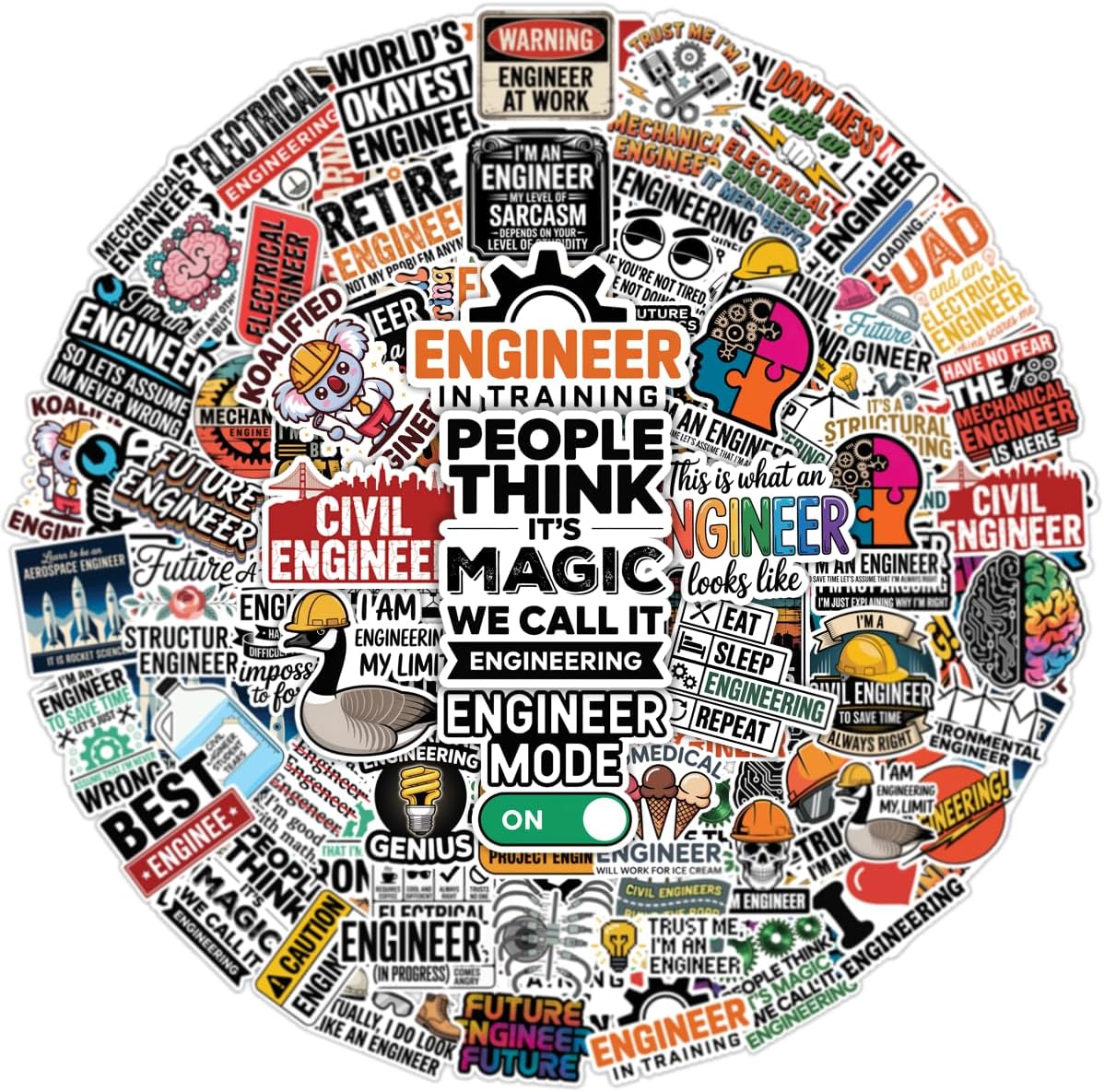
These engineering stickers provide a creative way to personalize your gear and show off your STEM interests. The collection features mechanical, electrical, and robotics themes perfect for students and professionals alike.
We may earn a commission when you buy through this link, at no additional cost to you.
Made from premium PVC vinyl the decals are waterproof and scratch-proof ensuring they stay vibrant. They can be applied to various surfaces including laptops, water bottles, and toolboxes without leaving residue.
While not a computing device these stickers add a touch of personality to your workspace equipment. They serve as a fun accessory to celebrate your field of study and professional achievements.
Buy this kit to accessorize your laptop or hard hat. It makes a thoughtful gift for anyone passionate about engineering and offers a simple way to express pride in your profession.
Waterproof and scratch-proof vinyl ensures the designs remain intact even in tough conditions.
Apply stickers to laptops, water bottles, and toolboxes for a personalized touch.
We may earn a commission when you buy through this link, at no additional cost to you.
This model features a massive 17.3 inch display ideal for engineers who need maximum screen real estate. The high resolution and color gamut ensure that visuals are sharp and accurate for design work.
We may earn a commission when you buy through this link, at no additional cost to you.
It is powered by an Intel Core i9 processor and RTX 2000 Ada GPU delivering top-tier performance for demanding workloads. The system includes enterprise-grade security features suitable for professional IT environments.
The large chassis makes it difficult to carry around daily so it is best used as a desktop replacement. Users should expect frequent charging due to the power requirements of the large screen and hardware.
Choose this laptop if you prioritize screen size over portability. It provides an immersive workspace for detailed schematics and simulations without the need for external monitors.
The 17.3 inch screen provides ample space for complex diagrams and multitasking.
The RTX GPU ensures smooth rendering and stability for advanced engineering applications.
We may earn a commission when you buy through this link, at no additional cost to you.
This sticker set features funny quotes about volts, amps, and ohms that appeal to electrical engineers and physics students. The vinyl material is weatherproof ensuring it remains intact even in harsh outdoor conditions.
We may earn a commission when you buy through this link, at no additional cost to you.
Each decal is designed to be applied easily without bubbles and can be removed without leaving residue. They are suitable for hard hats, laptops, and toolboxes adding a touch of humor to your gear.
While these stickers are purely decorative they make excellent gifts for anyone in the electrical trade. They bring smiles to colleagues and students who appreciate a bit of fun in their work environment.
Use this accessory to personalize your helmet or laptop case. It is a fun way to show off your passion for electrical engineering and spark conversations with fellow professionals.
Enjoy funny quotes about electricity that resonate with professionals and students alike.
Waterproof vinyl ensures the stickers withstand wear and tear in tough conditions.
We may earn a commission when you buy through this link, at no additional cost to you.
This HP model offers a large screen and decent battery life at an affordable price point. It is suitable for students who need basic computing capabilities and are not running heavy engineering simulations.
We may earn a commission when you buy through this link, at no additional cost to you.
The AMD Ryzen 3 processor handles everyday tasks smoothly but may struggle with complex CAD rendering. The large display provides good value for watching lectures or browsing documentation on the go.
While it is a capable basic laptop it lacks the power required for professional-grade engineering software. Users might need to upgrade RAM or storage if their workflow demands more processing power.
This is a budget choice for casual use or light study tasks. If your work involves basic documentation and email this laptop offers a large screen and reliable battery without breaking the bank.
The 17.3 inch screen offers generous space for reading documents and watching videos.
Fast charging ensures you can quickly restore battery power during busy schedules.
We may earn a commission when you buy through this link, at no additional cost to you.
Selecting a laptop for electrical engineering involves understanding specific hardware requirements that support simulation software and design tools. Here are the key factors to consider to ensure you choose a reliable machine.
The CPU is the brain of your laptop and must handle complex calculations efficiently. Look for Intel Core i7 or i9 processors or equivalent AMD Ryzen models to ensure smooth performance during simulations and multitasking.
Prioritize high clock speeds and multi-core capabilities to maintain productivity during long design sessions.
Ample RAM is critical for running multiple engineering applications simultaneously without slowdowns. Aim for at least 32GB of DDR5 RAM to ensure your system can handle large datasets and complex software comfortably.
Fast storage solutions like PCIe NVMe SSDs are also essential for quick application loading and file management.
While integrated graphics may suffice for basic tasks, dedicated GPUs are better for 3D modeling and rendering. NVIDIA RTX series cards are often ISV certified to ensure stability with professional CAD software.
Invest in a dedicated GPU if your workflow involves heavy visualization or rendering tasks regularly.
A high-resolution display with good color accuracy helps you spot details in schematics and designs. Anti-glare coatings are also important to reduce eye strain during extended use in various lighting conditions.
Choose a screen size between 14 and 17 inches based on your portability needs and workspace.
Engineering work often involves frequent travel or use in varied environments so build quality matters. Look for laptops that meet MIL-STD-810H testing standards to ensure they can withstand shocks and temperature changes.
A sturdy chassis ensures your investment lasts longer even under the demands of professional use.
Multiple ports are necessary to connect external monitors, debugging tools, and peripherals easily. Ensure the laptop has Thunderbolt or USB-C ports along with HDMI for flexible setup options.
Robust connectivity reduces the need for dongles and keeps your workspace organized during work.
Long battery life is essential for students who need to work throughout the day without a power source. Aim for a laptop that offers at least 8 hours of usage to cover classes and meetings comfortably.
Check for fast charging features that allow you to quickly replenish power between tasks.
Most engineering software is optimized for Windows so selecting a laptop with Windows 11 Pro is recommended. This version includes enterprise features like BitLocker encryption and remote desktop access that are useful for IT management.
Ensure the OS supports all necessary engineering applications before making your final purchase.
Always keep your laptop on a hard flat surface to prevent overheating during intensive workloads. Using a cooling pad can also help maintain optimal performance when running simulations or rendering tasks for extended periods.
Regularly update your operating system and engineering software to ensure compatibility and security. Install reliable antivirus tools and enable firewalls to protect sensitive project data from potential threats.
Clean your screen and keyboard frequently with a microfiber cloth to remove dust and fingerprints. Avoid using harsh chemicals on the display to prevent damage to the anti-glare coating or screen surface.
The Dell Precision 7680 and HP ZBook Firefly 14 are top choices due to their ISV certifications ensuring smooth operation with these applications. Both models offer sufficient RAM and processing power to handle complex designs and simulations efficiently.
While integrated graphics can handle basic tasks, a dedicated GPU like NVIDIA RTX is recommended for 3D rendering and simulation work. It provides better performance and stability for software that relies on graphical processing power.
It is advisable to get at least 32GB of RAM to ensure smooth multitasking and future-proof your laptop. Many professional applications require significant memory to run alongside other tools like web browsers and document editors.
Yes, workstation laptops like the Dell Precision series are designed for reliability and performance under demanding conditions. They often come with ISV certifications and durable builds that justify the higher cost for professional use.
Look for models that offer at least 8 hours of battery life and fast charging capabilities. This ensures you can work through long days without needing constant access to an outlet for power.
Yes, 14-inch models like the HP ZBook Firefly 14 offer a good balance of portability and performance. They are ideal for students who need to carry their laptop frequently while still handling engineering tasks.
The top picks like the Dell Precision 7680 and HP ZBook Firefly 14 provide the power and reliability needed for serious engineering workflows. They stand out for their robust specifications and ability to handle complex software efficiently.
When choosing your laptop consider your specific needs such as portability versus raw performance. Prioritize factors like RAM and graphics capabilities to ensure your machine can handle your current and future projects without slowdowns.
Always verify current pricing and availability before purchasing as listings may change frequently. Select the model that best fits your academic or professional requirements to make a wise investment for your career.